
Windows 10
Bekim Dauti
The Installing and Configuring Windows 10: 70-698 Exam Guide is designed to confirm what you already know, while also updating your knowledge of Windows 10. With its easy-to-follow guidance, you will quickly learn the user interface and discover steps to work efficiently in Windows 10 to rule out delays and obstacles.This book begins by covering various ways of installing Windows 10, followed by instructions on post-installation tasks. You will learn about the deployment of Windows 10 in Enterprise and also see how to configure networking in Windows 10. You’ll understand how to leverage Disk Management and Windows PowerShell to configure disks, volumes, and file system options. As you progress through the chapters, you will be able to set up remote management in Windows 10 and learn more about Windows update usage, behavior, and settings. You will also gain insights that will help you monitor and manage data recovery and explore how to configure authentication, authorization, and advanced management tools in Windows 10.By the end of this book, you will be equipped with enough knowledge to take the 70-698 exam and explore different study methods to improve your chances of passing the exam with ease.
Learn PowerShell Core 6.0. Automate and control administrative tasks using DevOps principles
David das Neves, Jan-Hendrik Peters
Beginning with an overview of the different versions of PowerShell, Learn PowerShell Core 6.0 introduces you to VSCode and then dives into helping you understand the basic techniques in PowerShell scripting. You will cover advanced coding techniques, learn how to write reusable code as well as store and load data with PowerShell.This book will help you understand PowerShell security and Just Enough Administration, enabling you to create your own PowerShell repository. The last set of chapters will guide you in setting up, configuring, and working with Release Pipelines in VSCode and VSTS, and help you understand PowerShell DSC. In addition to this, you will learn how to use PowerShell with Windows, Azure, Microsoft Online Services, SCCM, and SQL Server. The final chapter will provide you with some use cases and pro tips.By the end of this book, you will be able to create professional reusable code using security insight and knowledge of working with PowerShell Core 6.0 and its most important capabilities.
Learning PowerShell DSC. Automate deployment and configuration of your servers - Second Edition
James Pogran
The main goal of this book is to teach you to configure, deploy, and manage your system using the new features of PowerShell v5/v6 DSC.This book begins with the basics of PowerShell Desired State Configuration, covering its architecture and components. It familiarizes you with the set of Windows PowerShell language extensions and new Windows PowerShell commands that make up DSC. Then it helps you create DSC custom resources and work with DSC configurations with the help of practical examples. Finally, it describes how to deploy configuration data using PowerShell DSC. Throughout this book, we will be focusing on concepts such as building configurations with parameters, the local configuration manager, and testing and restoring configurations using PowerShell DSC.By the end of the book, you will be able to deploy a real-world application end-to-end and will be familiar enough with the powerful Desired State Configuration platform to achieve continuous delivery and efficiently and easily manage and deploy data for systems.
Learning Windows Server Containers. Build and deploy high-quality portable apps faster
Srikanth Machiraju
Windows Server Containers are independent, isolated, manageable and portable application environments which are light weight and shippable. Decomposing your application into smaller manageable components or MicroServices helps in building scalable and distributed application environments. Windows Server Containers have a significant impact on application developers, development operations (DevOps) and infrastructure management teams. Applications can be built, shipped and deployed in a fast-paced manner on an easily manageable and updatable environment.Learning Windows Server Containers teaches you to build simple to advanced production grade container based application using Asp.Net Core, Visual Studio, Azure, Docker and PowerShell technologies. The book teaches you to build and deploy simple web applications as Windows and Hyper-V containers on Windows 10 and Windows Server 2016 on Azure. You will learn to build on top of Windows Container Base OS Images, integrate with existing images from Docker Hub, create custom images and publish to Hub. You will also learn to work with storage containers built using Volumes and SQL Server as container, create and configure custom networks, integrate with Redis Cache containers, configure continuous integration and deployment pipelines using VSTS and Git Repository. Further you can also learn to manage resources for a container, setting up monitoring and diagnostics, deploy composite container environments using Docker Compose on Windows and manage container clusters using Docker Swarm. The last chapter of the book focuses on building applications using Microsoft’s new and thinnest server platform – Nano Servers.

Michael D. Smith
Mastering Docker on Windows is your comprehensive guide to deploying, securing, and scaling containers in enterprise-grade Windows environments. Tailored for developers, DevOps engineers, and IT professionals, this book dives deep into Docker’s advanced features, focusing on Windows 11.Starting with installation and setup, you’ll learn how to manage images, networks, and volumes on Windows. The book explores multi-container orchestration with Docker Compose, container security best practices, and performance optimization techniques to ensure your applications run efficiently and securely in production.You’ll also explore advanced topics such as running Docker in hybrid cloud environments and deploying AI/ML models using the Docker GenAI stack. Through practical examples and step-by-step tutorials, you’ll gain the skills to troubleshoot, monitor, and fine-tune Docker environments at scale. Throughout the book, you’ll build and evolve a small but realistic application stack that carries across chapters.Whether you're modernizing enterprise Windows workloads or building scalable, cloud-native applications, this book provides hands-on strategies and expert insights to help you master Docker on Windows. It’s ideal for readers with basic Docker experience who want to elevate their skills for real-world, enterprise success.
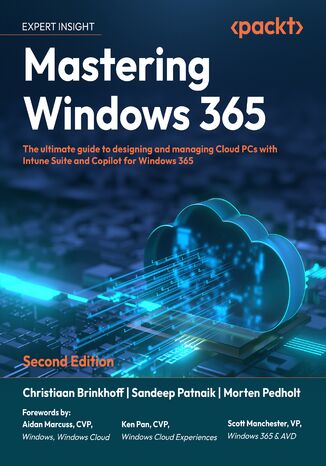
Christiaan Brinkhoff, Sandeep Patnaik, Morten Pedholt, Scott...
Windows 365 Cloud PC continues to evolve, integrating AI-driven management, enhanced security, and expanded capabilities to provide a seamless cloud-based Windows experience. This second edition builds on the foundation of the first, incorporating new content on Intune Suite, Copilot+ AI PCs, Windows App, and advanced security with Security Copilot to help IT professionals deploy, manage, and optimize Windows 365 Cloud PCs effectively.This edition expands beyond the basics, covering Intune Suite’s role in optimizing and securing deployments, new methods for application management and delivery, and insights into Windows 365 Link for hybrid cloud environments. You’ll also explore AI-powered administration with Security Copilot, providing intelligent security management and automation.Written by experts from the Windows 365 product team and a Microsoft MVP, this book provides practical guidance, best practices, and real-world insights to help you master modern Windows cloud management. Whether you’re working with Windows 365, Intune Suite, or AI-powered administration, this guide equips you with the latest tools and strategies to stay ahead in cloud computing.
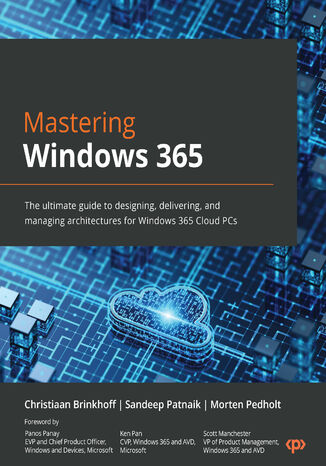
Christiaan Brinkhoff, Sandeep Patnaik, Morten Pedholt
Written by experts from the Windows 365 product group and a seasoned Microsoft MVP, this book offers a unique perspective on the features, functionality, and best practices of Windows 365. Drawing from their extensive professional experience and insight, the authors provide invaluable knowledge for those eager to learn about the next generation of cloud computing. Get ready to gain deep insights into this cutting-edge technology from industry insiders.Mastering Windows 365 starts by covering the fundamentals of Windows 365, helping you gain a deep understanding of deployment, management, access, security, analysis, and extensions with partner solutions. As you progress, you’ll explore the different connectivity layers and options to optimize your network connectivity from the endpoint to your Cloud PC. You’ll also learn how to manage a Cloud PC via the Microsoft Intune admin center successfully and experience how Windows and Windows 365 come together to provide new integrated experiences with Windows 11. In addition, this book will help you prepare for the new MD-102 Endpoint Administrator Exam, enhancing your career prospects.By the end of this book, you will be able to successfully plan, set up, and deploy Windows 365 Cloud PCs.
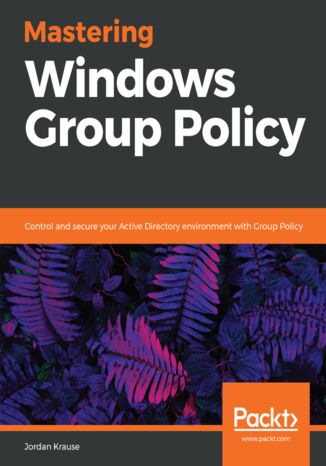
Jordan Krause
This book begins with a discussion of the core material any administrator needs to know in order to start working with Group Policy. Moving on, we will also walk through the process of building a lab environment to start testing Group Policy today. Next we will explore the Group Policy Management Console (GPMC) and start using the powerful features available for us within that interface. Once you are well versed with using GPMC, you will learn to perform and manage the traditional core tasks inside Group Policy. Included in the book are many examples and walk-throughs of the different filtering options available for the application of Group Policy settings, as this is the real power that Group Policy holds within your network. You will also learn how you can use Group Policy to secure your Active Directory environment, and also understand how Group Policy preferences are different than policies, with the help of real-world examples. Finally we will spend some time on maintenance and troubleshooting common Group Policy-related issues so that you, as a directory administrator, will understand the diagnosing process for policy settings.By the end of the book, you will be able to jump right in and use Group Policy to its full potential.