
Windows
Banibrata De
Effective machine learning (ML) now demands not just building models but deploying and managing them at scale. Written by a seasoned senior software engineer with high-level expertise in both MLOps and LLMOps, Hands-On MLOps on Azure equips ML practitioners, DevOps engineers, and cloud professionals with the skills to automate, monitor, and scale ML systems across environments.The book begins with MLOps fundamentals and their roots in DevOps, exploring training workflows, model versioning, and reproducibility using pipelines. You'll implement CI/CD with GitHub Actions and the Azure ML CLI, automate deployments, and manage governance and alerting for enterprise use. The author draws on their production ML experience to provide you with actionable guidance and real-world examples. A dedicated section on LLMOps covers operationalizing large language models (LLMs) such as GPT-4 using RAG patterns, evaluation techniques, and responsible AI practices. You'll also work with case studies across Azure, AWS, and GCP that offer practical context for multi-cloud operations.Whether you're building pipelines, packaging models, or deploying LLMs, this guide delivers end-to-end strategy to build robust, scalable systems. By the end of this book, you'll be ready to design, deploy, and maintain enterprise-grade ML solutions with confidence.
Cesar Anton Dorantes
Hands-On G Suite for Administrators is a comprehensive hands-on guide to G Suite Administration that will prepare you with all you need to know to become a certified G Suite Administrator, ready to handle all the business scales, from a small office to a large enterprise. You will start by learning the main features, tools, and services from G Suite for Business and then, you will explore all it has to offer and the best practices, so you can make the most out of it. We will explore G Suite tools in depth so you and your team get everything you need -combination of tools, settings and practices- to succeed in an intuitive, safe and collaborative way. While learning G Suite tools you will also learn how to use Google Sites and App Maker, to create from your corporate site to internal tools, live reports that seamlessly integrate with live documents, and advanced Google Services.Finally, you will learn how to set up, analyze and enforce Security, Privacy for your business and how to efficiently troubleshoot a wide variety of issues.
Phil Bramwell
Windows has always been the go-to platform for users around the globe to perform administration and ad hoc tasks, in settings that range from small offices to global enterprises, and this massive footprint makes securing Windows a unique challenge. This book will enable you to distinguish yourself to your clients.In this book, you'll learn advanced techniques to attack Windows environments from the indispensable toolkit that is Kali Linux. We'll work through core network hacking concepts and advanced Windows exploitation techniques, such as stack and heap overflows, precision heap spraying, and kernel exploitation, using coding principles that allow you to leverage powerful Python scripts and shellcode.We'll wrap up with post-exploitation strategies that enable you to go deeper and keep your access. Finally, we'll introduce kernel hacking fundamentals and fuzzing testing, so you can discover vulnerabilities and write custom exploits. By the end of this book, you'll be well-versed in identifying vulnerabilities within the Windows OS and developing the desired solutions for them.
Hybrid Cloud for Architects. Build robust hybrid cloud solutions using AWS and OpenStack
Alok Shrivastwa
Hybrid cloud is currently the buzz word in the cloud world. Organizations are planning to adopt hybrid cloud strategy due to its advantages such as untested workloads, cloud-bursting, cloud service brokering and so on. This book will help you understand the dynamics, design principles, and deployment strategies of a Hybrid Cloud.You will start by understanding the concepts of hybrid cloud and the problems it solves as compared to a stand-alone public and private cloud. You will be delving into the different architecture and design of hybrid cloud. The book will then cover advanced concepts such as building a deployment pipeline, containerization strategy, and data storage mechanism. Next up, you will be able to deploy an external CMP to run a Hybrid cloud and integrate it with your OpenStack and AWS environments. You will also understand the strategy for designing a Hybrid Cloud using containerization and work with pre-built solutions like vCloud Air, VMware for AWS, and Azure Stack. Finally, the book will cover security and monitoring related best practices that will help you secure your cloud infrastructure. By the end of the book, you will be in a position to build a hybrid cloud strategy for your organization.
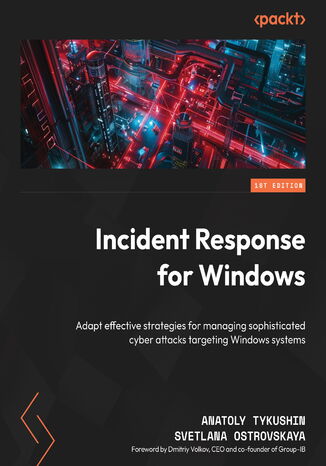
Anatoly Tykushin, Svetlana Ostrovskaya, Dmitry Volkov
Cybersecurity threats are constantly evolving, posing serious risks to organizations. Incident Response for Windows, by cybersecurity experts Anatoly Tykushin and Svetlana Ostrovskaya, provides a practical hands-on guide to mitigating threats in Windows environments, drawing from their real-world experience in incident response and digital forensics.Designed for cybersecurity professionals, IT administrators, and digital forensics practitioners, the book covers the stages of modern cyberattacks, including reconnaissance, infiltration, network propagation, and data exfiltration. It takes a step-by-step approach to incident response, from preparation and detection to containment, eradication, and recovery. You will also explore Windows endpoint forensic evidence and essential tools for gaining visibility into Windows infrastructure. The final chapters focus on threat hunting and proactive strategies to identify cyber incidents before they escalate.By the end of this book, you will gain expertise in forensic evidence collection, threat hunting, containment, eradication, and recovery, equipping them to detect, analyze, and respond to cyber threats while strengthening your organization's security posture
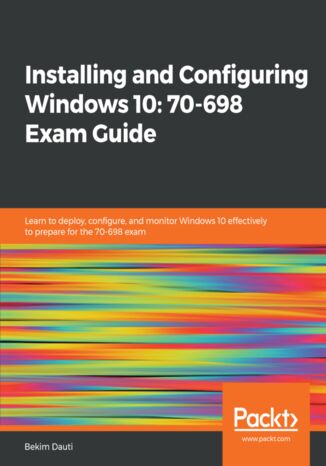
Bekim Dauti
The Installing and Configuring Windows 10: 70-698 Exam Guide is designed to confirm what you already know, while also updating your knowledge of Windows 10. With its easy-to-follow guidance, you will quickly learn the user interface and discover steps to work efficiently in Windows 10 to rule out delays and obstacles.This book begins by covering various ways of installing Windows 10, followed by instructions on post-installation tasks. You will learn about the deployment of Windows 10 in Enterprise and also see how to configure networking in Windows 10. You’ll understand how to leverage Disk Management and Windows PowerShell to configure disks, volumes, and file system options. As you progress through the chapters, you will be able to set up remote management in Windows 10 and learn more about Windows update usage, behavior, and settings. You will also gain insights that will help you monitor and manage data recovery and explore how to configure authentication, authorization, and advanced management tools in Windows 10.By the end of this book, you will be equipped with enough knowledge to take the 70-698 exam and explore different study methods to improve your chances of passing the exam with ease.
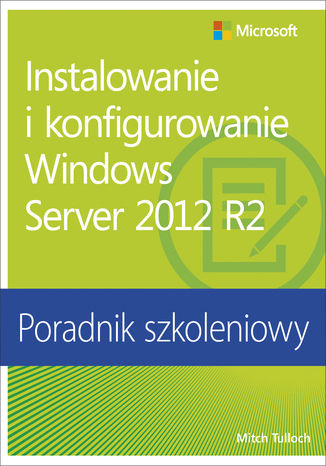
Instalowanie i konfigurowanie Windows Server 2012 R2 Poradnik szkoleniowy
Mitch Tulloch
Niniejszy Poradnik szkoleniowy ułatwi administratorom w przedsiębiorstwach poszerzać swoje specjalistyczne umiejętności w zakresie wdrażania, konfigurowania i zarządzania usługami w systemie Windows Server 2012 R2. Prezentowane w książce lekcje i ćwiczenia, opracowane na podstawie wiedzy ekspertów, ułatwiają nabycie praktycznych doświadczeń i zwiększają efektywność pracy. Ten Poradnik Szkoleniowy firmy Microsoft: • Udostępnia szczegółowe szkolenie praktyczne do samodzielnej nauki • Skupia się na osiąganiu umiejętności specyficznych dla pełnionych ról w kontekście implementacji kluczowych usług systemu Windows Server 2012 R2, takich jak usługi Active Directory czy usługi sieci • Tworzy fundament dla umiejętności, które w połączeniu z doświadczeniami w pracy, dają podstawy do ich sprawdzenia na egzaminach Microsoft Certification, takich jak egzamin 70-410 Poszerzaj umiejętności. Buduj doświadczenie. • Planuj procesy migracji lub wdrożenia • Zarządzaj zdalnie serwerami i instaluj role • Planuj i wdrażaj kontrolery domen • Administruj zaawansowanymi usługami Active Directory • Planuj, konfiguruj i zarządzaj Zasadami grupy • Wdrażaj hosty Hyper-V i maszyny wirtualne, i zarządzaj nimi • Administruj usługami sieci za pomocą Windows PowerShell 4.0 • Wdrażaj funkcję Storage Spaces; zarządzaj udostępnionymi magazynami • Konfiguruj usługi zabezpieczeń i zarządzaj nimi • Wdrażaj serwery druku i zarządzaj nimi O Tobie Ten Poradnik Szkoleniowy przyda się najbardziej profesjonalistom IT, którzy mają co najmniej trzyletnie doświadczenia w administrowaniu poprzednich wersji systemu Windows Server w średnich i dużych środowiskach. O autorze Mitch Tulloch jest ekspertem technologii systemów Windows, wielokrotnie honorowany tytułem Microsoft Most Valuable Professional (MVP) za wkład wniesiony we wdrażaniu i stosowaniu platform, rozwiązań i produktów firmy Microsoft. Przeprowadzanie ćwiczeń praktycznych Większość ćwiczeń prezentowanych w książce można przeprowadzać w zwirtualizowanym środowisku technologii Hyper-V; w przypadku niektórych ćwiczeń wymagany jest co najmniej jeden serwer fizyczny. Wymagania systemowe opisane są we Wstępie.
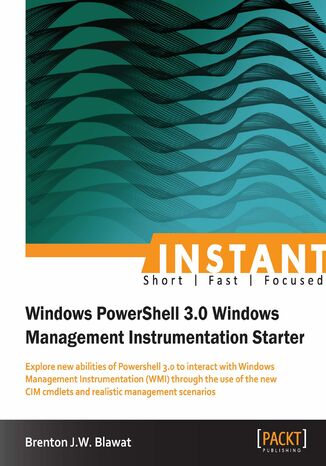
Brenton J.W. Blawat
PowerShell and Windows Management Instrumentation (WMI) provide you with the ability to remotely manage systems. Whether it is viewing available disk space, or starting an executable remotely, PowerShell 3.0 WMI provides limitless options for scripting the management of systems.Instant Windows Powershell 3.0 Windows Management Instrumentation Starter follows industry standard scripting techniques, utilizing new powerful Cmdlets, to manage different aspects of an operating system and provides practical examples for managing your systems.You will learn how to create, verify, and terminate new Cmdlets that were introduced with PowerShell 3.0 and apply this new knowledge to real world management scenarios. It will provide detailed information about the structure of WMI, and the best ways to get, set, and execute items on a system, both locally and remotely. You will also learn how to create, verify, and terminate new CIM sessions using the available Cmdlets. You will also learn how to search CIM classes for available properties and methods, create a new instance of a class, get an existing instance of an existing class, get an associated instance of a class, and remove an instance of a class. Finally, you will learn how to remotely execute code on a system using WMI.Instant Windows Powershell 3.0 Windows Management Instrumentation Starter will provide you with the ability to fully utilize Windows Management Instrumentation through the use of a variety of new Cmdlets introduced with PowerShell 3.0.