
Aplikacje biurowe
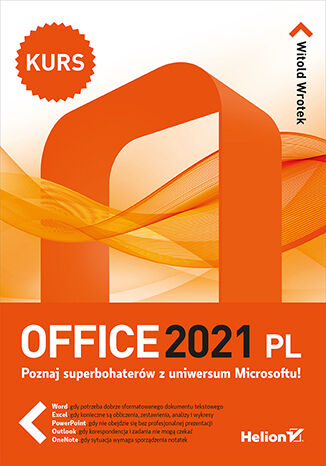
Witold Wrotek
Poznaj superbohaterów z uniwersum Microsoftu! Word, gdy potrzeba dobrze sformatowanego dokumentu tekstowego Excel, gdy konieczne są obliczenia, zestawienia, analizy i wykresy PowerPoint, gdy nie obejdzie się bez profesjonalnej prezentacji Outlook, gdy korespondencja i zadania nie mogą czekać OneNote, gdy sytuacja wymaga sporządzenia notatek Microsoft Office to standard na rynku oprogramowania biurowego, używają go firmy, szkoły, biura i urzędy na całym świecie. Niezależnie, czy chodzi o tworzenie i formatowanie dokumentów tekstowych, gromadzenie, przetwarzanie i wizualizację danych, opracowywanie różnego rodzaju prezentacji biznesowych lub naukowych, zarządzanie kalendarzami i korespondencją elektroniczną, czy sprawne sporządzanie notatek - MS Office jest numerem jeden. Trudno już sobie wyobrazić skuteczne prowadzenie jakiejkolwiek działalności bez jednego lub kilku aplikacji należących do tego pakietu. Dotychczas nie zdarzyło Ci się korzystać z jego narzędzi? Nie znasz MS Office? Najwyższy czas, aby go oswoić! Pomoże Ci w tym kurs, który bez zbędnych wstępów wprowadzi Cię w świat aplikacji biurowych firmy Microsoft. Książka prosto i czytelnie prezentuje najważniejsze funkcje programów tworzących pakiet Office, opisuje ich praktyczne zastosowanie i pokazuje, jak osiągnąć pożądane efekty w codziennej pracy z Wordem, Excelem, PowerPointem czy Outlookiem. Pisanie i formatowanie tekstów? Porządkowanie i przeliczanie danych? Tworzenie profesjonalnych prezentacji? A może zarządzanie kalendarzem i korespondencją elektroniczną? To tylko część umiejętności, które zdobędziesz dzięki temu podręcznikowi! Składniki pakietu Microsoft Office Interfejs użytkownika programów Podstawowe operacje na plikach Tworzenie i edycja tekstów Formatowanie dokumentów Wstawianie grafik Wprowadzanie i przeliczanie danych Formatowanie arkuszy kalkulacyjnych Prognozowanie wyników Generowanie wykresów Rejestrowanie i uruchamianie makr Tworzenie slajdów i prezentacji Zastosowanie multimediów Konfigurowanie kont pocztowych Zarządzanie wiadomościami Zastosowanie reguł i szablonów Przeglądanie i planowanie wydarzeń Tworzenie notatek i zarządzanie nimi Microsoft Office - i wszystko jasne!
Office 365 Essentials. Get up and running with the fundamentals of Office 365
Nuno Arias Silva
Office 365 is suite of advanced collaboration tools used by many well known organizations and their system administrators. This book starts with an introduction to Office 365 and its basic fundamentals. Then we move towards workload management and deployment. You will delve into identities, authentications, and managing office 365. We also cover concepts such as collaboration with Microsoft teams and tools such as Delve and Skype for collaboration. Towards the end of the book, you'll master monitoring and security concepts.By the end of this book, you will have hands-on experience working with Office 365 and its collaboration tools and services

Witold Wrotek
Zacznij korzystać z pełni możliwości swojego komputera Jeśli chcesz się nauczyć używać czegoś więcej niż tylko przeglądarki w laptopie, to teraz jest świetny moment, by poznać wszystkie programy, jakie oferuje urządzenie z wgranym pakietem Office. Komputer jest narzędziem uniwersalnym. W zależności od uruchomionego oprogramowania może spełniać rolę maszyny do pisania, rozbudowanego kalkulatora, sztalug, skrzynki pocztowej, terminarza, notatnika. Wszystkie te funkcje kryją się w Twoim laptopie. Dowiedz się, jak je znaleźć i jak zacząć ich używać - w czym wesprze Cię ten podręcznik. Pomyślany w formie przystępnego kursu, krok po kroku pokaże Ci możliwości kryjące się w pakiecie Microsoft Office w wersjach 365 i 2024 PL. Z książki dowiesz się między innymi: Jak korzystać z edytora tekstów Word Co możesz policzyć w arkuszu kalkulacyjnym Excel Jakiego rodzaju prezentację przygotujesz w PowerPoincie Dlaczego warto używać programu pocztowego Outlook Do czego może Ci się przydać notatnik OneNote Z kim porozmawiasz za pośrednictwem Microsoft Teams
Nikkia Carter
Microsoft Office 365 combines the popular Office suite with next-generation cloud computing capabilities. With this user guide, you'll be able to implement its software features for effective business communication and collaboration. This book begins by providing you with a quick introduction to the user interface (UI) and the most commonly used features of Office 365. After covering the core aspects of this suite, you'll learn how to perform various email functions via Exchange. Next, you will learn how to communicate using Skype for Business and Microsoft Teams. To boost your productivity, this book will help you learn everything from using instant messaging to conducting audio and web conferences, and even accessing business information from any location. In the final chapters, you will learn to work in a systematic style using file management and collaboration with OneDrive for Business using SharePoint.By the end of this book, you'll be equipped with the knowledge you need to take full advantage of Office 365 and level up your organization's productivity.
Nikkia Carter
Microsoft Office 365 combines the popular Office suite with next-generation cloud computing capabilities. With this user guide, you'll be able to implement its software features for effective business communication and collaboration. This book begins by providing you with a quick introduction to the user interface (UI) and the most commonly used features of Office 365. After covering the core aspects of this suite, you'll learn how to perform various email functions via Exchange. Next, you will learn how to communicate using Skype for Business and Microsoft Teams. To boost your productivity, this book will help you learn everything from using instant messaging to conducting audio and web conferences, and even accessing business information from any location. In the final chapters, you will learn to work in a systematic style using file management and collaboration with OneDrive for Business using SharePoint.By the end of this book, you'll be equipped with the knowledge you need to take full advantage of Office 365 and level up your organization's productivity.
Prateek Joshi, David Millán Escrivá, Vinícius G....
Open CV is a cross-platform, free-for-use library that is primarily used for real-time Computer Vision and image processing. It is considered to be one of the best open source libraries that helps developers focus on constructing complete projects on image processing, motion detection, and image segmentation.Whether you are completely new to the concept of Computer Vision or have a basic understanding of it, this book will be your guide to understanding the basic OpenCV concepts and algorithms through amazing real-world examples and projects.Starting from the installation of OpenCV on your system and understanding the basics of image processing, we swiftly move on to creating optical flow video analysis or text recognition in complex scenes, and will take you through the commonly used Computer Vision techniques to build your own Open CV projects from scratch.By the end of this book, you will be familiar with the basics of Open CV such as matrix operations, filters, and histograms, as well as more advanced concepts such as segmentation, machine learning, complex video analysis, and text recognition.
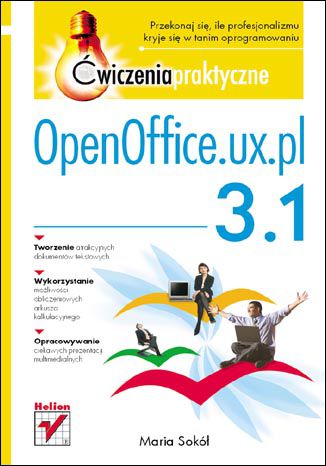
OpenOffice.ux.pl 3.1. Ćwiczenia praktyczne
Maria Sokół
Przekonaj się, ile profesjonalizmu kryje się w tanim oprogramowaniu! Tworzenie atrakcyjnych dokumentów tekstowych Wykorzystanie możliwości obliczeniowych arkusza kalkulacyjnego Opracowywanie ciekawych prezentacji multimedialnych Z oprogramowania biurowego — pozwalającego tworzyć dokumenty tekstowe, arkusze kalkulacyjne czy prezentacje multimedialne — korzystają prawie wszyscy użytkownicy komputerów osobistych. Niestety, popularny pakiet Microsoft Office nie należy do najtańszych. Stąd bierze się rosnące zainteresowanie alternatywnymi programami, czasem dostępnymi bezpłatnie, a czasem za niewygórowaną, zdecydowanie niższą cenę. Do tej drugiej kategorii należy właśnie pakiet OpenOffice.ux.pl, będący przystosowaną do potrzeb polskiego użytkownika odmianą otwartego, darmowego pakietu biurowego OpenOffice.org. W książce "OpenOffice.ux.pl 3.1. Ćwiczenia praktyczne" znajdziesz zbiór przydatnych informacji na temat narzędzi pakietu oraz ćwiczenia umożliwiające natychmiastową sprawną pracę w programie. Dzięki lekturze dowiesz się, jak przy użyciu programu Writer utworzyć i sformatować profesjonalny dokument tekstowy, umieścić w nim ciekawe elementy wizualne oraz otrzymać efekt końcowy w postaci atrakcyjnego wydruku. Poznasz również sposoby korzystania z aplikacji Calc i przeprowadzania za jej pomocą wszelkich obliczeń oraz tworzenia efektownych wykresów. Zdobędziesz także podstawowe informacje na temat używania programu Impress do składania profesjonalnych prezentacji. Dostosowywanie środowiska pracy Tworzenie dokumentów tekstowych za pomocą programu Writer Formatowanie tekstu Wstawianie i formatowanie obrazów, tabel, list oraz spisów treści Korzystanie z programu Calc do tworzenia i formatowania arkuszy kalkulacyjnych Przeprowadzanie prostych obliczeń i używanie funkcji Tworzenie i formatowanie wykresów Praca ze zbiorami danych Tworzenie i formatowanie prezentacji z wykorzystaniem aplikacji Impress Drukowanie dokumentów, arkuszy i pokazów slajdów Korzystaj z bogactwa możliwości pakietu OpenOffice!
OpenShift Multi-Cluster Management Handbook. Go from architecture to pipelines using GitOps
Giovanni Fontana, Rafael Pecora, Marcos Amorim
For IT professionals working with Red Hat OpenShift Container Platform, the key to maximizing efficiency is understanding the powerful and resilient options to maintain the software development platform with minimal effort. OpenShift Multi-Cluster Management Handbook is a deep dive into the technology, containing knowledge essential for anyone who wants to work with OpenShift.This book starts by covering the architectural concepts and definitions necessary for deploying OpenShift clusters. It then takes you through designing Red Hat OpenShift for hybrid and multi-cloud infrastructure, showing you different approaches for multiple environments (from on-premises to cloud providers). As you advance, you’ll learn container security strategies to protect pipelines, data, and infrastructure on each layer. You’ll also discover tips for critical decision making once you understand the importance of designing a comprehensive project considering all aspects of an architecture that will allow the solution to scale as your application requires.By the end of this OpenShift book, you’ll know how to design a comprehensive Red Hat OpenShift cluster architecture, deploy it, and effectively manage your enterprise-grade clusters and other critical components using tools in OpenShift Plus.
Mridula Grandhi
AWS cloud technologies help businesses scale and innovate, however, adopting modern architecture and applications can be a real challenge. This book is a comprehensive guide that ensures your switch to AWS services is smooth and hitch-free. It will enable you to make optimal decisions to bring out the best ROI from AWS cloud adoption.Beginning with nuances of cloud transformation on AWS, you’ll be able to plan and implement the migration steps. The book will facilitate your system modernization journey by getting you acquainted with various technical domains, namely, applications, databases, big data, analytics, networking, and security. Once you’ve learned about the different operations, budgeting, and management best practices such as the 6 Rs of migration approaches and the AWS Well-Architected Framework, you’ll be able to achieve operational excellence in cloud adoption. You’ll also learn how to deploy some of the important AWS tools and services with real-life case studies and use cases.By the end of this book, you’ll be able to successfully implement cloud migration and modernization on AWS and make decisions that best suit your organization.