Aplikacje biurowe
Jak wykonać skomplikowane obliczenia w arkuszu kalkulacyjnym? Jak napisać i poprawnie sformatować urzędowe pismo w edytorze tekstu albo wykonać interesującą prezentację dla szefa? Tutaj znajdziecie odpowiedź.
Podręczniki w tym dziale pozwolą poznać tajniki najbardziej popularnych aplikacji biurowych jak pakiet MS Office czy Open Office, poczty elektronicznej jak Outlook, czy zagadnień języka programowania VBA oraz w pełni wykorzystać potencjał jaki te programy oferują. Nauczycie się jak aktywnie zarządzać budżetem w MS Project, tworzyć prezentację w PowerPoint slajd po slajdzie, oraz znajdziecie tu szereg wskazówek i porad jak usprawnić Waszą pracę z programami Excel czy Word.

VMware vRealize Configuration Manager Cookbook. Click here to enter text
Abhijeet Shriram Janwalkar
VMware vRealize Configuration Manager (VCM) helps you to automate IT operations, manage performance, and gain visibility across physical and virtual infrastructure. It is continuously being used by enterprises to audit the configurations of the VMware infrastructure as well as the Windows, Linux, and UNIX operating systems.This book is filled with practical recipes through which you will learn about the latest features of vRealize Configuration Manager 5.8.X, starting with installation of various tiers of VCM followed by configuration management across physical and virtual servers.Throughout this book, you will explore how VCM can perform tasks such as patch management, compliance assessment, and software package distribution along with Machine filters for new platforms such as RHEL 7 and Windows 10. This book will ease your troubles while upgrading from the existing VCM to the latest version by providing you with step-by-step instructions about the process of migration along with upgrade and maintenance support. This book will help you understand how to integrate vRealize Configuration with other applications along with schedule management and also guide you on how to handle security issues.After reading this book, you will have a clear understanding of how VCM fits in the overall picture of the data center design from a patching and compliance perspective.
VMware vRealize Orchestrator Cookbook. Click here to enter text. - Second Edition
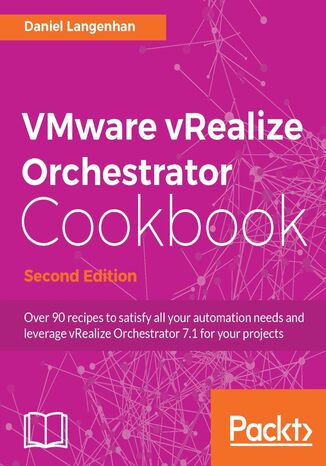
Daniel Langenhan
VMware vRealize Orchestrator is a powerful automation tool designed for system administrators and IT operations staff who are planning to streamline their tasks and are waiting to integrate the functions with third-party operations software. This book is an update to VMware vRealize Orchestrator Cookbook and is blend of numerous recipes on vRealize Orchestrator 7. This book starts with installing and configuring vRealize Orchestrator. We will demonstrate how to upgrade from previous versions to vRealize Orchestrator 7. You will be taught all about orchestrator plugins and how to use and develop various plugins that have been enhanced in Orchestrator 7. Throughout this book, you will explore the new features of Orchestrator 7, such as the introduction of the control center, along with its uses. You will also come to understand visual programming, how to integrate base plugins into workflows, and how to automate VMware. You will also get to know how to troubleshoot vRealize Orchestrator.By the end of this book, you will be able to get the most out of your Orchestrator installation, and will be able to develop complex workflows and create your own highly integrated automations of vRealize environments.
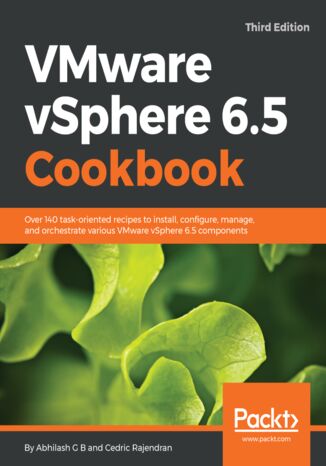
Abhilash G B, Cedric Rajendran
VMware vSphere is a complete and robust virtualization product suite that helps transform data centers into simplified on-premises cloud infrastructures, providing for the automation and orchestration of workload deployment and life cycle management of the infrastructure. This book focuses on the latest release of VMware vSphere and follows a recipe-based approach, giving you hands-on instructions required to deploy and manage a vSphere environment.The book starts with the procedures involved in upgrading your existing vSphere infrastructure to vSphere 6.5, followed by deploying a new vSphere 6.5 environment. Then the book delves further into the procedures involved in managing storage and network access to the ESXi hosts and the virtual machines running on them. Moving on, the book covers high availability and fair distribution/utilization of clustered compute and storage resources. Finally, the book covers patching and upgrading the vSphere infrastructure using VUM, certificate management using VMCA, and finishes with a chapter covering the tools that can be used to monitor the performance of a vSphere infrastructure.
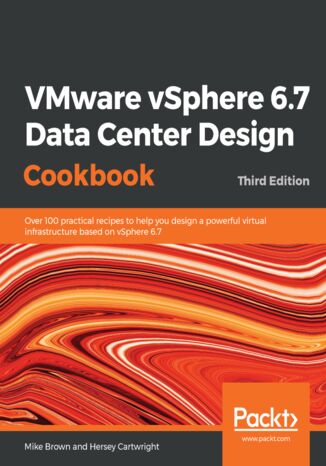
Mike Brown, Hersey Cartwright
VMware is the industry leader in data center virtualization. The vSphere 6.x suite of products provides a robust and resilient platform to virtualize server and application workloads.This book uses proven infrastructure design principles and applies them to VMware vSphere 6.7 virtual data center design through short and focused recipes on each design aspect. The second edition of this book focused on vSphere 6.0. vSphere features released since then necessitate an updated design guide, which includes recipes for upgrading to 6.7, vCenter HA; operational improvements; cutting-edge, high-performance storage access such as RDMA and Pmem; security features such as encrypted vMotion and VM-level encryption; Proactive HA; HA Orchestrated Restart; Predictive DRS; and more.By the end of the book, you will be able to achieve enhanced compute, storage, network, and management capabilities for your virtual data center.
VMware vSphere 6.x Datacenter Design Cookbook. Click here to enter text. - Second Edition
Hersey Cartwright
VMware is the industry leader in data center virtualization. The vSphere 6.x suite of products provides a robust and resilient platform to virtualize server and application workloads. With the release of 6.x a whole range of new features has come along such as ESXi Security enhancements, fault tolerance, high availability enhancements, and virtual volumes, thus simplifying the secure management of resources, the availability of applications, and performance enhancements of workloads deployed in the virtualized datacenter.This book provides recipes to create a virtual datacenter design using the features of vSphere 6.x by guiding you through the process of identifying the design factors and applying them to the logical and physical design process. You’ll follow steps that walk you through the design process from beginning to end, right from the discovery process to creating the conceptual design; calculating the resource requirements of the logical storage, compute, and network design; mapping the logical requirements to a physical design; security design; and finally creating the design documentation.The recipes in this book provide guidance on making design decisions to ensure the successful creation, and ultimately the successful implementation, of a VMware vSphere 6.x virtual data center design.
Sander van Vugt
VMware Workstation runs on Linux as well as Windows hosts and handles different virtual machine formats, which allows you to share your work with users of other virtualization platforms, including VirtualBox, VMware Player, and VMware vSphere environments.VMware Workstation - No Experience Necessary helps you in getting started with VMware Workstation. You'll learn how to install VMware Workstation in any circumstance, and how to create virtual machines and keep different configurations for each virtual machine, which helps in setting up extensive test environments. You'll also learn how to share these virtual machines with users of other virtualization products as well as the cloud.In VMware Workstation - No Experience Necessary you'll start learning about different virtualization solutions. In this introduction you'll learn how VMware Workstation differs from other workstation virtualization platforms such as Oracle Virtual Box, and from data centre virtualization solutions such as VMware vSphere. Next, you'll learn how to install VMware Workstation on either a Windows or a Linux host and how to create virtual machines on these host platforms.After installing virtual machines, you'll learn about advanced virtual machine features, including advanced networking and storage setups, which allow you to mirror a data centre setup as closely as possible. An important part of the setup of such an environment is working with snapshots and clones, which is discussed in detail. You'll also learn how to use virtual machines that are created on other host computers.The final part of the book teaches you how to share virtual machines with others. You'll learn how to upload virtual machines to VMware vSphere, and how to share virtual machines with users of VMware Player.
Kevin Elder, Christopher Kusek, Prasenjit Sarkar
vSphere is a mission-critical piece of software for many businesses. It is a complex tool, and incorrect design and deployment can create performance related issues that can negatively affect the business. This book is focused on solving these problems as well as providing best practices and performance-enhancing techniques. This edition is fully updated to include all the new features in version 6.5 as well as the latest tools and techniques to keep vSphere performing at its best.This book starts with interesting recipes, such as the interaction of vSphere 6.5 components with physical layers such as CPU, memory, and networking. Then we focus on DRS, resource control design, and vSphere cluster design. Next, you’ll learn about storage performance design and how it works with VMware vSphere 6.5. Moving on, you will learn about the two types of vCenter installation and the benefits of each. Lastly, the book covers performance tools that help you get the most out of your vSphere installation.By the end of this book, you will be able to identify, diagnose, and troubleshoot operational faults and critical performance issues in vSphere 6.5.
Wdrożenie Office 365 w małej organizacji krok po kroku
Marcin Pytlik
Biuro w chmurze Office 365 to pakiet usług oferowanych w ramach Microsoft Cloud, czyli w chmurze. Dostępna w 181 krajach na całym świecie Microsoft Cloud w czerwcu 2019 roku obsługiwała miliard użytkowników, w tym dwadzieścia milionów firm. Skąd taka popularność pakietu Office 365? Zapewne wynika ona z kompleksowości oferowanych usług i wygody korzystania. Umieszczenie zasobów w chmurze pozwala nie martwić się o moc i stan własnych serwerów. Wszystko, co najistotniejsze, jak Exchange Server, SharePoint Server czy Lync Server, jest dostarczane i osiągalne przez internet. W skład Office 365 wchodzi oczywiście pakiet Microsoft Office. Słowem, korzystający z tego produktu mają dostęp do wszelkich programów i usług umożliwiających sprawną pracę firmy w XXI wieku. Co najważniejsze, Office 365 można dostosowywać do swoich potrzeb. Oznacza to, że nie trzeba wykupywać abonamentu na korzystanie ze wszystkich możliwości, jakie dostarcza producent. Z szerokiego pakietu usług klient wybiera te, które sprawdzą się w jego firmie, i tylko za dostęp do nich płaci. Skąd jednak początkujący użytkownik ma wiedzieć, która usługa Office 365 sprawdzi się w jego firmie, a która okaże się zbędnym wydatkiem? Firma Microsoft umożliwia skonfigurowanie wersji próbnej Office 365 i testowanie jej przez maksymalnie miesiąc bez opłat. Dzięki temu poszczególni pracownicy będą w stanie wybrać z pakietu to, co najbardziej przyda się w ich pracy, a administrator sieci firmowej zdąży przyzwyczaić się do zarządzania dzierżawą usług dostępnych w Microsoft Cloud. Z tego poradnika, będącego swego rodzaju instrukcją obsługi Office 365, dowiesz się między innymi: Jak skonfigurować dzierżawę Office 365 W jaki sposób zarządzać użytkownikami pakietu Jak planować i konfigurować poszczególne usługi w pakiecie oraz nimi administrować Jak wygląda zarządzanie Office 365 za pomocą PowerShell