
Ebooki
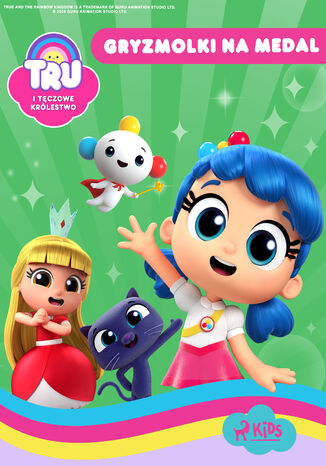
Tru i Tęczowe Królestwo: Gryzmolki na medal
Guru Studio
Dołącz do Tru i jej przyjaciół w Tęczowym Królestwie i poznaj historie stworzone na podstawie ukochanego serialu telewizyjnego najmłodszych widzów! Księżniczka Gryzelda nakazuje Gryzmolkom wybudować zamkową wieżę całą z kryształów. Jednak nowy, błyszczący projekt nie idzie tak dobrze, jak się spodziewano. Światło słoneczne, odbijające się od kryształów, oślepia mieszkańców królestwa, a ciężar wieży powoduje, że zamek zaczyna się walić. Czy True i jej przyjaciele odnajdą rozwiązanie? Bajka idealna dla małych wielbicielek i wielbicieli serialu "True i Tęczowe Królestwo" na Netflixie.
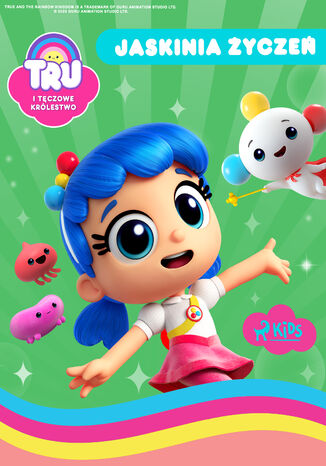
Tru i Tęczowe Królestwo: Jaskinia życzeń
Guru Studio
Dołącz do Tru i jej przyjaciół w Tęczowym Królestwie i poznaj historie stworzone na podstawie ukochanego serialu telewizyjnego najmłodszych widzów! Tęczowe Królestwo ma problemy z wodą i gigantycznymi roślinami. Król decyduje się na wysłanie do Tru bańki z prośbą o pomoc. Niestety przez zakłócenia na bańkowej linii, Tru nie potrafi zrozumieć wiadomości. Czy domyśli się, o co w niej chodzi? I co najważniejsze - czy rozwiąże problem z wodą, zanim będzie za późno? Bajka idealna dla małych wielbicielek i wielbicieli serialu "True i Tęczowe Królestwo" na Netflixie.
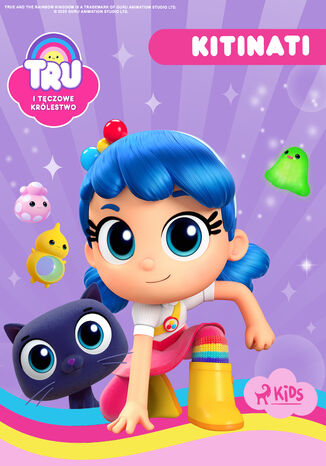
Tru i Tęczowe Królestwo: Kitinati
Guru Studio
Dołącz do Tru i jej przyjaciół w Tęczowym Królestwie i poznaj historie stworzone na podstawie ukochanego serialu telewizyjnego najmłodszych widzów. Mysi kurier dostarcza Bazylemu zaproszenie do dojo Czarnego Mruczka, gdzie uczy się sztuki ninja od Kitinati. Czy uda mu się zdobyć czerwony koci pas? Bajka idealna na małych wielbicielek i wielbicieli serialu "True i Tęczowe Królestwo" na Netflixie.
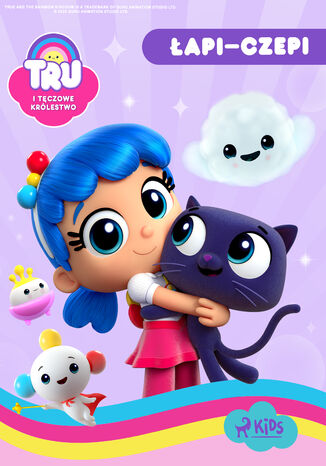
Tru i Tęczowe Królestwo: Łapiczepi
Guru Studio
Dołącz do Tru i jej przyjaciół w Tęczowym Królestwie i poznaj historie stworzone na podstawie ukochanego serialu telewizyjnego najmłodszych widzów! Po zabawie z potężną różdżką Bazyli staje się magnesem! Gdy coraz więcej rzeczy do niego przywiera, Tru musi użyć swoich mocy i znaleźć sposób, aby pomóc mu z jego nietypowym problemem. Czy jej się to uda? Bajka idealna dla małych wielbicielek i wielbicieli serialu "True i Tęczowe Królestwo" Netflixa.
Tru i Tęczowe Królestwo: Mali pomocnicy
Guru Studio
Dołącz do Tru i jej przyjaciół w Tęczowym Królestwie i poznaj historie stworzone na podstawie ukochanego serialu telewizyjnego najmłodszych widzów! Uroczy mali pomocnicy bardzo chcą wszystkim pomagać. Jednak tak bardzo skupiają się na drobnostkach, że pomijają najważniejsze zadania. Z tego powodu mieszkańcy Tęczowego Królestwa muszą poprosić o pomoc Tru! Czy Tru uda się przyjść z odsieczą na czas? Bajka idealna dla małych wielbicielek i wielbicieli serialu "True i Tęczowe Królestwo" na Netflixie.
Tru i Tęczowe Królestwo: Pilnujemy Frutiego
Guru Studio
Dołącz do Tru i jej przyjaciół w Tęczowym Królestwie i poznaj historie stworzone na podstawie ukochanego serialu telewizyjnego najmłodszych widzów! Tru i Bazyli zostają poproszeni o pilnowanie zamku Tęczowego Króla i opiekę nad ukochanym psim pupilem księżniczki Gryzeldy, Frutim. Jednak Fruti sprawia więcej problemów, niż się spodziewali, a seria niefortunnych zdarzeń może doprowadzić zamek do ruiny, chyba że dwójka przyjaciół zdoła zapobiec katastrofie. Czy dadzą radę temu wyzwaniu? Bajka idealna dla małych wielbicielek i wielbicieli serialu "True i Tęczowe Królestwo" Netflixa.
Tru i Tęczowe Królestwo: Problematyczny mech
Guru Studio
Dołącz do Tru i jej przyjaciół w Tęczowym Królestwie i poznaj historie stworzone na podstawie ukochanego serialu telewizyjnego najmłodszych widzów! Bazyli przynosi do domu bąblomech, który zaczyna rosnąć jak szalony. Wkrótce pokrywa ich mieszkanie i rozprzestrzenia się po całym królestwie. Tru musi wykorzystać swoje trzy życzenia z Drzewa Życzeń, aby powstrzymać mech i ochronić królestwo. Bajka idealna dla małych wielbicielek i wielbicieli serialu "True i Tęczowe Królestwo" na Netflixie.

Tru i Tęczowe Królestwo: Superhiperdyskoteka
Guru Studio
Dołącz do Tru i jej przyjaciół w Tęczowym Królestwie i poznaj historie stworzone na podstawie ukochanego serialu telewizyjnego najmłodszych widzów! Czas założyć buty do tańca i ruszyć na parkiet! Zbliża się ogromna dyskoteka u Tęczowego Króla. Jednakże Tru i Bazyli zauważają, że DJ Tęczowego Królestwa ostatnio czuje się gorzej. Postanawiają więc pomóc mu odzyskać pewność siebie. Czy im się to uda? Bajka idealna dla małych wielbicielek i wielbicieli serialu "True i Tęczowe Królestwo" na Netflixie.
Tru i Tęczowe Królestwo: Wielka jagodowa zagadka
Guru Studio
Dołącz do Tru i jej przyjaciół w Tęczowym Królestwie i poznaj historie stworzone na podstawie ukochanego serialu telewizyjnego najmłodszych widzów! Ktoś kradnie wszystkie numiziomki w Tęczowym Królestwie, więc Tru i Bazyli wyruszają na poszukiwanie wskazówek, aby znaleźć winowajcę. Czy ich misja zakończy się sukcesem? Bajka idealna na małych wielbicielek i wielbicieli serialu "True i Tęczowe Królestwo" Netflixa.

Tru i Tęczowe Królestwo: Zizazium!
Guru Studio
Dołącz do Tru i jej przyjaciół w Tęczowym Królestwie i poznaj historie stworzone na podstawie ukochanego serialu telewizyjnego najmłodszych widzów! Księżniczka Gryzelda za wszelką cenę chce wygrać pierwszy w historii Tęczowy Rajd w Tęczowym Królestwie. Jednak przez swój zapał do bycia pierwszą nie zważa na innych zawodników, spychając ich z trasy. Jak to się skończy? Bajka idealna dla małych wielbicielek i wielbicieli serialu "True i Tęczowe Królestwo" Netflixa.

Trubadurzy imperium. Literatura rosyjska i kolonializm
Ewa M. Thompson
Trubadurzy imperium. Literatura rosyjska i kolonializm to nowatorska propozycja odczytania nowoczesnej literatury rosyjskiej XIX i XX wieku. Dzięki oryginalnemu wykorzystaniu nowych metod kulturowej teorii literatury książka stała się osiągnięciem podwójnie pionierskim, które nie tylko odsłania nie dostrzegane dotąd strony najwybitniejszych dzieł literackich i postaw pisarzy, ale również inspirująco ukazuje inne perspektywy, odkrywa nowe możliwości refleksji nad literaturą, jej miejscem w kulturze i (także) politycznym znaczeniem w życiu społeczeństw i narodowości. Ewa M. Thompson jest profesorem slawistyki na uniwersytecie Rice w Stanach Zjednoczonych. Studia wyższe rozpoczęła na Uniwersytecie Warszawskim, zakończyła w Vanderbilt w USA, gdzie również otrzymała doktorat. Jest autorką pięciu książek; jedna z nich, Understanding Russia: the Holy Fool in Russian Culture, została przetłumaczona na język chiński i wydana dwukrotnie w Hong Kongu i Pekinie. Jej artykuły można znaleźć w pismach takich jak "Slavic Review", "Modern Age" i "Teksty Drugie". Od czasu do czasu pisuje w amerykańskiej prasie codziennej, w dziennikach takich jak "Houston Chronicle" i "Washington Times".
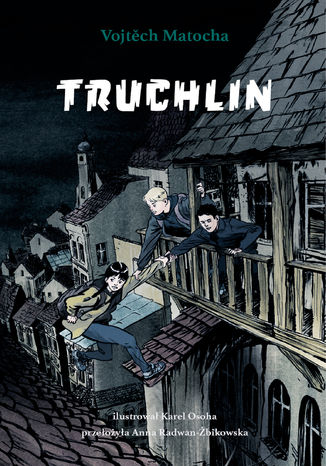
Vojtěch Matocha
Truchlin to tajemnicza dzielnica Pragi, gdzie czas zatrzymał się sto lat temu. Nikt nie wie, dlaczego nie działa tam elektryczność: nie świecą lampy, nie jeżdżą tramwaje, nie gra radio, a telefon nie łapie zasięgu. Pewnego dnia złowieszcza ciemność Truchlina zaczyna rozlewać się na dalsze ulice i osiedla, wkrótce może objąć całą stolicę Czech. Jirka, zupełnie przypadkiem, zostaje wplątany w rozgrywkę, od której zależy los miasta. Wraz z przyjaciółką, En, musi odkryć największą tajemnicę Truchlina i zapobiec zbliżającej się katastrofie. To nie lada wyzwanie, bo mroczna dzielnica nie lubi zdradzać swoich sekretów obcym, a do tego śladem dzieci podąża gang bezwzględnego biznesmena Klementa Hroudy. Co skrywa niegościnna dzielnica? Kim był Dalibor Napravnik? Do czego służą żarówki wypełnione zielonym płynem? Dlaczego dziadek Jirki nie mówi wszystkiego? I czy cała Praga pogrąży się w ciemności? Szczypta grozy, detektywistyczne zacięcie autora i podkreślające pełną napięcia atmosferę czarno-białe ilustracje to tylko niektóre z zalet powieści, która szybko uzyskała w Czechach status bestsellera. Książka otrzymała nominacje do najważniejszych nagród literackich (Magnesia Litera, Zlata Stuha) i znalazła się na liście Białych Kruków Internationale Jugendbibliothek. W Czechach wydano już drugą część tej historii, a na podstawie serii powstaje pełnometrażowy film fabularny.
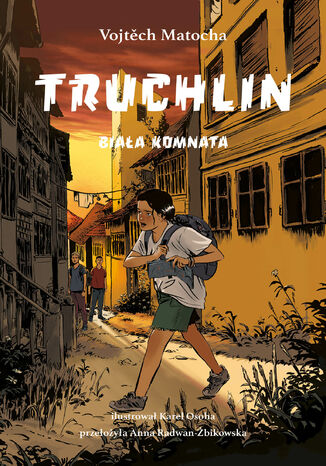
Truchlin. Biała Komnata (tom 3)
Vojtech Matocha
Truchlin to mroczna dzielnica Pragi, gdzie czas zatrzymał się sto lat temu: nie działa tu elektryczność ani inne współczesne wynalazki. Jest lato, minęło kilka miesięcy od ostatnich przygód Jirki i En. Tajemnica Truchlina została ujawniona, co zupełnie zmieniło życie jego mieszkańców. Świat Jirki też wywrócił się do góry nogami. Rodzice mu nie ufają, chodzi do innej szkoły, ale to jeszcze nie koniec zmian. Jirka wolałby już nigdy więcej nie wracać na Truchlin, tymczasem pewnego deszczowego wieczora odwiedza go dawno niewidziany przyjaciel z wieścią, że En zniknęła. Co planuje En? Ostatnim hasłem wyszukiwanym przez nią w internecie była "Biała Komnata". Gdzie jej szukać i co się w niej kryje?Czy przyjaźń ma sens, jeśli przyjaciele nie mówią sobie wszystkiego? I najważniejsze: czy istnieje sposób, by ocalić Truchlin? Niewiadome się mnożą, a historia ani na chwilę nie traci tempa. Truchlin. Biała Komnata - trzecia, finałowa część bestsellerowej czeskiej serii dla młodzieży autorstwa Vojtěcha Matochy - to dynamiczna, pełna emocji i przygód opowieść z pobudzającymi wyobraźnię czarno-białymi ilustracjami Karla Osohy. Na podstawie Truchlina powstaje pełnometrażowy film fabularny, seria doczekała się też komiksowej kontynuacji.
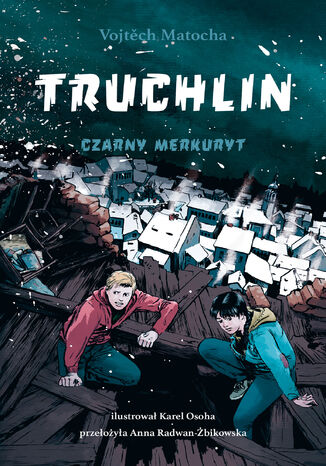
Vojtech Matocha
Truchlin - tajemnicza dzielnica Pragi, gdzie czas zatrzymał się w dziewiętnastym wieku: nie działają elektryczność ani inne współczesne wynalazki. Jest mroźna zima, dzielnicę pokrywa śnieg. Od pierwszych przygód Jirki i En upłynęło kilka miesięcy. Na pogrzebie dziadka Jirka zauważa nieznajomego mężczyznę, który z ukrycia obserwuje ich rodzinę. Niedługo potem chłopak zostaje porwany i ląduje na Czerepach, w miejscu o wiele bardziej posępnym niż reszta Truchlina. Jirka nie wierzy własnym oczom: czy to możliwe, że w dwudziestym pierwszym wieku, kilkaset metrów od centrum europejskiej stolicy, ludzie chodzą w ubraniach z innej epoki i wyznają surowe, średniowieczne zasady? Czym jest poszukiwany przez porywaczy Jirki czarny merkuryt? Kto lub co straszy nocami na ulicach Pragi? I dlaczego Jirce wciąż wydaje się, że En ma jakiś sekret? Akcja pędzi, a napięcie rośnie z każdą stroną książki. Truchlin. Czarny merkuryt - druga część bestsellerowej czeskiej sagi dla młodzieży potwierdza talent Vojtěcha Matochy do tworzenia pełnych emocji historii, których atmosferę podkreślają czarno-białe, mroczne ilustracje Karla Osohy. W Czechach ukazały się już trzy części serii, a na jej podstawie kręcony jest pełnometrażowy film fabularny.
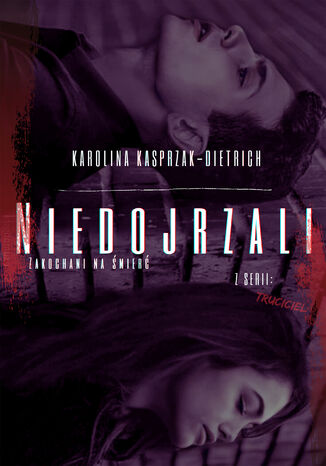
Truciciel 1. Niedojrzali Zakochani na śmierć
Karolina Kasprzak-Dietrich
Dwudziestoletnia Zoja Wiśniewska po tragicznej śmierci swojego brata nie może dojść do siebie. Wie, jak wygląda morderca Brunona i zdaje sobie sprawę z tego, że jest bezkarny i udało mu się uniknąć odpowiedzialności. Uważa, że tylko zemsta na Olafie Zamojskim - sprawcy wypadku drogowego, jest w stanie oczyścić jej poranioną duszę, by mogła zacząć życie od nowa. Po roku szpiegowania młodego spadkobiercy, postanawia zatrudnić się w dobytku Zamojskich jako pomoc domowa. Zamysł jest prosty: zamordować winowajcę. Czy jej plan się powiedzie? Czy w końcu poczuje się wolna? Jakie napotka trudności w posiadłości Zamojskich? A może okaże się, że to ona została zwabiona podstępem do rezydencji, bo ktoś wcześniej rozgryzł jej plan? Drogi czytelniku, zapraszam cię do zapoznania się z moim walentynkowym opowiadaniem, które można czytać przez cały rok.
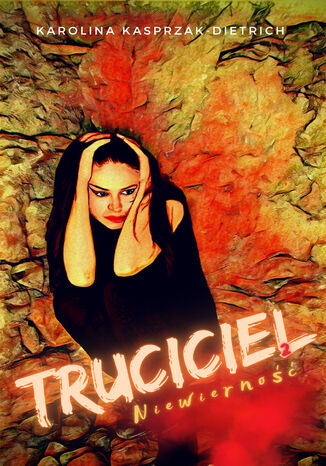
Karolina Kasprzak-Dietrich
Kiedy świat sparaliżował covid, wszyscy pogrążyli się w ogólnym smutku i niemocy. To samo dopadło Wojtka i Kasandrę, dwójkę mocno kiedyś w sobie zakochanych osób, którzy z powodu utraty części dochodu, zaczęli się od siebie odsuwać. Wojtek uciekł w samotność, przestał już tak skupiać się na pozorach, za to jeszcze bardziej potrzebował Kasandry. Ta jednak, widząc, jak jej narzeczony przestał o siebie dbać i z dnia na dzień wygląda coraz to gorzej, popadła w romans. Niedługo później zostaje porwana... Tutaj ukrywane latami słabości, namiętności oraz niezaspokojone potrzeby ujrzą wreszcie światło dzienne.