
Wird geladen...
Details zum E-Book
Einloggen wenn Sie am Inhalt des Artikels interessiert sind.
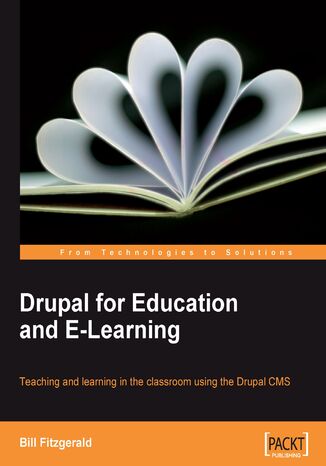
Drupal for Education and E-Learning. Teaching and learning in the classroom using the Drupal CMS
Bill Fitzgerald
Wird geladen...
E-BOOK
Wird geladen...
The book focuses around creating educational activities in Drupal, with lots of examples of realistic courses and classroom ideas – and how to implement them. This book is for anybody looking to use Drupal to support teaching and learning; more generally, the examples given in this book can also be used by anybody looking to use Drupal to publish social media. This book is not a developer's manual; you do NOT need to know code, or HTML, or CSS, to benefit from this book. People new to Drupal will find clear examples describing how to set up their site. More experienced Drupallers will find tips and tricks for extending their site, and step-by-step instructions on how to make the most out of Drupal's flexibility.
- Drupal for Education and E-Learning
- Table of Contents
- Drupal for Education and E-Learning
- Credits
- About the Author
- About the Reviewers
- Preface
- What This Book Covers
- What You Need for This Book
- Who This Book Is For
- Conventions
- Reader Feedback
- Customer Support
- Errata
- Piracy
- Questions
- 1. Introduction
- What is Drupal
- DrupalA Short Historical Overview
- What Drupal Can Do For You
- Drupal Terminology
- Taking Notes
- Summary
- 2. Installing Drupal
- Assumptions
- The Domain
- The Web Host
- Web Server
- PHP version
- MySQL version
- FTP and Shell Access to Your Web Host
- A Local Testing Environment
- The Most Effective Way versus The Easy Way
- Installing DrupalThe Quick Version
- Installing DrupalThe Detailed Version
- Getting the Codebase
- Creating the Database and the Database User
- Completing the Install
- Enabling Core Modules
- Assigning Rights to the Authenticated User Role
- Summary
- Assumptions
- 3. Getting Started
- The Core Install
- Core User Functionality
- My Account
- Create Content
- Log Out
- Administrative Functionality
- Content Management
- Site Building
- Site Configuration
- User Management
- Reports
- Core User Functionality
- Next Steps: Building the Foundation
- Installing Modules and Themes
- Files
- Directories
- Core Modules and Themes
- The Sites Directory
- Adding Modules and Themes: The Steps
- Step 1: Download
- Step 2: Decompress
- Step 3: Upload
- Step 4: Enable
- Configuring Modules and Themes
- Modules
- Themes
- Modules and Themes: A Summary
- Creating Roles
- Creating Content Types
- Step 1: Creating the Content Type
- A: Identification
- B: Submission Form Settings
- C: Workflow Settings
- D: Comment Settings
- Step 2: Adding Fields
- Step 3: Assigning Taxonomies
- Identification
- Content Types
- Settings
- Step 4: Assigning Privileges
- The Result
- Creating Content Types: A Summary
- Step 1: Creating the Content Type
- Creating Views
- Step 1: Add a View
- Step 2: Set the Defaults
- Step a: Adding Fields
- Node Fields
- Content Fields
- Taxonomy Fields
- Configuring the Fields
- Step b: Adding Filters
- Step c: Adding Arguments (optional)
- Step d: Setting Style
- Step e: Setting Additional Configuration Options
- Step a: Adding Fields
- Step 3: Add a Display Type
- Adding Multiple Display Types and Overriding Default Values
- Save Your View!
- Creating Views: A Summary
- Summary
- The Core Install
- 4. Creating a Teacher Blog
- Installing the Text Editor
- Uploading and Enabling FCKeditor
- Configuring FCKeditor
- Assigning Permissions
- Assigning User Rights via Roles
- Understanding Roles and How They Work
- Editing the Advanced Profile
- Editing Visibility Settings in the Global Profile
- Assigning Permissions
- Setting the Proper Input Formats
- Creating Content Types for the Teacher Blog
- The Blog Post Content Type
- Add Fields
- Assign Taxonomy
- Assign Permissions
- Hey! Why Not Use the Blog Module?
- The Assignment Content Type
- Getting Started: Installing Modules
- The Assignment Content Type
- Add Fields
- Ordering Fields
- Assign Taxonomy
- Assign Permissions
- The Blog Post Content Type
- Sample Users and Testing
- Adding New Users
- Section Summary
- Adding Sample Content
- Views for the Teacher Blog and Assignments
- The Teacher Blog View
- Add a View
- Set the Defaults
- Add Fields to the View
- Add Filters
- Add Arguments
- Set Style
- Set Additional Configuration Options
- Add a Display Type
- The Assignment View
- Editing the Default Values
- Modifying the Date Field
- Removing the Default Date
- Add Filters
- Edit the Argument
- Adding a Title and Header
- Edit the Calendar Page Display
- Setting the Path and Menu
- Editing the Default Values
- The Teacher Blog View
- Summary
- Installing the Text Editor
- 5. Enrolling Students
- Understanding Roles, and Assigning Rights
- Assigning Rights
- Rights for the Student Role
- Creating Student Accounts
- Method 1: Students Create their Own Accounts
- Student Sign-in
- Retrieving the Confirmation Email
- Promoting New Members into the Student Role
- Method 2: You Create the Student Accounts
- Method 1: Students Create their Own Accounts
- Customizing the Registration Process
- The User Settings Page
- User Registration Settings
- User Email Settings
- Signatures
- Pictures
- The User Settings Page
- Additional Modules for Creating User Accounts
- Summary
- 6. Creating the Student Blog
- Setting Up the Student Blog
- Assigning Permissions
- Clone the Teacher Blog
- Getting Interactive
- Seeing Whos Discussing What
- Enabling and Cloning the Backlinks View
- Editing the Default Display
- Remove the Page Display
- Edit the Block Display
- Enabling the Block
- Seeing Whos Discussing What
- Seeing It Work
- Summary
- Setting Up the Student Blog
- 7. Bookmarks
- Assign Rights to Use Bookmarks
- Using Bookmarks in the Classroom
- Sharing a Bookmark
- Bookmark to Blog
- Learning Goals
- Bookmarks and Media Literacy
- Bookmarks as Part of Ongoing Student Research
- Learning Goals
- Bookmark to Blog
- Summary
- 8. Podcasting and Images
- Getting Started with Podcasts
- Audio Module
- Install the getID3() Module
- Install the getID3() Libraries
- Install the Token Module
- Install and Enable the Audio Module
- Install the getID3() Module
- Configure the Audio Module
- The Audio Tab
- A Brief Explanation of Tokens
- The Metadata Tags Tab
- The Players Tab
- The Audio Tab
- Assign Rights to the Audio Module
- Adjust Existing Views
- Editing the student_blog View
- Editing the teacher_blog View
- Editing the conversations View
- Uploading an Audio File
- Using Podcasts in the Class
- Creating PodcastsNotes on Hardware and Software
- Software
- Hardware
- Everyday Uses of Podcasts
- Podcasts as a Tool in Project-Based Learning
- Ideas for Podcasting Projects
- Some General Examples
- Ideas for Podcasting Projects
- Creating PodcastsNotes on Hardware and Software
- iTunes or Not
- Images and Image Galleries
- Sharing Images with the Image Module
- Configuring the Image Module
- Step 1: Adjusting the Default Settings
- Step 2: Adjusting the Image Module Settings
- Image Gallery
- Step 3: Using the Keyword Taxonomy and Creating Galleries
- Galleries
- Step 4: Assign Permissions
- Step 5: Adjusting Views
- Creating Images
- Sharing Images with the Image Module
- Summary
- 9. Video
- Setting up the Video Content Type
- Install the Embedded Media Field Module
- Configure Embedded Media Field
- Configuring the General Settings
- Configuring the Embedded Media Field Settings
- Creating the Video Content Type
- Step 1: Create the Content Type
- Step 2: Add the Video Field
- Configuring the Field
- Configuring the Global Settings
- Ordering the Fields
- Step 3: Assign a Taxonomy
- Step 4: Assign Permissions
- Embedding Videos
- Embedding from an External Site
- Embedding from the Local Site
- Adjusting the Student and Teacher Blogs
- Hardware and Software to Create Videos
- Hardware
- Cameras and Video Capturing Equipment
- Microphones and Audio Quality
- Lighting Equipment and Editing Stations
- Copying Videos from YouTube/Google Video
- Software to Create and Edit Videos
- Desktop Software
- Online Tools
- Hardware
- Using Videos in the Classroom
- Student Projects
- Teaching with Video
- Drupal as a Video Hosting and Processing Platform
- Summary
- Setting up the Video Content Type
- 10. Forums and Blogs
- Install the Forum Module
- Configure Forums
- Containers and Forums
- Displaying Multiple Content Types in a Forum
- Assign Permissions to Forums
- The Relationship between Forums and Blogs
- Forums
- Strengths
- Concerns
- Blogs
- Strengths
- Concerns
- Forums
- Summary
- 11. Social Networks and Extending the User Profile
- Identifying the Goals of Your Profile
- Using the Core Profile Module
- Customizing the Core Profile
- Add a Last Name
- Add a Birthday
- Form Options
- Managing Your Profile Fields
- Adding Content to a Profile Created Using the Core Profile Module
- Customizing the Core Profile
- Moving Beyond the Core Profile Module
- When to Look Beyond the Profile Module
- Extending Profiles Using the Content Profile Module
- Building the Profile
- Edit the Settings of the Profile Content Type
- Configure the Base Content Profile Settings
- Add Fields to the Profile Content Type
- Add the Brief Bio Field
- Adjusting the Profile Settings
- Adjusting the Global Settings
- Adding the Full Bio Field
- Adjusting the Field Display
- Add the Brief Bio Field
- Add Taxonomy Terms to the Profile Content Type
- Adding the Interest Vocabulary
- Assign Rights to Profile Nodes
- Creating an Extended Profile
- Including Fields from the Profile Node on the Registration Form
- Additional Options for Social Networking and User Profiles
- Summary
- 12. Supporting Multiple Classes
- Install and Configure Organic Groups
- Useful Links for Organic Groups
- Administrative Links
- Navigation Links
- Finding Groups and Navigating Group Content
- My Unread Posts
- Adjusting Your Site to Work with Organic Groups
- Create Group Types
- Creating the Class Content Type
- The Organic Groups Fieldset
- Creating the Club Content Type
- Creating the Class Content Type
- Create Group Types
- Assign Permissions to Group Nodes
- For Class Nodes
- For Club Nodes
- Create a Menu for Groups
- Setting the Defaults for Organic Groups
- Setting OG Configuration Options
- Content Types
- Group Details
- Groups Directory Control
- Registration Form Control
- Group Email Notifications
- Audience Checkboxes
- Audience Required
- Email Settings
- Remember: Save Your Settings!
- Setting Organic Groups Access Configuration Options
- Visibility of Posts
- Private Groups
- Setting OG Configuration Options
- Creating and Using Groups
- Creating a Group
- Enabling Group-specific Blocks
- Adding Users/Managing Subscriptions
- Creating Additional Group Managers
- Adding Group-specific Taxonomies
- Creating Content in a Group
- Summary
- 13. Tracking Student Progress
- Getting an Overview of Student Work
- Using the Core Tracker Module
- Replacing the Tracker Module with Views
- Using Code Snippets to Track Student Progress
- Enabling PHP Snippets
- Embedding a PHP Snippet in a Page
- Explaining the Snippet
- Using Views and PHP Snippets Together
- Creating the View
- Adjusting the Defaults Display
- Adding Fields
- Adding an Argument
- Adjusting the Page Display
- Adjusting the Defaults Display
- Embedding the Snippet
- Explaining the Snippet
- Creating the View
- Tracking Responses to Specific Assignments
- Editing the Argument
- Restrict Access
- How it Works
- Editing the Argument
- Private Communication with Students
- Getting Started
- Configuring Coherent Access
- Using Coherent Access
- Tracking Posts Created and Shared Using Coherent Access
- Summary
- Getting an Overview of Student Work
- 14. Theming and User Interface Design
- Basic Principles
- Keep it as Simple as Possible
- Hide Unnecessary Options
- Setting the Home Page
- Menus, Blocks, and Primary Links
- Primary and Secondary Links
- Creating Customized Menus
- Create a Separate Administration Menu
- Adding New Menus
- Enabling the Block
- Adding items to the Menu
- Create a Separate "Add Content" Block
- Adding New Menus
- Enabling Blocks
- Adding Menu Items into the Menu
- Populate the Primary Links
- Adding a Post Directly to a Menu
- Adding a New Menu Item
- Blocks and Block Placement FAQ
- What is a Block? How is it Different than a Menu?
- What is a Region?
- What Else can I do with a Block?
- Can I Make a Block Visible to Specific Roles or on Specific Pages?
- Changing Settings via the Admin Menu
- The Site Information Page
- Theme Settings
- Enabling Themes
- Global Theme Settings
- Display Post Information on
- Toggle Display
- Logo Image Settings
- Shortcut Icon Settings
- Theme-Specific Settings
- The Site Information Page
- Looking Under the Hood
- Drupal's Theme Structure
- css Files
- tpl.php Files
- Custom tpl.php Files
- CSS and JavaScript Aggregation
- Additional Resources
- Summary
- Basic Principles
- 15. Backup, Maintenance, and Upgrades
- Setting Up Cron Jobs
- Backup and Maintenance Overview
- Backing Up the Codebase
- Automating Backups Using DB Maintenance
- Configuring the Database Optimization Options
- Configuring the Database and Files Backup Options
- Summary: Using DB Maintenance to Automate Backup and Maintenance
- Caring For Your Database
- Using PHPMyAdmin as a Maintenance and Backup Tool
- Optimizing Tables Using PHPMyAdmin
- Using PHPMyAdmin as a Maintenance and Backup Tool
- Manually Backing Up the Database
- Backing up the Database via PHPMyAdmin
- Backing Up Your Database via the Command Line
- Command Line Database BackupsThe Short Version
- Command Line Database BackupsThe Full Explanation
- Command Line Backups of Core Codebase, Contributed Modules, and Files
- The Master Backup
- Details on the Command Line
- Backing up Contributed Modules and Themes
- File Backups
- Putting it all Together
- OK. What Should I Back Up, and When Should I Do It?
- Verifying that your Backup Works
- Before We Begin: Web Space for Testing Your Backup
- Creating the Backup Database
- Recreate the Database via PHPMyAdmin
- Recreate the Database via the Command Line
- Uploading the Backup Codebase
- Edit settings.php
- The Master Backup
- The Test Site
- Disaster Recovery
- Updating Your Site
- Upgrading Core
- Upgrading CoreThe Short Version
- Upgrading CoreThe Detailed Version
- Preparing the Upgraded Site
- Preparing the CodebaseAdditional Notes
- Bringing the Upgrade Live
- Upgrading Contributed Modules
- Upgrading Your Theme
- Summary
- 16. Working Effectively in the Drupal Community
- Getting Started
- Researching on Drupal.org
- Searching Effectively
- Handbooks
- Browsing the Issue Queue
- Asking Questions
- Support Forums
- Support Mailing List
- Groups.drupal.org
- IRC
- Giving Support
- Summary
- Index
- Titel:Drupal for Education and E-Learning. Teaching and learning in the classroom using the Drupal CMS
- Autor:Bill Fitzgerald
- Originaler Titel:Drupal for Education and E-Learning. Teaching and learning in the classroom using the Drupal CMS
- ISBN:9781847195036, 9781847195036
- Veröffentlichungsdatum:2008-11-27
- Format:E-Book - EPUB
- Artikel-ID: e_3bjv
- Verleger: Packt Publishing
Wird geladen...
Wird geladen...