
Publisher: 16

Kto ci powiedział, że jesteś nagi? Studium na temat sumienia
Andrew Wommack
Czy twoje sumienie potępia cię? Czym tak naprawdę jest twoje sumienie? Jaką rolę odgrywa ono w twoim życiu? Pomaga ci czy cię rani? W książce "Kto ci powiedział, że jesteś nagi?" Andrew Wommack odpowiada na te i inne pytania przedstawiając w skrócie, jaki wpływ ma na nas sumienie. Andrew mówi o tym jak zdecydowanie większość chrześcijan nie rozumie, w jaki sposób działa sumienie. Gdyby to rozumieli, nie zmagaliby się z lękiem, wstydem, poczuciem winy ani ze zwątpieniem, które trzyma ich z dala od tego, co od Boga najlepsze. Dowiadując się o swoim sumieniu nauczysz się jak chodzić w większej intymności z Jezusem, jak modlić się z odwagą i pewnością, jak przyjmować Boże obietnice oraz jak raz a zawsze wyzwolić się z lęku i zwątpienia. Andrew Wommack to autor książek i nauczyciel Słowa Bożego powołany do służby w 1968 roku. Dzięki programowi telewizyjnemu "Prawda ewangelii" oraz szkole biblijnej "Charis Bible College" z siedzibą w Woodland Park w Kolorado dociera do milionów ludzi na całym świecie. Filia jego szkoły znajduje się także w Polsce, w Łodzi. 2024 Wydawnictwo Błysk (Audiobook): 9788364716515 Tłumaczenie: Agata Pietrzak

Kto Ci ukradł marzenia? Czyli autorska metoda realizacji #1000marzeń
Michał Wawrzyniak
Dzięki metodzie #1000marzeń w ciągu najbliższego roku osiągniesz więcej niż w całym wcześniejszym życiu! Przyznasz, że to solidna obietnica. Jednakże nie jest oparta tylko na słowach - stoi za nią ogromna liczba testów. Osobiste doświadczenie i zmiana tak szokująca, że do dziś niewiarygodna dla wielu. A także przeżycia dziesiątek tysięcy moich klientów, setek tysięcy fanów i ich rodzin. Bez względu na specyfikę, stosując ten czteroetapowy schemat (Zamarz, Zaplanuj, Zarób, Zrealizuj), wybierzesz najlepiej działającą dla siebie wariację - taką, która doprowadzi Cię do każdego marzenia! Jak wiele marzeń, wizji i pomysłów masz w sobie? W zależności od zestawu mentalnych programów w swojej głowie kipisz kreatywnością oraz pragnieniami lub, niestety, podchodzisz do życia tak pragmatycznie, że większość z Twoich pragnień została głęboko zakopana pod gruzem niepowodzeń, żalu i zwątpienia we własne możliwości. Może nawet tłumaczysz innym, że bujanie głową w chmurach jest dla dzieciaków. Że trzeba twardo stąpać po ziemi, żeby się nie zawieść. Tymczasem wszystko, co mamy, powstało z marzeń. Z wizji, pomysłów, chęci, czasami irytacji, a innym razem szaleństwa. I z odwagi, aby sięgać po więcej i żyć pełną piersią! Jak mocno się śmieją z Ciebie i Twoich pomysłów? Żeby jednak cokolwiek zacząć, osiągnąć i zmienić, potrzebujesz solidnego punktu zaczepienia. Mało kto bowiem od razu rodzi się z gotową wizją, pełnym planem i nikt natychmiast nie startuje z ich realizacją (oznaczałoby to świadomość dorosłej osoby w ciele niemowlaka - a w życiu jest raczej na odwrót...). Na pierwszych więc stronach zajmiemy się sprawdzeniem Twojego obecnego stanu. Poszukamy punktu styku i minipunktu A. Upewnimy się, skąd zaczynasz, żeby później móc stwierdzić, dokąd i jak szybko udało Ci się tam z moją wiedzą dotrzeć. A zaczynając puszczać wodze fantazji, dowiesz się, że jednym z testów unikalności Ciebie, jest to jak mocno się z Ciebie śmieją... Wystrzegaj się Złodziei Marzeń! Kiedy czytasz takie słowa, może się pojawić duży ładunek emocjonalny. Złodziej to przecież ktoś specyficzny i mocno zdefiniowany. Ktoś, kto przychodzi w tajemnicy, żeby zabrać Ci to, co jest Twoje. Czyni szkodę: nierzadko nie tylko ukradnie, ale też zniszczy. Sama szkoda długo boli, gdyż nagle dostrzegasz, że coś już nie jest Twoje. Smutne to bardzo, że w dzisiejszym świecie musimy poświęcać część naszego czasu oraz zasobów nie tylko na zdobycie tego, czego pragniemy, ale i na chronienie tego, co już mamy, żeby dalej pozostało nasze. Począwszy od rzeczy materialnych, poprzez efekty naszej pracy i własności intelektualne, które do tych efektów prowadzą, aż do naszych do tytułowych 1000 marzeń, o jakich mowa w tej książce. Wiele z nich nie należy do rzeczy materialnych, a mogą zostać ukradzione. Czytając, poznasz dwanaście schematów, które Cię zabezpieczą. O autorze i książce w mediach: Charaktery.eu: Jak urzeczywistniać marzenia, nawet te, które wydają się nierealne - rozmowa z MIchalem Wawrzyniakiem NaTemat.pl: Wszyscy mamy szansę na realizację marzeń Dzięki wiedzy Michała i jego wsparciu zdobyłam złoto na Igrzyskach Europejskich 2015 w Baku. Był jedną z niewielu osób, które nie tylko we mnie wierzyły, ale też napędzały mnie do działania. Cieszę się, że dzięki tej książce więcej ludzi dostanie szansę, by spełnić swoje marzenia. Angelika Wątor, polska szablistka, złota medalistka Igrzysk Europejskich 2015 Michała szanuję za jego silny kręgosłup moralny. Gość idzie jak przecinak, a gdy powie, że masz jego wsparcie, to nie będzie zmieniał stron, jak to bywa w świecie polityki! Wybory prezydenckie nauczyły mnie, że większość ludzi dużo mówi, a mało kto cokolwiek robi i mało komu można długofalowo ufać. Ten gość natomiast uczy tego, co sam robi. Jest spójny, ostry i bezpośredni, nie próbuje przypodobać się innym. Z jego książką wytrzymasz wszędzie tam, gdzie inni odpadają. Paweł Jan Tanajno, biznesmen, ojciec, kandydat na Prezydenta RP w latach 2015 i 2020 Gdyby nie filmy i wiedza, jaką Michał w nich przekazuje, lata temu nie wzmocniłbym się odpowiednio, a moja historia mogłaby skończyć się tragicznie. To dosłownie „czarny jednorożec” rodzimego rynku rozwoju; człowiek, którego porady procentują przez całe życie. Gorąco polecam tę książkę ― i inne materiały przygotowane przez Michała. Marek Zmysłowski, biznesmen, autor bestsellera Goniąc czarne jednorożce Kiedy w wieku szesnastu lat startowałem w swoich pierwszych zawodach, napędzały mnie głównie moje marzenia. Wielu chciało mi je odebrać. Dziś wiem, że moja codzienna ciężka walka z ciałem i głową byłaby znacznie łatwiejsza, gdybym miał wtedy wsparcie Michała. Czuję, że dzięki tej książce wielu ludzi spełni swoje marzenia i wytrwa na drodze do celu. Polecam każdym kilogramem ciężko wypracowanych mięśni! Radosław Słodkiewicz, mistrz świata, mistrz Europy, wielokrotny mistrz Polski w kulturystyce Pomoc w pielęgnowaniu i spełnianiu ludzkich marzeń to najpiękniejsza decyzja czystego człowieczego serca. Gdy poznałem Michała, ogromnie mnie zaskoczyło, jak znikomą świadomość tego, jakim jest człowiekiem, mają oglądający go w internecie ludzie. To, w jaki sposób rozświetla swoją wiedzą ludzkie życie, warte jest nie tylko docenienia, ale i szacunku. Jego książki i wszystkie rzeczy, które robi, są przepełnione wielkim dobrem. Polecam z całego serca. Fryderyk Karzełek, autor bestsellera Sprzedaż naturalna, twórca Klubu 555 i 13 nawyków ludzi sukcesu Michał to nie tylko mój kolega, ale i mentor. Znów popełnił piękną rzecz ― wydał kolejną książkę, która wywraca myślenie do góry nogami. Koniecznie sięgnij i przeczytaj. Michał jest artystą ― obserwowanie go w akcji i uczenie się od niego to czysta przyjemność. Irek Bieleninik, konferansjer, artysta estradowy Dzielenie się swoimi przemyśleniami i wizjami z innymi w czytelny i zrozumiały sposób jest kluczową umiejętnością każdego artysty. Michał opanował tę zdolność do perfekcji! Nieważne, jaki sposób wybiera, czy jest to słowo pisane, mówione, a może inna forma twórcza, dzięki trafnemu przekazowi wszystko jest od razu czytelne i zrozumiałe. Jest łodzią na jeziorze pozerów i złotoustych, którzy jedynie komplikują i wywyższają się nad innych. Michał pomógł nie tylko mnie, ale też wielu innym ludziom, dlatego z ręką na sercu polecam jego twórczość. Paweł Leśniak, pisarz, autor bestsellerowej serii Desmond, Creative Director i Scriptwriter w grze Devil’s Hunt Od Michała uczę się różnych rzeczy, obserwuję jego kolejne przedsięwzięcia i śledzę wydawane przez niego materiały. Mam poczucie, że jego wiedza i bezkompromisowy sposób jej przekazywania są dla mnie bardzo pomocne. Trochę zmieniły moje podejście do niektórych zagadnień, którym poświęcałem w życiu zbyt wiele albo na które traciłem za dużo czasu. Podziwiam to, co udało mu się do tej pory osiągnąć, i muszę przyznać, że to dodatkowo przekonuje mnie, że warto iść ścieżką, którą wskazuje. Jedyny problem, jaki mam z treściami, które Michał udostępnia, jest taki, że korzystam z nich za mało. Krzysztof Lis, współtwórca bloga Domowy Survival i współautor książki pod tym samym tytułem, prowadzi sklep internetowy i pomaga wydawcom internetowym zarabiać więcej na reklamie Kto Ci ukradł marzenia to publikacja dla każdego, kto chce mieć pewność, że przeżyje swoje życie w pełni i w momencie jego podsumowania powie sobie: żyłem pięknie i nic bym nie zmienił. Jeśli chcesz to powiedzieć, musisz realizować swoje marzenia, rozwijać się i stawiać się do życia. Michał zawarł w tej książce instrukcję, jak żyć w spełnieniu i radości z każdego dnia. Pamiętam, jak w 2014 roku podzielił się ze mną techniką #1000marzeń ― był to dla mnie punkt wyjścia do realizacji wielu moich celów. Teraz czas na Ciebie! Weź więc do ręki tę książkę i nie odkładaj jej, dopóki nie przeczytasz całej. Gorąco polecam! Magdalena Pawłowska, #1 ekspert tworzenia kursów online, autorka, host podcastu Z Michałem Wawrzyniakiem spotkałem się kilka lat temu. Opowiedziałem mu wtedy o moim wielkim marzeniu, jakim było nagranie debiutanckiej płyty The Greatest Hits. Chciałem ją wyprodukować sam, bez kompromisu i cenzury wytwórni muzycznych. Przy ogromnej pomocy całej rodziny MentalWay, wszystkich fanów, którzy kochają Michała, i dzięki jego podpowiedziom udało nam się wykręcić muzyczny rekord Polski w crowdfundingu. Płyta okazała się bestsellerem i wyniosła nas na szczyt. I wtedy stanęły przed nami kolejne wyzwania. Okazało się, że prowadzenie własnej firmy i bycie frontmanem to trudne zadania. Czynnik ludzki to specyficzna materia. Pojawiły się problemy z pracownikami. I znowu Michał przyszedł z pomocą ― wytłumaczył nam, jak działa firma i jak rozmawiać z ludźmi, żeby współpraca przebiegała dobrze i owocnie. Okazało się, że nasze problemy to trudności biznesowe, przez jakie przechodzi wielu ludzi, niezależnie od branży. Sukces zawsze budzi zazdrość. Słynny już Hejtoholik pomógł nam odnaleźć się w wirtualnym świecie poniżania. Nauczył, jak sobie z nim radzić i użyć go do umocnienia marki. Teraz w nasze ręce trafia kolejna obowiązkowa lektura, która pomoże w tym, aby nie dać sobie odebrać marzeń. Przypomni i odkryje to, co w nas cenne i piękne. A w naszym przypadku umocni i odświeży to, czego dowiedzieliśmy się, pracując w rodzimym „szołbizie”. Nie pozwólcie odbierać sobie marzeń, wytrwajcie w nich, bo na ich końcu czeka nagroda. Michał, super, że jesteś i dzielisz się z nami tą wiedzą. Sławomir i Kajra Na materiałach Michała dosłownie się wychowałam. Uczyłam się z filmów na YouTube i Facebooku, inspirowałam wpisami na Instagramie. Dorastałam ze wsparciem tej ikony popkultury, wiedząc, że mogę w życiu osiągnąć o wiele więcej, niż powtarza moje otoczenie. Uczyłam się od Michała życia i biznesu, budowałam z nim własny kręgosłup moralny, biorąc do serca jego rady, że mam nie być ani jego, ani niczyją kalką. To człowiek encyklopedia z ogromnym sercem. W sieci bezpardonowo ostry dla naszego zwątpienia ― zasłona opada, gdy ma się szansę poznać go osobiście. Mentoring z nim to jak podłączenie się do biblioteki z wiedzą, spotkania pełne humoru, energii i serdeczności. Życzyłabym wszystkim młodym ludziom, by korzystali z jego codziennego wsparcia. Aleksandra Kiepura, uczestnik reality show Hotel Paradise, instagramowa influencerka Gdy dwa lata temu poznałem Kołcza Majka, byłem trenerem personalnym chcącym iść naprzód. Był jedynym, który nie tylko nie śmiał się z moich planów, ale i wyciągnął długopis, by pokazać mi krok po kroku, co zrobić. Dziś jestem współwłaścicielem kliniki medycznej w Warszawie i zatrudniam dwunastu pracowników, w tym trzech lekarzy. Kołcz Majk stał się moim mentorem w rozwiązywaniu problemów. A widzę, że czeka ich milion po drodze. Oszczędził mi wiele lat samodzielnej nauki, a jego Dziennik behawioralny stał się nie tylko częścią mnie, ale i podstawowym narzędziem dla całego zespołu. W takim momencie, w moim poprzednim biznesie, widziałem, że ludzie podnieceni pierwszym sukcesem chcieli iść dumnie sami. Czy ja popełnię ten błąd? Nie! To najlepszy moment, by docenić takie wsparcie, jakie daje mi Michał, i czerpać z jego wiedzy jeszcze więcej. Mam wiele planów życiowych oraz biznesowych i wiem, że Michał ze swoim doświadczeniem i wiedzą jest gotowy na każdy etap tej drogi. Często jednym zdaniem zmienia lub naprowadza mój tok myślenia na taki, który zbliża mnie do sukcesu. Z takim wsparciem aż chce się żyć! Krzysztof Reinhard, CEO Wellclinic, finalista mistrzostw Europy w kulturystyce w 2015 roku, mistrz Polski 2015 Masz marzenia, ale nie wiesz, które z nich zrealizować i jak? A może już próbowałeś, ale nie wyszło? Jeśli tak ― to książka dla Ciebie, zbiór prostych sposobów, które pomogą Ci skutecznie realizować marzenia. Odkąd sam stosuję przedstawione w niej strategie i podejście do celów, odnoszę znacznie większe sukcesy. Polecam. Lech Kaniuk, CEO SunRoof International Holding, współtwórca Delivery Hero/PizzaPortal.pl, inwestor w iTaxi.pl
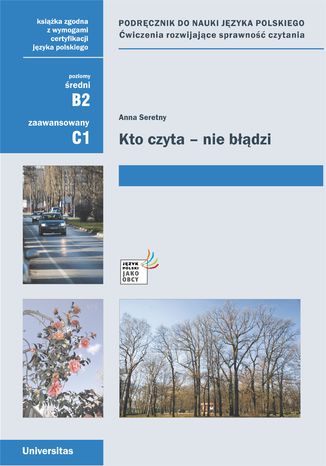
Anna Seretny
Kto czyta, nie błądzi to podręcznik z ćwiczeniami rozwijającymi i doskonalącymi sprawność czytania oraz strategie pracy z tekstem. Jest on przeznaczony dla studentów na poziomie C1 (efektywnej biegłości użytkowej). W każdej z ośmiu jednostek znajduje się od trzech do pięciu tekstów różnej długości, które są powiązane ze sobą wspólnym tematem. Towarzyszą im rozmaite ćwiczenia - niektóre służą rozwijaniu i doskonaleniu strategii czytania (mowa tu o czytaniu selektywnym, globalnym i szczegółowym); inne mają zachęcić uczących się do dyskusji, stawiania hipotez, wyciągania wniosków; jeszcze inne - koncentrują się na poszerzaniu (lub uaktywnianiu) ich zasobu leksykalnego. W układ jednostki tematycznej zostały także wplecione ważne, ciekawe, bądź przydatne uczącym się informacje, powiązane z omawianym zagadnieniem. Na jej zakończenie pojawia się blok "Powiedz albo napisz", zachęcający studentów do przygotowywania dłuższych wypowiedzi ustnych oraz pisemnych na poruszane w tekstach tematy.

Kto decyduje, ile znaczysz?. Prawda o poczuciu własnej wartości
Iza Maliszewska
Kolejny niezastąpiony poradnik autorki O czym kłamią myśli! Zdrowe poczucie własnej wartości to coś więcej niż zadowolenie z siebie i trzeźwy wgląd we własne możliwości i ograniczenia. To podstawa dobrych i głębokich relacji ze sobą i z innymi. Z pomocą psycholożki i psychoterapeutki Izy Maliszewskiej, autorki profilu psychoedukacyjnego @psyche_et_soma, która bezpośrednio i za pomocą tworzonych przez siebie treści pomogła już tysiącom pacjentów, uzdrowisz poczucie własnej wartości i nauczysz się dbać o nie każdego dnia. Dowiesz się, jak: tworzyć budujący i pozytywny obraz samej siebie, pokonać lęk przed odrzuceniem i krytyką, by śmiało wyrażać swoje zdanie i potrzeby, uwolnić się od poczucia winy, które cię dopada, gdy robisz coś wbrew oczekiwaniom innych, odróżniać zdrowe porównywanie się z innymi od szkodliwego, zerwać z toksycznym perfekcjonizmem, myśleć pozytywnie w zdrowy, realistyczny sposób, opanować tajniki asertywnej i pełnej szacunku komunikacji, wybaczać sobie i innym, w zdrowy sposób akceptować siebie i innych w całości, wraz z wadami i słabościami, budować trwałe, satysfakcjonujące relacje oparte na bliskości i autentyczności. Dzięki dawce wiedzy psychologicznej, pobudzającym do autorefleksji ćwiczeniom i pełnemu empatii wsparciu, jakie zapewnia ta książka, trwale wzmocnisz własne poczucie wartości i wykorzystasz w pełni swój potencjał odważnego samorozwoju. Każdego dnia miliony ludzi budzą się z przekonaniem, że są niewystarczający i coś z nimi nie tak. Te myśli odbierają radość, okradają z jakości życia, tłumią odwagę do eksplorowania świata i sięgania po swój potencjał. Ta książka jest buntem przeciwko wszelkim myślom, które próbują cię ograniczać, i manifestem twojej siły!
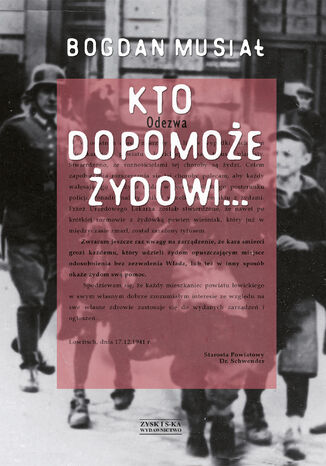
Bogdan Musiał
KTO DOPOMOŻE ŻYDOWI - książka o wielowymiarowym tytule. Zdanie wzięte z okupacyjnych ustaw niemieckich można dopełniać na wiele sposobów. Ten, kto pomagał podlegał karze śmierci. Po wojnie dostawał Medal Sprawiedliwego Pośród Narodów Świata, ale bywał też nazywany antysemitą. Dyskusja dotycząca postaw Polaków wobec Holocaustu, roi się od skrajnie sprzecznych opinii i sądów. Cechują ją skrajne emocje, płynące z różnych doświadczeń, które są absolutyzowane. Bogdan Musiał historyk w swej książce nie kieruje się jednak emocjami, ale daje rzeczową wykładnię prawa niemieckiego, które w żadnym innym okupowanym kraju nie było tak surowe i bezwzględne wobec tych, którzy w jakikolwiek sposób udzielili pomocy Żydom. Stopień gotowości w polskim społeczeństwie do pomocy prześladowanym Żydom był na tyle duży, że niemieccy okupanci czuli się zmuszeni stworzyć specjalne prawodawstwo penalizujące takie postawy oraz stosować drakońskie kary i represje. Ich celem było stworzenie atmosfery strachu, aby w ten sposób wyeliminować lub przynajmniej ograniczyć pomoc skazanym na śmierć Żydom. Mimo to znalazło się tysiące Sprawiedliwych wśród narodów świata, którzy przekraczali granice lęku. Niejednokrotnie zapłacili za to najwyższą cenę. O nich także opowiada ta książka. Ich ofiara często okazuje się jednak argumentem niewystarczającym. Co parę lat Polacy stawiani są pod pręgierzem, oskarżeni o to, że antysemityzm wyssali z mlekiem matki i współpracowali nazistami w eksterminacji Żydów. Ta dyskusja nigdy nie ustanie. Tym niemniej trzeba bezustannie zbierać świadectwa.

Jarosław Danielak
Kto ma więcej nóg, oczu, zębów, kości, żołądków, serc? Ta książka to prawdziwy ring dla pojedynków zwierzęcego świata! Ślimak kontra wąż, nietoperz kontra wieloryb, skorpion kontra pszczoła, kleszcz kontra komarzyca Brzmi dziwnie? To dopiero początek! KTO MA WIĘCEJ to pełna humoru, faktów i ciekawostek podróż przez niezwykłe rekordy natury. Dowiesz się, kto jest najstarszy, najcięższy, najsilniejszy czy najbardziej kolczasty, a przy okazji zrozumiesz, jak fascynujący i zaskakujący potrafi być świat zwierząt. Idealna dla młodych odkrywców, którzy nie boją się pytać: A kto ma więcej?

Kto może być zebrą i inne historie
Tomasz Bodziony
Chciałbym przedstawić wybrane teksty z kilku ostatnich lat, publikowane pierwotnie na różnych forach internetowych. Jest to wybór, zawierający dwadzieścia siedem tekstów, dotyczących rozmaitej tematyki i o różnej formie. Zastanawiałem się nad klasyfikacją rodzajową tych tekstów. Część z nich ma charakter kpiąco – szyderczy. Im pasuje miano opowiadań, lub skeczy. Lecz pozostała część jest trudna w charakterystyce. Chyba najbardziej zbliżoną nazwą jest esej. Esej – jest to forma literacka prezentująca punkt widzenia autora. Pasuje. Wszystkie, bowiem te teksty, jak najbardziej, prezentują punkt widzenia autora. Proszę, zostałem autorem esejów, czyli eseistą. Ani bym się spodziewał… Eseista kojarzył mi się z zasuszonym molem książkowym, piszącym i czytającym swe eseje w wąskim kółku wzajemnej adoracji. Co do tematyki, to jest rozmaita, Jak już wspomniałem spora część to teksty kpiąco-prześmiewcze. Krzywy obraz naszej rzeczywistości. Na pewno przejaskrawiony, karykaturalny; obawiam się jednak, że w niektórych aspektach zbyt bliski rzeczywistości, niż to chciałbym przyznać. Nasze życie polityczne, nasi politycy, posłowie do parlamentu dostarczają mnóstwo materiału satyrycznego, którego wręcz nie sposób przerobić. Bohaterami tych tekstów są postacie z lewicy i prawicy. Nie preferuję osobiście żadnej ze stron. Szyderstwo dotyka równo każdego przejawu głupoty na lewo, i na prawo. Nie mam uprzedzeń ani faworytów. Oprócz rzecz jasna osób, dla których określenie: idiota jest medycznym terminem określającym stopień ich rozwoju umysłowego, a nie oblegą. Lewica to głownie postacie z, mediów głównego nurtu, rzeczywiście opanowanych przez przedstawicieli jednej formacji duchowej i umysłowej. Ale na radykalnej prawicy, skupionej wokół tzw. zbrodni smoleńskiej, jest również wiele postaci wartych ukazania w innym świetle. Teksty te mają formę krótkich opowiadań. Do pozostałych tekstów pasuje określenie esej. Tematyka jest rozmaita. Od historii skupiających się na II wojnie światowej, okupacji niemieckiej i okupacji sowieckiej, po tematy współczesne. Kilka tekstów to wariacje oparte na temacie książek, filmów. Tematyka historyczna jest istotna. Spora część tekstów dotyczy tematyki związanej z Holocaustem, jako najmocniej kultywowanym micie XX wieku. Próbuję spojrzeć na ten temat odmiennie, pisząc o tematach pomijanych przez innych z różnych przyczyn, wynikających często, jak można przypuszczać, z serwilizmu, obawy przed ostracyzmem w środowisku, czy brakiem odwagi. Przykładowo: temat powszechnej kolaboracji Żydów z okupantami sowieckimi i niemieckim jest powszechnie pomijany, jakby nie istniał, był jedynie cieniem, czy cieniem cienia. Niesłusznie. Ja, nie będąc historykiem z zawodu, czy wykształcenia, mogę się na to poważyć. Mam taką nadzieję. Cały ten zbiór to swoisty miszmasz, pomieszanie z poplątaniem. Są tutaj teksty śmieszne i poważne, łatwe i trudne, teksty, z którymi można się zgodzić i z którymi trzeba polemizować. Mam jednak nadzieję, że teksty te nie zostawią czytelnika obojętnym i że każdy znajdzie tutaj coś dla siebie. I ten, kto szuka rozrywki, i ten, kto szuka czegoś poważnego.

Julian Kornhauser
Julian Kornhauser Zjadacze kartofli Kto na kogo czeka Chciałem sięgnąć po książkę, ale w pewnej chwili moja ręka zatrzymała się w powietrzu: nie wiedziałem, co wybrać. Jak to dobrze, pomyślałem nagle, że to książki czeka... Julian Kornhauser ur. 20 września 1946 Najważniejsze dzieła: Nastanie święto i dla leniuchów (1972), W fabrykach udajemy smutnych rewolucjonistów (1973), Zabójstwo (1973), Świat nie przedstawiony (wraz z Adamem Zagajewskim, 1974), Stan wyjątkowy (1978), Zjadacze Kartofli (1978) Poeta, prozaik, krytyk literacki, znawca i tłumacz literatury serbo-chorwackiej, profesor Instytutu Filologii Słowiańskiej Uniwersytetu Jagiellońskiego. W PRL-u działacz opozycji. Jeden z czołowych reprezentantów poetyckiej Nowej Fali lat 70, wraz z Adamem Zagajewskim współautor kluczowej dla tego nurtu książki krytycznej Świat nie przedstawiony. Od innych przedstawicieli nurtu odróżnia go kontrolowana skłonność do surrealistycznego obrazowania, elementy symbolizmu i zwrot ku tematyce prywatnej. Kupując książkę wspierasz fundację Nowoczesna Polska, która propaguje ideę wolnej kultury. Wolne Lektury to biblioteka internetowa, rozwijana pod patronatem Ministerstwa Edukacji Narodowej. W jej zbiorach znajduje się kilka tysięcy utworów, w tym wiele lektur szkolnych zalecanych do użytku przez MEN, które trafiły już do domeny publicznej. Wszystkie dzieła są odpowiednio opracowane - opatrzone przypisami oraz motywami.