
Wydawca: 16
Nipun Jaswal, Daniel Teixeira, Abhinav Singh, Monika...
Metasploit is the world's leading penetration testing tool and helps security and IT professionals find, exploit, and validate vulnerabilities. Metasploit allows penetration testing automation, password auditing, web application scanning, social engineering, post exploitation, evidence collection, and reporting. Metasploit's integration with InsightVM (or Nexpose), Nessus, OpenVas, and other vulnerability scanners provides a validation solution that simplifies vulnerability prioritization and remediation reporting. Teams can collaborate in Metasploit and present their findings in consolidated reports.In this book, you will go through great recipes that will allow you to start using Metasploit effectively. With an ever increasing level of complexity, and covering everything from the fundamentals to more advanced features in Metasploit, this book is not just for beginners but also for professionals keen to master this awesome tool.You will begin by building your lab environment, setting up Metasploit, and learning how to perform intelligence gathering, threat modeling, vulnerability analysis, exploitation, and post exploitation—all inside Metasploit. You will learn how to create and customize payloads to evade anti-virus software and bypass an organization's defenses, exploit server vulnerabilities, attack client systems, compromise mobile phones, automate post exploitation, install backdoors, run keyloggers, highjack webcams, port public exploits to the framework, create your own modules, and much more.
Abhinav Singh
Metasploit® software helps security and IT professionals identify security issues, verify vulnerability mitigations, and manage expert-driven security assessments. Capabilities include smart exploitation, password auditing, web application scanning, and social engineering. Teams can collaborate in Metasploit and present their findings in consolidated reports. The goal of the software is to provide a clear understanding of the critical vulnerabilities in any environment and to manage those risks.Metasploit Penetration Testing Cookbook targets both professionals and beginners to the framework. The chapters of the book are logically arranged with an increasing level of complexity and cover Metasploit aspects ranging from pre-exploitation to the post-exploitation phase thoroughly. The recipe structure of the book provides a good mix of both theoretical understanding and practical implementation. This book will help readers in thinking from a hacker's perspective to dig out the flaws in target networks and also to leverage the powers of Metasploit to compromise them. It will take your penetration skills to the next level.The book starts with the basics such as gathering information about your target and gradually covers advanced topics like building your own framework scripts and modules. The book goes deep into operating systems-based penetration testing techniques and moves ahead with client-based exploitation methodologies. In the post- exploitation phase, it covers meterpreter, antivirus bypass, ruby wonders, exploit building, porting exploits to framework, and third party tools like armitage, and SET. Metasploit Penetration Testing Cookbook is the required guide to penetration testing and exploitation.
Metasploit. Receptury pentestera. Wydanie II
Monika Agarwal, Abhinav Singh
Najlepsze przepisy na bezpieczeństwo Twoich danych! Jeżeli Twój system przechowuje i przetwarza poufne informacje — dane osobowe, numery kart kredytowych, wiadomości e-mail, dane finansowe lub coś równie ważnego — jest łakomym kąskiem dla cyberprzestępców. Jeżeli wizja kradzieży Twoich danych spędza Ci sen z powiek i zastanawiasz się, jak najlepiej sprawdzić stan bezpieczeństwa Twojego systemu, to odpowiedź jest jedna — zaatakuj go sam! Testy penetracyjne to najskuteczniejsza metoda weryfikacji bezpieczeństwa. Metasploit to narzędzie używane przez profesjonalistów do prowadzenia testów penetracyjnych. Jeżeli chcesz poznać najlepsze przepisy na jego wykorzystanie, to trafiłeś na doskonałą książkę! Zawiera ona ponad 80 receptur omawiających najbardziej skuteczne techniki testowania. W trakcie lektury dowiesz się, jak sprawnie skonfigurować Metasploit, ominąć ochronę antywirusową oraz skanować porty w systemach. Ponadto nauczysz się prowadzić testy penetracyjne sieci bezprzewodowych, korzystać z exploitów oraz używać modułów pomocniczych. Od dawna wiadomo, że najsłabszym ogniwem w systemie bezpieczeństwa jest człowiek, dlatego warto zaznajomić się z rozdziałem omawiającym pakiet narzędzi socjotechnicznych — Social Engineer-Toolkit. Książka ta jest obowiązkową pozycją na półce każdego pentestera! Dzięki tej książce: zainstalujesz i skonfigurujesz narzędzie Metasploit wykorzystasz język Ruby do budowy skryptów przeprowadzisz testy penetracyjne sieci VoIP poznasz pakiet narzędzi socjotechnicznych skutecznie zweryfikujesz bezpieczeństwo systemu informatycznego Testy penetracyjne — zadbaj o bezpieczeństwo Twojego systemu!
Metasploit Revealed: Secrets of the Expert Pentester. Build your defense against complex attacks
Nipun Jaswal, Sagar Rahalkar
Metasploit is a popular penetration testing framework that has one of the largest exploit databases around. This book will show you exactly how to prepare yourself against the attacks you will face every day by simulating real-world possibilities.This learning path will begin by introducing you to Metasploit and its functionalities. You will learn how to set up and configure Metasploit on various platforms to create a virtual test environment. You will also get your hands on various tools and components and get hands-on experience with carrying out client-side attacks. In the next part of this learning path, you’ll develop the ability to perform testing on various services such as SCADA, databases, IoT, mobile, tablets, and many more services. After this training, we jump into real-world sophisticated scenarios where performing penetration tests are a challenge. With real-life case studies, we take you on a journey through client-side attacks using Metasploit and various scripts built on the Metasploit framework. The final instalment of your learning journey will be covered through a bootcamp approach. You will be able to bring together the learning together and speed up and integrate Metasploit with leading industry tools for penetration testing. You’ll finish by working on challenges based on user’s preparation and work towards solving the challenge. The course provides you with highly practical content explaining Metasploit from the following Packt books:1. Metasploit for Beginners 2. Mastering Metasploit, Second Edition3. Metasploit Bootcamp

Metaświat. Prawne i techniczne aspekty przełomowych technologii
Roman Bieda, Zbigniew Okoń
Wraz z eksplozją popularności NFT coraz więcej artystów i przedsiębiorców odkrywa unikalny potencjał, jaki mają tokeny na rynku finansów i sztuki cyfrowej. Giełdy NFT to miejsca, w których spotykają się kolekcjonerzy, inwestorzy i gracze na rynku kryptowalut. A NFT zyskuje na wartości. Jednak w powodzi sprzecznych informacji i mylących rad warto wiedzieć, na co postawić. Wszystko, co powinien na ten temat wiedzieć inwestor, znajdzie się w książce Metaświat. Co zmienią przełomowe technologie w prawie i finansach autorstwa grupy doskonałych ekspertów, w tym prawników Romana Biedy i Zbigniewa Okonia.
Metateksty i parateksty teatru i dramatu. Od antyku do współczesności
Jadwiga Czerwińska, Katarzyna Chiżyńska, Małgorzata Budzowska
W publikacji Czytelnik znajdzie rozważania na temat metatekstów i paratekstów dramaturgicznych, do których należą didaskalia, ilustracje, incipity, odsyłacze, posłowia, przedmowy, przypisy, tytuły, a także różnego rodzaju komentarze, recenzje, omówienia oraz streszczenia. Peryferie tekstu zmieniały się na przestrzeni wieków od epoki starożytnej do czasów współczesnych, co przekłada się na różnorodność ich form i treści. Cechy charakterystyczne i zadania metatekstów i paratekstów zależały od rodzaju tekstu głównego, epoki literackiej oraz dominujących w danej kulturze tendencji naukowych i teatralno-dramatycznych. Praca w polskim obszarze badawczym jest poważnym osiągnięciem naukowym, ustalającym dla przyszłych badaczy nowe kierunki poszukiwań w aspekcie konkretnych dzieł dramatycznych i spektakli teatralnych. Nie widzę dla niej prac konkurencyjnych. Dotąd zajmowano się metatekstami i didaskaliami w sposób "niesystemowy", dość wycinkowy i w wąskim obszarze. Tymczasem prezentowana publikacja dokonuje usystematyzowania procesu badawczego oraz przedstawia wyniki badań szczegółowych na tle przemian historycznych, a także przemian gatunkowych w dramaturgii i teatrze od antyku do współczesności. Dlatego znajdzie ona szeroki krąg odbiorców: powinna zainteresować praktyków teatru, badaczy historii teatru i dramatu polskiego oraz obcego, teatrologów badających recepcję obcej dramaturgii w Polsce, jak również autorów dramatycznych. z recenzji prof. Wojciecha Kaczmarka

Metazoa. Od szklanych gąbek i morskich smoków do ukrytej krainy umysłu
Peter Godfrey-Smith
Wyobraź sobie wycieczkę do zielonego lasu, gdzie wszystkie drzewa kichają i kaszlą, wyciągają kończyny i bacznie Cię obserwują swoimi niewidzialnymi oczami. Widzisz pozostałości wczesnych form zwierzęcego życia. Odwiedzasz swoich dalekich kuzynów – gąbki, osłonice i koralowce, będących produktami tej samej ewolucyjnej historii, która dała początek człowiekowi. Pasjonat nurkowania, filozof i badacz, Peter Godfrey-Smith, w poszukiwaniach pierwszych śladów świadomości łączy relacje ze swoich podwodnych wypraw z refleksjami filozoficznymi i najnowszymi odkryciami biologicznymi. Zaciera granicę między lądem a oceanem, przeplatając historie szklanych gąbek, miękkich koralowców, morskich smoków, boksujących krewetek, ośmiornic i ryb ze światem owadów, ptaków i ssaków takich jak my. Obserwuje i opisuje zachowania każdego z tych zwierząt oraz ich interakcje z otaczającym je światem. Z ich pomocą szuka odpowiedzi na odwieczne pytanie o początki umysłu. Tak właśnie powstała Metazoa, książka, która wypełnia lukę między umysłem i ciałem, skupiając się na jednym z najważniejszych problemów filozoficznych – na pochodzeniu świadomości. Jest to opowieść równie bogata i różnorodna, jak tętniące w oceanach życie.
Karel Čapek
Meteor to historia opisująca świadków śmierci mężczyzny wyciągniętego z wraku samolotu i sposobu w jaki osoby te radzą sobie z emocjami jakie wzbudziło w nich to zdarzenie. Trylogia składa się z trzech powieści, które były wydane przed wojną w oddzielnych tomach, zyskały ogromną poczytność i tłumaczone były na wiele języków. Nie są one, jak przekonał się czytelnik, związane wspólnym wątkiem akcji ani postacią żadnego z bohaterów, łączy je jedynie wspólne założenie filozoficzne: dążenie do ukazania całej złożoności prawdy o człowieku. Metoda artystyczna cechująca twórczość psychologiczną Čapka polega na konstruowaniu wydarzeń i charakterów ludzkich na podstawie różnych wypowiedzi i obserwacji, co w rezultacie prowadzi do konkluzji, iż ustalenie jednej obiektywnej prawdy o ludziach i zjawiskach jest rzeczą niemożliwą. Nie jest tez zamiarem autora rozwiązanie ukazanych problemów ani wydanie sądu wartościującego bohaterów i ich czyny. Swoją postawę sformułował Čapek w słowach: "Wierzę, że widzieć to jest wielka mądrość, że im więcej kto widzi, tym mniej może sądzić i tym mniej również pragnie być sędzią." 2023 Wydawnictwo Błysk (Audiobook): 9788367739337
Isaac Strack
This book is meant for developers of all experience levels looking to create mobile and full-stack web applications in JavaScript. Many of the simple recipes can easily be followed by less-experienced developers, while some of the advanced recipes will require extensive knowledge of existing web, mobile, and server technologies. Any application or enterprise web developer looking to create full-stack JavaScript-based apps will benefit from the recipes and concepts covered in this book.
Marcelo Reyna
With the increasing interest in NodeJS web applications, a new framework, Meteor, has joined the ranks to simplify developer workflows. Meteor is one of the few open source frameworks that has received funding since its early development stages. It builds on ideas from existing frameworks and libraries, offering developers an easy way to develop a prototype app. At the same time, it gives them the tools and flexibility to build a fully fledged production app. Meteor is the weapon of choice for start-ups in today’s world.Meteor Design Patterns cuts through the jargon that most websites play with and gets to the point with simple solutions that will boost your development skills.We start off with a refresher on the basics of JavaScript programming such as templates, CoffeeScript, the Event Loop, and the Merge Box, amongst others. You then learn how to map real-world data and optimize the data’s publishers to output data with the least amount of work done by the server with some subscribe and publish patterns. Next, using front-end patterns, you will learn how to create maintainable and trackable forms, and make our site crawlable by any search engine. Following this, you will see how to optimize and secure the web application and maintain applications without breaking other features. Finally, you will learn how to deploy a secure production-ready application while learning to set up modulus, compose with Oplog tracking and SSL certificates, as well as error tracking with Kadira.Throughout the book, you will put your skills to practice and build an online shop from scratch. By the end of the book, you will have built a feature-rich online shop.
Meteor: Full-Stack Web Application Development. Rapidly build web apps with Meteor
Fabian Vogelsteller, Marcelo Reyna
Meteor is best JavaScript development platform and is packed with collections of libraries and packages bound together in a tidy way to take care of everything from development to production, making your web development easier.This course follows a learning path divided into three modules. Each module is a mini course in its own right, taking your knowledge to a new level as you progress. The first module takes you from the installation of Meteor to building a fully working web blog (including back end) to create and edit posts. Your path will begin with the basic concepts and folder structure of a Meteor project, learning how Meteor templates work to test packages, and seeing the application itself. The second module is a cookbook that starts with simple recipes designed for quick reference, and culminating advanced recipes that walk you through building and deploying a complete application. The cookbook covers all the major areas of Meteor development, including lesser-known and undocumented features too. With all the important concepts covered in the previous modules, the third module will get you equipped with simple solutions to boost your development skills. You’ll learn about mapping of real-world data and optimizing it, how to optimize and secure web applications and how to deploy and maintain it without breaking its features. Throughout the module, you will put your skills into practice and build an online shop from scratch.This Learning Path combines some of the best that Packt has to offer in one complete, curated package. It includes content from the following Packt products:• Building Single-page Web Apps with Meteor, Fabian Vogelsteller• Meteor Cookbook, Isaac Strack• Meteor Design Patterns, Marcelo Reyna

Agnieszka Podstawczyńska
Opracowanie poszerza wiedzę na temat czasowej zmienności stężenia radonu Rn-222 w powietrzu atmosferycznym na obszarze miasta i na terenie niezurbanizowanym oraz poszukiwania związku tej zmienności z lokalnymi i makroskalowymi warunkami meteorologicznymi. W pracy podjęto próbę oceny wpływu poszczególnych elementów meteorologicznych na kształtowanie dynamiki zawartości radonu w powietrzu. Ocenie poddano także rolę cyrkulacji atmosferycznej determinującej dwie składowe stężenia tego radionuklidu przy gruncie, tj. składową lokalną i składową będącą efektem transportu radonu do miejsc pomiaru. Ponadto celem badawczym była odpowiedź na pytanie, czy środowisko miejskie cechuje odmienna dynamika zmian stężenia radonu w powietrzu w porównaniu z rolniczymi terenami
Meteorology for students of the Polish Naval Academy
Czesław Dyrcz
This book includes some examples of meteorological phenomena, and contains contemporary knowledge of meteorology used in the course of study of these subjects on a management STCW level. The book was prepared based on my publication Meteorology and oceanography. Terms, defi-nitions and explanation. 2nd Edition, which was released in 2019. This handbook is one of three books (meteorology, oceanography, and voyage planning) that I have written for military and civilian students of naval academies. This is my project, which I am carrying out as a retired admiral and a university teacher. The handbook will be systematically updated and adapted to the needs of the national academies that will use it in the educational process [Preface].
Methods and tools in CAD - selected issues
Bogusław Butryło (Editor)
Computer Aided Design (CAD), over the years, has become one of the best methodologies for fulfilling engineering and technological needs through advanced numerical methods. CAD is considered as a mature solution, however analysis of current studies and practical examples indicate it as a deceptive illusion. CAD technology remains a rapidly growing class of methods and numerical schemes with applications in industries such as electronic, automotive, civil engineering, mechanical, biomedical and multidisciplinary projects. A number of books and papers are available on computer aided design and computer aided engineering methods. In the design, manufacturing and application processes, a thorough understanding of the properties of various technical solutions is required. Using numerical simulations, we are able to verify design assumptions, predict variations in properties and increase productivity. The current state of CAD solutions is confronted with new challenges. Specific, sophisticated engineering solutions demand the search for new algorithms as well as determine new areas of implementation. The specific methods of CAD are of interest in many industrial applications involving automation, electric and electronic instruments, electrical systems, motors, renewable energy, wireless communication, material technologies, etc. The numerical simulations can reveal valuable information on the analyzed system. Multivariate analysis and design optimization are obvious and well known extensions of CAD methods and the importance of which cannot be overestimated. The aim of this book is to provide a broad overview of CAD algorithms and to discuss the applications of CAD methods in different areas. Presentation of issues related to diverse fields provide an opportunity to learn specific solutions and it also provides an opportunity to explore wider responses for the developed methods in other areas. The analysis of various fields serves as an illustrative presentation of the strength of CAD methods.

Metoda analizy bezpieczeństwa czynnego pojazdów kolejowych
Michał Opala
Praca dotyczy badania i oceny bezpieczeństwa jazdy pojazdów kolejowych w kontekście zagrożenia wykolejeniem. Przedstawiona metoda oceny bezpieczeństwa czynnego opiera się na analizie zespołu czynników wpływających na prawdopodobieństwo wypadku. Czynniki te to między innymi poziom drgań mierzony za pomocą sygnałów przyspieszenia nadwozia i wózków pojazdu, a także jego prędkość jazdy i położenie geograficzne względem newralgicznych obiektów inżynierskich znajdujących się w bezpośrednim sąsiedztwie toru (np. tunele, wiadukty, rozjazdy, stacje kolejowe). W pracy omówiono m.in.: metody określania prawdopodobieństwa wystąpienia wypadku, zasady oceny bezpieczeństwa, system monitorowania bezpieczeństwa, zagadnienie prognozowania bezpieczeństwa biegowego pojazdu kolejowego w czasie ewolucji tribologicznego zużycia profili poprzecznych kół i szyn.

Metoda dziel i zwyciężaj. Kurs video. Od rekurencji po realne problemy obliczeniowe
Paweł Bogdan
Obierz kurs na... algorytmy rekurencyjne! W życiu codziennym każdego człowieka, w laboratorium naukowym czy na polu bitwy - wszędzie czekają na rozwiązanie jakieś problemy. Z tymi mniejszymi radzimy sobie często od ręki, ale większe potrafią się stać prawdziwym ciężarem. A może niepotrzebnie patrzymy na to z takiej perspektywy? Może wszystkie problemy (a przynajmniej większość) są w rzeczywistości niewielkie, a to my sami, nieświadomie łącząc je ze sobą, stawiamy sobie zadania przytłaczające nas ogromem? Metoda dziel i zwyciężaj pomaga nam właśnie w tym, by każde takie wyzwanie podzielić na kilka mniejszych, a jeżeli to nie wystarczy - na jeszcze mniejsze. I znowu. I tu pojawia się... Wiedza dana nielicznym ...rekurencja! Każdy szanujący się programista wie, co to jest, a kurs Metoda dziel i zwyciężaj. Kurs video. Od rekurencji po realne problemy obliczeniowe pokaże i nauczy Cię, jak ją stosować do tworzenia algorytmów (właśnie według metody dziel i zwyciężaj), a także do ich implementacji w języku Java. Nikogo nie trzeba przekonywać, że Java to jeden z najważniejszych i, obok Pythona i C, najpopularniejszych języków programowania. W internecie bardzo łatwo znajdziemy kursy, tutoriale czy bootcampy, które obiecują, że po ich ukończeniu będziemy potrafili programować w tym języku. Większość z nich jednak skupia się na zaprezentowaniu składni języka czy użyciu gotowych bibliotek lub frameworków, a przy tym pobieżnie (lub wcale) odnosi się do tworzenia i zastosowania algorytmów, w tym rekurencyjnych. Jednak na rozmowach kwalifikacyjnych można usłyszeć takie pytania, bo przyszły pracodawca chce mieć pewność, że zatrudnia osobę przygotowaną do poradzenia sobie również z mniej prostymi wyzwaniami. Bez dobrego zrozumienia tych zagadnień łatwo popełnić błędy, które mogą utrudnić zdobycie wymarzonej pracy. Czego się nauczysz w trakcie kursu Metoda dziel i zwyciężaj. Kurs video. Od rekurencji po realne problemy obliczeniowe? Zapoznasz się z rekurencją i algorytmami rekurencyjnymi i nauczysz się je implementować Nauczysz się rozróżniać metody TOP-DOWN (od ogółu do szczegółu) i BOTTOM-UP (od szczegółu do ogółu) Dowiesz się, czym są fraktale i jak tworzyć rysujące je programy Poznasz rekurencyjne struktury danych i opanujesz umiejętność implementowania operujących na nich programów Zrozumiesz rekurencyjny wzorzec projektowy i nauczysz się z niego korzystać Ugruntujesz znajomość metody dziel i zwyciężaj Opanujesz algorytmy: wyszukiwania połówkowego, sortowania przez scalanie i sortowania szybkiego, a także zasady ich implementowania Zrozumiesz całkowanie numeryczne metodą trapezów i nauczysz się ją implementować Łatwiej zrozumieć rekurencję, jeśli już się ją rozumie W codziennej pracy programisty konieczne jest wyrobienie określonych dobrych nawyków, które pozwolą na efektywne tworzenie działającego i łatwego w utrzymaniu kodu. Podejście dziel i zwyciężaj da Ci pewną ścieżkę postępowania, wzmacniającą Twoją kreatywność i zapewniającą znalezienie optymalnego rozwiązania stojącego przed Tobą problemu. Algorytmy rekurencyjne to narzędzia, które warto mieć w swoim repertuarze. Zapoznawszy się z tym podejściem w kontekście nauki programowania, możesz dość nieoczekiwanie przyłapać się na stosowaniu go także w odniesieniu do innych aspektów swojego życia. Warto poznane podczas tego kursu zasady powtarzać tak długo, aż staną się częścią Ciebie samego — znakomita większość wyzwań i problemów, przed jakimi kiedykolwiek staniesz, da się podzielić na mniejsze, a te na całkiem malutkie zdania, które nie będą już dla Ciebie żadnymi wyzwaniami. Junior czy senior — bez rekurencji ani rusz Czy dopiero wchodzisz na rynek pracy, rozglądając się za możliwością nabycia doświadczenia w zawodzie jako junior, czy też jesteś starym wyjadaczem — rekurencja może Cię zaskoczyć. Jej znajomość umożliwi szybsze tworzenie bezbłędnych rozwiązań programistycznych, ale także zwiększy szanse na zdobycie ciekawszych i lepiej płatnych zleceń. Nawet jeżeli zdarzyło Ci się mieć z nią kiedyś do czynienia, to warto się upewnić, że naprawdę ją rozumiesz i potrafisz zastosować.
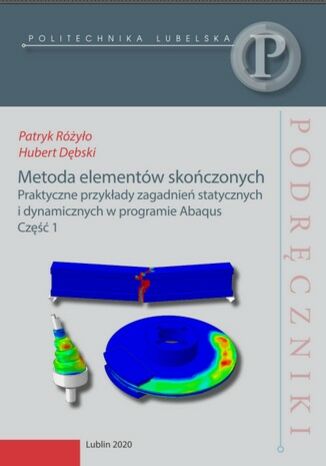
Patryk Różyło, Hubert Dębski
Podręcznik dla studentów Wydziału Mechanicznego
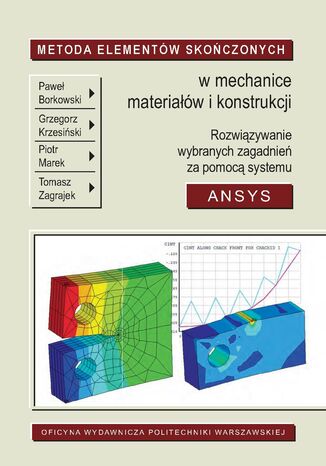
Paweł Borkowski, Grzegorz Krzesiński, Piotr Marek, Tomasz...
Niniejszy skrypt ma ułatwić Czytelnikowi opanowanie podstaw budowy i wykorzystywania modeli metody elementów skończonych (MES), a w szczególności zapoznanie się z metodami przeprowadzania obliczeń konstrukcji odkształcalnych za pomocą systemu programów ANSYS (ANSYS Inc., USA). Pakiety profesjonalnych programów metody elementów skończonych składają się z wielu współpracujących ze sobą modułów i tworzą systemy obliczeniowe, pozwalające na analizy różnych problemów opisywanych równaniami różniczkowymi cząstkowymi, dotyczących mechaniki konstrukcji odkształcalnych, przepływu ciepła, mechaniki płynów, pól elektromagnetycznych itd. W mechanice konstrukcji metoda elementów skończonych stosowana jest niemal do wszystkich typów stawianych praktycznie zadań. Programy obliczeniowe MES zawierają algorytmy ułatwiające budowę modelu geometrycznego i umożliwiające wprowadzenie opisu modelu z najbardziej popularnych systemów CAD. Wyposażane są także w algorytmy automatycznej dyskretyzacji i rozbudowane moduły graficznej prezentacji modelu i wyników obliczeń. W nowoczesnych programach MES dostępnych jest zwykle wiele metod rozwiązywania układów równań liniowych, równań nieliniowych, zagadnień własnych itp. Do najbardziej znanych systemów metody elementów skończonych wykorzystywanych w mechanice konstrukcji należą ANSYS, NASTRAN, ABAQUS, COSMOS, FEMAP, MARC. Dostępnych jest także wiele komercyjnych programów wyspecjalizowanych, na przykład do analizy konstrukcji budowlanych, do obliczeń konstrukcji kompozytowych, rurociągów itd. Moduły obliczeniowe metody elementów skończonych dołączane są również do wielu programów CAD. Budowa własnych programów metody elementów skończonych wymaga bardzo dobrego przygotowania w zakresie matematyki, metod numerycznych i teorii analizowanych problemów. Warto jednak podkreślić, że również dla efektywnego posługiwania się gotowymi, sprawdzonymi pakietami MES potrzebne jest rozumienie metody i jej podstaw matematycznych, a także dobra znajomość wykorzystywanych programów i badanych zjawisk. Wyniki obliczeń MES w każdym przypadku powinny być weryfikowane przez uproszczone szacunki analityczne i sprawdzenie jakościowej poprawności wybranych rezultatów cząstkowych (reakcje, ciągłość pola przemieszczeń, zgodność z warunkami brzegowymi itp.). Prezentowane opracowanie jest zmodyfikowaną i istotnie rozszerzoną wersją publikowanego wcześniej przez Oficynę Wydawniczą Politechniki Warszawskiej skryptu. Modele analizowane w tej publikacji budowane były za pomocą wersji (v.15) pakietu programów ANSYS, powszechnie wykorzystywanego zarówno w badaniach naukowych, jak i w praktyce inżynierskiej. Od wielu lat ANSYS jest stosowany w Politechnice Warszawskiej i innych polskich uczelniach. Zamierzeniem autorów było jednak przedstawienie zasad praktycznego wykorzystania MES w obliczeniach inżynierskich i interpretacji wyników, a nie wprowadzanie Czytelnika w szczegóły użytkowania wybranego programu. Tematy zadań opisywanych w skrypcie odpowiadają potrzebom i profilowi wykształcenia studentów na kierunkach prowadzonych przez Wydział Mechaniczny Energetyki i Lotnictwa Politechniki Warszawskiej. Omawiane ćwiczenia stanowią w większości praktyczne uzupełnienie wykładu metody elementów skończonych. W każdym ćwiczeniu przypomniane są podstawy opisu teoretycznego analizowanych zagadnień tak, by ułatwić zrozumienie zasad budowy modelu MES, a także interpretację i dyskusję wyników. Niektóre z prezentowanych zadań mogą być wykorzystywane do samodzielnego przygotowania się do analizy bardziej zaawansowanych problemów, rozwiązywanych na przykład w ramach prac przejściowych i dyplomowych.
Metoda Lean Analytics. Zbuduj sukces startupu w oparciu o analizę danych
Alistair Croll, Benjamin Yoskovitz
Lektura obowiązkowa dla wszystkich zainteresowanych wykorzystaniem analityki w pracach nad nowym produktem i odnoszeniem sukcesów biznesowych bez konieczności wiecznego zgadywania. Peter Yared, dyrektor ds. IT, CBS Interactive To nie jest kolejna książka o liczbach, a rzecz o praktycznych wskaźnikach. Alistair i Ben nauczą Cię, jak przebić się przez mgłę danych i skupić się na właściwych, istotnych wskaźnikach, które zadecydują o Twojej porażce lub sukcesie. Ash Maurya, założyciel i dyrektor generalny Spark59 oraz WiredReach, autor książki Metoda Running Lean Okiełznane dane Jesteś przedsiębiorcą? Masz innowacyjny produkt i chcesz wejść z nim na rynek? Możesz wybrać jedną z dwóch dróg: tradycyjną, opartą na odwiecznych mądrościach starych mistrzów, albo nowoczesną, z użyciem modelu Lean Startup. Jeśli wybrałeś pierwszy sposób - zmień lekturę, jeśli drugi - gratulacje! W tej książce znajdziesz kompletny proces analityczny, od generowania pomysłów po przygotowanie zestawienia produktu i rynku. Dowiesz się z niej, jak zweryfikować swój pomysł, znaleźć odpowiednich klientów, zdefiniować ostateczną wersję produktu, zarobić na swojej działalności i ją wypromować. Znajdziesz tu konkretne i przydatne informacje, oparte na ponad trzydziestu analizach przypadku, bez których nie może się obejść żaden przedsiębiorca. Książka jest skierowana również do analityków internetowych i analityków danych, ponieważ pozwala powiązać efekty ich pracy z rozważaniami biznesowymi. Zamieszczone tu treści zainteresują też ludzi zaangażowanych w rozwój produktu, zarządzanie nim, marketing, PR oraz działalność inwestycyjną, ponieważ dzięki nim łatwiej będzie im zrozumieć i oceniać startupy. Rewolucja w sześciu prostych krokach Stwórz coś, co klienci pokochają. Zaangażuj ludzi, aby znaleźli Twój produkt i zaczęli z niego korzystać. Poznaj model Lean Startup, podstawy analityki oraz mentalności kierowania się danymi, niezbędnej do odniesienia sukcesu. Dowiedz się, na którym etapie rozwoju się znajdujesz, nad czym powinieneś pracować oraz jak zastosować model Lean Analytics we własnym startupie. Znajdź niezłe punkty odniesienia dla różnych wskaźników i naucz się wyznaczać własne wartości docelowe. Sprawdź, w jaki sposób możesz zastosować zasady Lean Analytics w funkcjonującej już organizacji, bo przecież podejście oparte na danych sprawdza się nie tylko w nowo powstałych firmach. Alistair Croll od niemal dwudziestu lat jest przedsiębiorcą, autorem książek i prelegentem. Zajmował się dużymi zbiorami danych, chmurami obliczeniowymi i startupami. W 2001 roku współuczestniczył w zakładaniu firmy Coradiant. Od tamtej pory aktywnie pomaga wielu nowo powstającym firmom i wspiera liczne startupowe imprezy. Benjamin Yoskovitz jest przedsiębiorcą z ponadpiętnastoletnim doświadczeniem w branży internetowej. Współzałożyciel Standout Jobs i Year One Labs, pełni funkcję mentora dla wielu startupów i akceleratorów przedsiębiorczości. Regularnie przemawia podczas licznych konferencji poświęconych problematyce startupów.
Metoda Lean Enterprise. W poszukiwaniu innowacji
Jez Humble, Joanne Molesky, Barry O'Reilly
Dziś przetrwanie przedsiębiorstwa zależy od tego, jak dobrze radzi sobie ono z odkrywaniem nowych możliwości biznesowych i dostarczaniem klientom wartości. Presja konkurencyjna narasta, a napędzają ją zmiany technologiczne i społeczne. Okazuje się, że ważny jest nie tyle kapitał, ile zdolność do wykorzystania czynników technicznych, technologicznych i kulturowych w celu przyśpieszenia cykli innowacji. Obecnie w ciągu paru dni lub tygodni bez wielkich nakładów, korzystając z bezpłatnych lub tanich usług i infrastruktury, można prototypować nowe produkty oparte na oprogramowaniu, a następnie szybko rozwijać trafione produkty. Aby jednak osiągnąć taki model w dużym zespole, konieczne jest przeformułowanie praktycznie całego systemu zarządzania w przedsiębiorstwie. Ta książka to praktyczny przewodnik wdrażania koncepcji lean i agile w funkcjonującej organizacji. Przedstawiono tu zestaw wzorców i zasad, przy tym skoncentrowano się na heurystycznym podejściu do implementacji. Sporo miejsca poświęcono eksperymentowaniu, dzięki któremu można wybrać najlepszą technikę implementacji, co przyniesie poprawę stylu działania organizacji. Ważną częścią książki są studia przypadków, w których opisano, jak odnoszące sukcesy przedsiębiorstwa przeformułowały wszystkie aspekty swojej działalności, by radykalnie polepszyć wydajność. Przyjęcie koncepcji lean wymaga czasu i poświęcenia, ale jest nieodzowne do przyspieszenia tempa innowacji. Ta publikacja jest solidną pomocą w przeprowadzaniu takich zmian we własnej firmie. Wybrane zagadnienia: cykl życia innowacji a kultura i strategia przedsiębiorstwa techniki poszukiwania nowych pomysłów prowadzenie dużych programów wdrożeń rola kultury organizacji, jej strategii i struktury zarządczej w procesie wdrażania innowacji ciągłe doskonalenie a zarządzanie przedsiębiorstwem Metoda lean - godna odpowiedź na wyzwania współczesnego otoczenia biznesu!
Dan Olsen
Stwórz produkt, który pokochają klienci Na jeden udany produkt, który cieszy się sympatią użytkowników i odnosi sukces, przypadają setki takich, które okazały się zupełnymi niewypałami. Pozornie wydaje się, że klucz do sukcesu produktu jest bardzo prosty: musi on zaspokajać potrzeby użytkownika i odpowiadać jego oczekiwaniom bardziej niż dostępne produkty konkurencji. W praktyce okazuje się jednak, że jeśli nie posłużymy się odpowiednią metodyką, to dopasowanie produktu do potrzeb użytkownika okaże się zadaniem karkołomnym. Rozwiązaniem tego problemu jest metoda Lean Product. Opisana w tej książce metoda Lean Product jest prostym, iteracyjnym procesem składającym się z sześciu kroków, które pozwalają w prosty sposób sformułować i przetestować kluczowe hipotezy dotyczące dopasowania produktu do rynku. Poza samą metodą Lean Product w książce przedstawiono szereg istotnych zagadnień, takich jak szczegółowe omówienia projektowania UX i metodyki agile. Obszernie przedstawiono również pracę z danymi analitycznymi i ich wykorzystanie do optymalizacji produktu. Najważniejsze zagadnienia: zasady dopasowania produktu do rynku kroki procesu Lean Product wraz ze studium przypadku MVP — projektowanie i testowanie z udziałem klientów kluczowe wskaźniki i pętla optymalizacji wskaźnika optymalizacja za pomocą testów A/B „Przewodnik Dana jest oczekiwaną z wytęsknieniem instrukcją wdrażania zasad metody Lean Startup. Ta wyczerpująca, bezpośrednia książka omawia wszystko, co musisz wiedzieć, aby stworzyć udany produkt”. Sean Ellis, prezes Qualaroo i GrowthHackers.com „Przewodnik po tworzeniu udanych produktów Dana nadaje metodzie Lean Startup nową jakość! Ta książka jest rzeczywiście skierowana do wszystkich — od projektantów po inżynierów i przedsiębiorców”. Kaaren Hanson, dyrektor ds. projektowych Medallia i była dyrektor ds. innowacji projektowych w Intuit „Dan Olsen jest poważanym w Dolinie Krzemowej znawcą metody Lean Product. Jego książka ukazuje zespołom produkcyjnym prosty i bezpośredni sposób na określenie punktu dopasowania produktu do rynku, przygotowanie MVP i dalsze udoskonalanie go z biegiem czasu”. Ken Fine, dyrektor ds. klientów Medallia Dan Olsen jest przedsiębiorcą, konsultantem i ekspertem metody Lean Product. Wśród jego klientów znalazły się m.in. Facebook, Box, YouSendIt (obecnie Hightail), Microsoft, Epocrates, Financial Engines czy One Medical Group. Kilka lat temu pracował w Intuit, gdzie kierował zespołem produkcyjnym Quicken, zapewniając rekordowe wyniki sprzedaży. Obecnie Olsen pracuje w Dolinie Krzemowej, gdzie prowadzi comiesięczne spotkania Lean Product Meetup. Lubi dzielić się swoimi pomysłami z szerokim gronem odbiorców. Często organizuje prezentacje i warsztaty.

Metoda mini-EduBall. Wychowanie i rozwój dziecka w świetle odkryć neuronauki
Michał Bronikowski, Ireneusz Cichy, Michał Klichowski, Agnieszka...
Autorzy w przystępny sposób omawiają złożone zagadnienia z zakresu rozwoju i wychowania dziecka. Zachęcają też do sięgania po nowe metody, które mogą wspomóc nauczycieli i wychowawców w pracy nad kształtowaniem u najmłodszych uczniów kluczowych umiejętności i kompetencji stanowiących podstawę odnoszenia sukcesów tak edukacyjnych, jak i życiowych. Jedną z propozycji jest oparta na znanej od 20 lat idei EduBall i najnowszych odkryciach neuronauki metoda mini-EduBall, która doskonale wpisuje się w koncepcję lekcji integrującej aktywność fizyczną z dydaktyką. Gry i zabawy z wykorzystaniem piłek mini-EduBall, oddziałując na motorykę małą, wspierają efektywnie procesy poznawcze zachodzące w mózgu. Dzięki wprowadzeniu elementów zabawy dzieci uczą się i rozwijają w sposób holistyczny. Publikację wzbogacają przykłady atrakcyjnych zabaw, ćwiczeń i gier z piłkami eduball, które mogą stać się doskonałą pomocą dydaktyczną w prowadzeniu zajęć z edukacji polonistycznej i matematycznej, a także w nauczaniu języków obcych i doskonaleniu wiedzy ogólnej obejmującej takie dziedziny, jak przyroda, ekologia, geografia czy chemia.
Metoda oceny funkcjonowania centrów logistycznych
Piotr Kryś
Celem powstania monografii jest twórcze zaadaptowanie istniejących metod oceny funkcjonowania przedsiębiorstw do potrzeb analizy centrum logistycznego oraz określenie czynników, które mogłyby posłużyć do oceny jego funkcjonowania. W dalszej perspektywie ustalenia te mogą prowadzić do wypracowania wzorca postępowania przy opiniowaniu sposobu funkcjonowania centrów logistycznych. Obiekt badań stanowią polskie centra logistyczne, wybrane na podstawie ich zgodności z wypracowaną w pracy autorską definicją centrum logistycznego, a przedmiotem badań jest metoda oceny funkcjonowania centrum logistycznego, która pozwala na identyfikację słabych stron i wskazuje kierunki usprawnienia zarządzania centrum logistycznym. Struktura monografii obejmuje cztery rozdziały oraz wprowadzenie i zakończenie. W opracowaniu zawarto: podsumowanie obecnego stanu wiedzy i zdefiniowanie celu przeprowadzonych badań; pogłębione studia literaturowe dotyczące centrów logistycznych i opracowanie ich autorskiej definicji; omówienie zasad analizy działalności gospodarczej centrów logistycznych, przedstawienie istniejących metod ich oceny oraz zaprezentowanie podstaw teoretycznych metod cząstkowych twórczo zaadaptowanych do opracowania autorskiej metody oceny funkcjonowania centrów logistycznych; opis zastosowanego podejścia badawczego, zasad doboru obiektów i przebiegu przeprowadzonych badań, a także omówienie matematycznego i logicznego opracowania otrzymanych wyników badań; prezentację twórczej adaptacji istniejących metod (metody porównawczej, metody analizy wielokryterialnej, metody scenariuszy i metody oceny jakościowej za pomocą modeli dojrzałości organizacyjnej przedsiębiorstwa) na potrzeby opracowania metody oceny funkcjonowania centrów logistycznych, a następnie wykorzystanie opracowanej metody oceny funkcjonowania centrów logistycznych do przeprowadzenia case study na przykładzie wybranego centrum logistycznego; podsumowanie opracowanej metody oceny funkcjonowania centrów logistycznych i przedstawienie ogólnych wniosków płynących z badań.
Metoda Running Lean. Iteracja od planu A do planu, który da Ci sukces. Wydanie II
Ash Maurya
To jedna z najlepszych technicznych książek na temat modelu Lean Startup. I tyle. Nic więcej nie trzeba dodawać. Dan Martell, założyciel, Clarity.fm, anioł biznesu Wizja testowana w praktyce Witamy w świecie najnowocześniejszych praktyk biznesowych i niezmierzonych możliwości w dziedzinie innowacji. Żyjemy w dobie Internetu, chmur obliczeniowych i oprogramowania open source, dzięki czemu koszty budowania nowych produktów osiągnęły rekordowo niski poziom. A jednak mimo wszystko szanse na to, by założony przez nas startup odniósł sukces, nie wzrosły. Dlatego właśnie powstał ten podręcznik. Jest on znakomitym narzędziem dla szefów firm, dyrektorów generalnych, właścicieli małych przedsiębiorstw, deweloperów i programistów oraz każdego zainteresowanego stworzeniem firmy, która nie tylko przetrwa, ale będzie miała szanse liczyć się na rynku. Running Lean to lepsza i szybsza metoda testowania pomysłów na nowe produkty oraz opracowywania produktów, które odniosą sukces. Dzięki niej nauczysz się: znajdować uczestników wczesnego rynku; wybierać właściwy moment na pozyskiwanie kapitału z zewnątrz; testować ceny; tworzyć i mierzyć to, czego chcą klienci; maksymalizować podejmowane działania pod kątem szybkości uczenia się i koncentracji; rozpoznawać zestawienie produktu i rynku; dążyć w sposób powtarzalny do opracowywania produktów odpowiadających potrzebom rynku. Przeczytaj również: Metoda Lean Startup. Wykorzystaj innowacyjne narzędzia i stwórz firmę, która zdobędzie rynek, Eric Ries, Helion 2012. Ash Maurya - założyciel firmy Spark59. Założył również kilka innych startupów, wśród których znalazły się tak udane przedsięwzięcia, jak WiredReach. Dzięki prowadzonym przez siebie warsztatom Running Lean blisko współpracuje z wieloma przedsiębiorcami, którym pomaga testować i dopracowywać ich wizję. Ash pełni funkcję mentora w wielu inkubatorach przedsiębiorczości na całym świecie, w tym w Mozilla Foundation, Year One Labs oraz Capital Factory.