
Verleger: 8
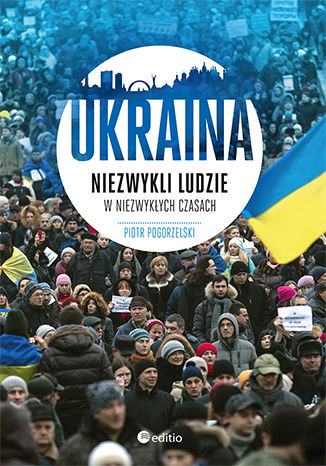
Ukraina. Niezwykli ludzie w niezwykłych czasach
Piotr Pogorzelski
Naród, który powstaje na naszych oczach Na Ukrainie wrzało od zawsze. Jeszcze przed Majdanem wielu jej mieszkańców podejmowało działania polityczne i społeczne, między innymi w ramach organizacji pozarządowych. Jednak wciąż było ich za mało — prawdziwi aktywiści stanowili niewielki procent nieco sennego społeczeństwa ukraińskiego, liczącego ponad czterdzieści milionów obywateli. Dopiero w czasie rewolucji okazało się, że działacze to nie pojedyncze osoby, a tysiące, a nawet dziesiątki tysięcy ludzi. Dzięki temu mieszkańcy Ukrainy stali się ukraińskim narodem. Co będzie dalej? Co Ukraińcy chcą osiągnąć i czy im się uda? Czy wykorzystają pozytywną energię, jaką przyniosła im rewolucja godności? Czy poradzą sobie z rosyjską agresją, problemami gospodarczymi, społecznymi i politycznymi, jakie spadają na nich z zewnątrz i toczą kraj od środka? Nikt rozsądny nie odpowie dziś na te pytania. Nie znamy przyszłości. Możemy jednak zaryzykować i wysunąć pewne hipotezy. Musimy tylko uważnie przyjrzeć się Ukrainie. Trzymajmy kciuki za naszego wschodniego sąsiada, wszak nie ma wolnej Polski bez wolnej Ukrainy… Te słowa, nieco już wyświechtane, znów nabierają treści — to Ukraińcy bronią swojej ziemi i Europy, w tym Polski, przed rosyjską inwazją. To nie jest kolejna książka o Majdanie. To książka o tym, co było przed nim, co jest i będzie po nim, a nade wszystko – o ludziach, którzy w niezwykły sposób zjednoczyli się w walce o nową Ukrainę.
Ukraina przed końcem historii. Szkice o polityce państw wobec pamięci
Tomasz Stryjek
Książka Ukraina przed końcem Historii zawiera eseje na temat polityki wobec pamięci prowadzonej przez wybrane państwa, które kandydowały do członkostwa w Unii Europejskiej - państwa bałtyckie, Chorwację i Hiszpanię. Autor porównuje ich polityki pamięci z polityką Ukrainy, kraju obecnie dążącego do udziału w projekcie europejskim. Czytelnik znajdzie również w książce analizę środków sprawiedliwości tranzycyjnej zastosowanych na Ukrainie po 1991 roku oraz podsumowanie rewolucji 2013/14 roku, z uwzględnieniem roli odegranej w niej przez zwolenników i sympatyków nacjonalizmu. Sporo miejsca zajmuje w książce analiza polityki pamięci współczesnej Rosji i jej wpływu na sąsiadów w Europie Wschodniej i Środkowej.
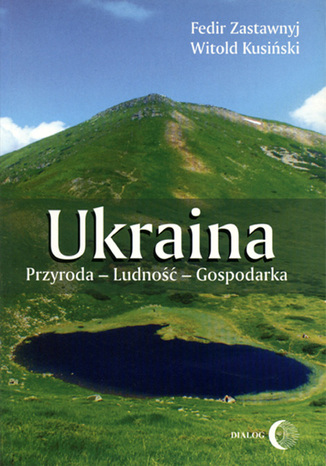
Ukraina. Przyroda- Ludność- Gospodarka
Fedir Zastawnyj, Witold Kusiński
Omówienie geografii Ukrainy - jej położenia w Europie, obszaru, granic lądowych i morskich - oraz opisy przyrody, w których zawarta jest charakterystyka geologii i tektoniki, zasobów bogactw mineralnych, klimatu i jego cech, zasobów wodnych, gleb i ich właściwości, roślinności i świata zwierzęcego. Autorzy zwracają również uwagę na walory turystyczne i zasoby rekreacyjne oraz na problemy ochrony przyrody. Obok charakterystyki środowiska przyrodniczego w ujęciu całościowym, zaprezentowane zostało również omówienie pięciu podstawowych regionów fizyczno-geograficznych. Pracę zamyka omówienie najważniejszych aktualnych problemów geograficznych Ukrainy.
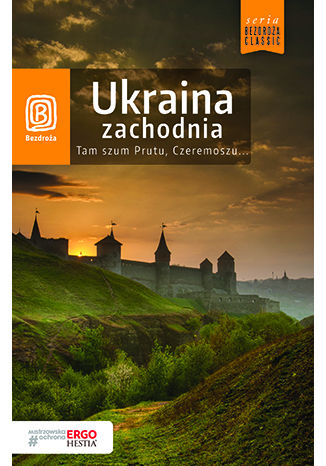
Ukraina zachodnia. Tam szum Prutu, Czeremoszu... Wydanie 8
Aleksander Strojny, Krzysztof Bzowski, Artur Grossman
Ukraina zachodnia to fascynująca mieszanka kultur, języków i wyznań. Serdeczność mieszkańców tego regionu oczarowuje na równi z niezwykłą urodą tutejszego krajobrazu. Szukanie pamiątek kresowej legendy, podróż w jary Dniestru i Zbrucza, na karpackie połoniny, pomiędzy kościoły i synagogi pamiętające czasy I Rzeczypospolitej, ruiny zamków i pałaców, podolskie twierdze, magnackie rezydencje i huculskie cerkwie - gwarantują niezapomniane przeżycia, jakże odmienne od zwyczajnych wczasów w kurortach Europy Zachodniej.

Agnieszka Lis
Rodzina Nataszy wiele lat temu przeprowadziła się ze Lwowa do Polski. Budowali swój nowy świat w starym domu na podrzeszowskiej wsi. Nie był im jednak pisany spokój... Tragiczne wydarzenia burzą delikatną równowagę wszystkich domowników, a dziewczyna znajduje oparcie w jedynej przyjaciółce, koleżance ze szkolnej ławy, Karolinie. Wybuch wojny na Ukrainie ponownie wywraca życie Nataszy do góry nogami. W Rzeszowie, gdzie stacjonują amerykańscy żołnierze, niepokój związany z obecnością armii miesza się z codziennością. Ludzi obchodzą zwykłe sprawy - miłość, radość, nieporozumienia, troska o byt, choroby, śluby, narodziny i śmierć. Mieszają się uczucia, interesy, narodowości, wyznania. Okazuje się, że pomimo różnic, wszyscy są takimi samymi ludźmi. Tak samo kochają i cierpią. Tak samo tęsknią i odczuwają strach... Czy poznany amerykański żołnierz - Robert - odmieni życie Nataszy? Czy ich losy staną się wspólne? I czy wojna rzuci na nich swój nieubłagany cień? Agnieszka Lis maluje bardzo realistyczny obraz rzeczywistości. Udowadnia, że każdy zasługuje na miłość i szansę na lepsze, a przede wszystkim bezpieczne życie.

Agnieszka Lis
Rodzina Nataszy wiele lat temu przeprowadziła się ze Lwowa do Polski. Budowali swój nowy świat w starym domu na podrzeszowskiej wsi. Nie był im jednak pisany spokój... Tragiczne wydarzenia burzą delikatną równowagę wszystkich domowników, a dziewczyna znajduje oparcie w jedynej przyjaciółce, koleżance ze szkolnej ławy, Karolinie. Wybuch wojny na Ukrainie ponownie wywraca życie Nataszy do góry nogami. W Rzeszowie, gdzie stacjonują amerykańscy żołnierze, niepokój związany z obecnością armii miesza się z codziennością. Ludzi obchodzą zwykłe sprawy - miłość, radość, nieporozumienia, troska o byt, choroby, śluby, narodziny i śmierć. Mieszają się uczucia, interesy, narodowości, wyznania. Okazuje się, że pomimo różnic, wszyscy są takimi samymi ludźmi. Tak samo kochają i cierpią. Tak samo tęsknią i odczuwają strach... Czy poznany amerykański żołnierz - Robert - odmieni życie Nataszy? Czy ich losy staną się wspólne? I czy wojna rzuci na nich swój nieubłagany cień? Agnieszka Lis maluje bardzo realistyczny obraz rzeczywistości. Udowadnia, że każdy zasługuje na miłość i szansę na lepsze, a przede wszystkim bezpieczne życie.

Michał Czajkowski
Michał Czajkowski, potem Sadyk Pasza (1804-1886). Wołynianin. Prozaik, polityk, żołnierz. Uczestniczył w powstaniu listopadowym, po jego upadku wyemigrował do Francji. Związawszy się z obozem A. J. Czartoryskiego, wyjechał na jego polecenie najpierw do Rzymu, a potem - w 1841 - do Konstantynopola. W 1850 roku zmienił wyznanie i nazwisko. Podczas wojny krymskiej był naczelnym wodzem kozaków sułtańskich. Z biegiem lat, osamotniony, zaczął na powrót spoglądać ku Rosji. Po uzyskaniu amnestii carskiej w 1872, powrócił w rodzinne strony, jednak ze względu na społeczny ostracyzm musiał przenieść się do guberni czernichowskiej. Zmarł tam śmiercią samobójczą. Jego najważniejsze utwory (m.in. powieść Owruczanin 1841) poświęcone są historii Kozaczyznyi jej - idealizowanych przez pisarza - związków z Polską.
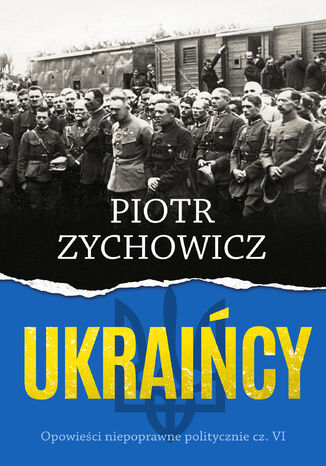
Ukraińcy. Opowieści niepoprawne politycznie cz.VI
Piotr Zychowicz
Kolejna część bestsellerowego cyklu Opowieści niepoprawne politycznie. Po Żydach, Sowietach, Niemcach i Aliantach przyszedł czas na Ukraińców. Ludobójstwo na Wołyniu, akcja Wisła, krwawa wojna o Lwów. Pogromy polskich dworów na Rusi, Pakt Piłsudski - Petlura, Wielki Głód i Dywizja SS-Galizien. Fatalne błędy II RP i terroryzm OUN. UPA kontra AK. Piotr Zychowicz w swojej nowej książce opisuje najbardziej kontrowersyjne wydarzenia z tragicznej historii relacji polsko-ukraińskich. Bez upiększania i brązu. Bez hurra-patriotycznej cenzury i politycznej poprawności. Zychowicz pisze o tragicznym XX wieku - gdy Polaków i Ukraińców poróżnił krwawy konflikt o ziemię - ale cofa się również do czasów powstania Chmielnickiego. Czy fiasko ugody z Kozakami i budowy Rzeczypospolitej Trojga Narodów było największą zaprzepaszczoną szansą w dziejach Polski? Agresja rosyjska z 2022 roku spowodowała, że Polacy i Ukraińcy nigdy nie byli ze sobą tak blisko. To dobry moment, aby wyjąć historyczne trupy z szafy i w uczciwy sposób rozliczyć się z historią. Prawdziwe pojednanie musi być oparte na prawdzie.