Gry
Jiadong Chen
Understand what makes Unity the world’s most widely used real-time 3D development platform and explore its powerful features for creating 3D and 2D games, as well as the Unity game engine and the Microsoft Game Dev, including the Microsoft Azure Cloud and Microsoft Azure PlayFab services, to create games.You will start by getting acquainted with the Unity editor and the basic concepts of Unity script programming with C#. You'll then learn how to use C# code to work with Unity's built-in modules, such as UI, animation, physics, video, and audio, and understand how to develop a game with Unity and C#. As you progress through the chapters, you'll cover advanced topics such as the math involved in computer graphics and how to create a custom render pipeline in Unity with the new Scriptable Render Pipeline, all while optimizing performance in Unity. Along the way, you'll be introduced to Microsoft Game Dev, Azure services, and Azure PlayFab, and using the Unity3D PlayFab SDK to access the PlayFab API.By the end of this Unity book, you'll have become familiar with the Unity engine and be ready to develop your own games while also addressing the performance issues that you could encounter in the development process.
Gabor Szauer
Physics is really important for game programmers who want to add realism and functionality to their games. Collision detection in particular is a problem that affects all game developers, regardless of the platform, engine, or toolkit they use.This book will teach you the concepts and formulas behind collision detection. You will also be taught how to build a simple physics engine, where Rigid Body physics is the main focus, and learn about intersection algorithms for primitive shapes.You’ll begin by building a strong foundation in mathematics that will be used throughout the book. We’ll guide you through implementing 2D and 3D primitives and show you how to perform effective collision tests for them. We then pivot to one of the harder areas of game development—collision detection and resolution. Further on, you will learn what a Physics engine is, how to set up a game window, and how to implement rendering. We’ll explore advanced physics topics such as constraint solving. You’ll also find out how to implement a rudimentary physics engine, which you can use to build an Angry Birds type of game or a more advanced game.By the end of the book, you will have implemented all primitive and some advanced collision tests, and you will be able to read on geometry and linear Algebra formulas to take forward to your own games!
Pavel Strakhov, Witold Wysota, Lorenz Haas
Qt is the leading cross-platform toolkit for all significant desktop, mobile, and embedded platforms and is becoming popular by the day, especially on mobile and embedded devices. It's a powerful tool that perfectly fits the needs of game developers. This book will help you learn the basics of Qt and will equip you with the necessary toolsets to build apps and games.The book begins by how to create an application and prepare a working environment for both desktop and mobile platforms. You will learn how to use built-in Qt widgets and Form Editor to create a GUI application and then learn the basics of creating graphical interfaces and Qt's core concepts.Further, you'll learn to enrich your games by implementing network connectivity and employing scripting. You will learn about Qt's capabilities for handling strings and files, data storage, and serialization.Moving on, you will learn about the new Qt Gamepad module and how to add it in your game and then delve into OpenGL and Vulcan, and how it can be used in Qt applications to implement hardware-accelerated 2D and 3D graphics. You will then explore various facets of Qt Quick: how it can be used in games to add game logic, add game physics, and build astonishing UIs for your games. By the end of this book, you will have developed the skillset to develop interesting games with Qt.
Nathan T Auckett USD, Nathan Thomas Auckett
Benjamin Baka
Qt is a cross-platform application framework and widget toolkit that is used to create GUI applications that can run on different hardware and operating systems. The main aim of this book is to introduce Qt to the reader. Through the use of simple examples, we will walk you through building blocks without focusing too much on theory.Qt is a popular tool that can be used for building a variety of applications, such as web browsers, media players such as VLC, and Adobe Photoshop. Following Qt installation and setup, the book dives straight into helping you create your first application.You will be introduced to Widgets, Qt's interface building block, and the many varieties that are available for creating GUIs. Next, Qt's core concept of signals and slots are well illustrated with sufficient examples. The book further teaches you how to create custom widgets, signals and slots, and how to communicate useful information via dialog boxes. To cap everything off, you will be taken through writing applications that can connect to databases in order to persist data.By the end of the book, you should be well equipped to start creating your own Qt applications and confident enough to pick up more advanced Qt techniques and materials to hone your skills.
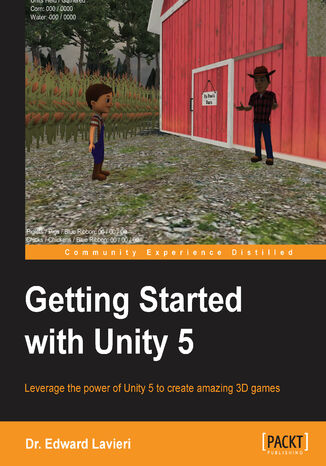
Dr. Edward Lavieri Jr.
The Unity game engine has revolutionized the gaming industry with its complete set of intuitive tools and rapid workflows, which can be used to create interactive 3D content. With Unity, you can scaffold your way from the basics and make make stunning interactive games. This book will guide you through the entire process of creating a 3D game, from downloading the Unity game engine to publishing your game. It not only gives you a strong foundation, but puts you on the path to game development. Beginning with an overview of the Unity engine and its interface, you will walk through the process of creating a game environment and learn how to use built-in assets, as well as assets created with third-party 3D modeling tools such as Blender. Moving on, you will create custom scripts to control non-player character behaviors and gameplay. You will master exciting concepts such as Heads-Up-Displays, mini-maps, game navigation, sound effects, and lighting effects. Next, you’ll learn how to create your first VR experience, right from setting up the project to image effects. You'll be familiarized with all the tools that Unity has to offer to create your own immersive VR experiences. Each section is a stepping stone toward the completion of the final game. By the end of the book, you'll have learned advanced topics such as cross-platform considerations which enable your games to run on multiple platforms.