
Grafika komputerowa
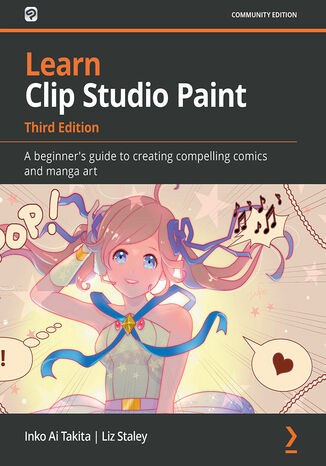
Inko Ai Takita, Liz Staley
Clip Studio Paint is a versatile digital painting program for creating manga and illustrations, helping artists expand their digital portfolio. This software is packed with tools that make panel laying, speech adding, toning, and editing much easier. This easy-to-follow guide is clearly divided into chapters covering drawing tools, interface customization, and using various visual effects so you can focus on specific techniques in detail one at a time.Learn Clip Studio Paint is a comprehensive introduction for those who are new to Clip Studio Paint that will have you up to speed in no time. You'll start by experiencing what it's like to create manga digitally and find new ways to shape your drawing. Next, using practical tips and rich visual references, the book shows you how to apply techniques to your creations, giving you the opportunity to expand your range of visual expression. As you advance, you'll explore how to create special effect brushes using an in-depth example, along with discovering how to color, blend, and edit your art digitally. Finally, you'll find out how to print, use the Clip Studio Paint Assets, and learn how to create unique and inspiring art that stands out from the rest.By the end of this Clip Studio Paint book, you'll have gained a clear understanding of its tools and be able to start telling your own manga story using your improved digital drawing skills.
Learning Pixelmator. Enhance your photos effectively and unleash the artist inside, with Pixelmator
Mark Stagi
Today, everybody has a digital camera, but how do you turn your pictures into masterpieces? With Pixelmator, you will be able to edit your photos like a pro and get that artistic, professional feel to your images.Learning Pixelmator will teach you how to use Pixelmator to turn your everyday snapshots into works of art. With an example-based approach, you will learn how to use each tool effectively to create, edit, or enhance your photos. It is for everyone that wants to get started with Pixelmator. Learning Pixelmator guide's you through a series of real-world tutorials to artistically edit your photos from start to finish. Starting with simple corrections, you will move onto advanced image editing techniques like creating a tilt-shift look from a photo, performing skin retouching on a portraits, and colorizing your images for an artistic tone. Covering topics such as using layers to create multi-image layouts and how to use text and shapes to embellish your images. With Learning Pixelmator you will learn everything you need to know to create works of art from your everyday photos. With the skills you will learn from this book the sky will be no limit with your digital photography!

Logo Design Love. Tworzenie genialnych logotypów. Nowa odsłona
David Airey
Twórz logotypy, które rzucają na kolana! Jak czerpać od najlepszych i zachować oryginalność? Gdzie szukać twórczych inspiracji? Jak negocjować z klientami? Logo to jeden z kluczowych elementów tożsamości wizualnej każdej marki. Może pomóc jej osiągnąć szczyt popularności albo zepchnąć ją w otchłań niebytu. Wszystko zależy od Ciebie. Dlatego zanim otworzysz jakikolwiek program graficzny lub weźmiesz do ręki ołówek, zobacz, jak robią to najlepsi, i zaczerpnij wiedzę całymi garściami. Powraca kultowa książka, którą pokochali wszyscy kreatywni projektanci! W wydaniu drugim, zaktualizowanym i rozszerzonym, autor otwiera przed Tobą fascynujący świat wizualnej identyfikacji marki. Pozwól mu przeprowadzić się bezpiecznie przez wszystkie etapy projektowania. Znajdziesz tu jeszcze więcej analiz przypadków, szkiców, logotypów, wskazówek dotyczących współpracy z klientami, anegdot oraz praktycznych informacji o tym, jak skutecznie zamknąć projekt - i zrobić to dobrze. Ta książka da także solidnego kopa Twojemu zmysłowi twórczemu i pomoże uniknąć zabójczej rutyny. Proces tworzenia logo - od ołówka do PDF-a. Zasady wyceniania projektów. Sztuka prowadzenia rozmów z klientami. Rozwiązywanie problemów z brakiem oryginalności. Analiza kultowych projektów. Unikanie zagrożeń związanych z rebrandingiem. Pomiary zwrotu z inwestycji w projekt. Tworzenie trwałych wizerunków marki w 31 praktycznych wskazówkach. Zrób logo, które stanie się kultowe! David Airey - niezależny projektant graficzny z Irlandii Północnej. Swoje umiejętności szlifował w Wielkiej Brytanii i Stanach Zjednoczonych, po czym podjął decyzję o wyspecjalizowaniu się w projektowaniu wizerunku marki. Poświęcone projektowaniu graficznemu blogi Davida - davidairey.com, logodesignlove.com oraz identitydesigned.com - każdego miesiąca odwiedza ponad 600 tysięcy internautów. Lista klientów Davida obejmuje wiele znanych firm, takich jak Yellow Pages, Asian Development Bank, blinkbox czy BBC.
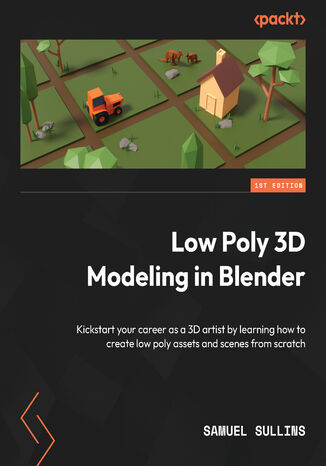
Samuel Sullins
Step into the world of low poly 3D art with Low Poly 3D Modeling in Blender—your entry point into Blender and mastering the fundamentals of 3D art. This beginner-friendly guide ensures that you’re fully prepared for the creative adventure that follows.Through a step-by-step learning process starting with the principles of low poly art, this book gradually immerses you in the intricacies of modeling. As you progress, you’ll gain hands-on experience creating diverse projects ranging from designing a simple 3D crate to rendering complete low poly scenes. The book covers a wide spectrum of topics as you navigate Blender's interface, mastering essential modeling tools and exploring both basic and advanced modeling techniques. Advancing to the final chapters, you’ll find ways to breathe life into your models with material creation and gain practical insights into modeling a variety of low poly objects. From end-to-end scene construction to configuring Blender for rendering high-quality images, you’ll be equipped with the foundational skills to propel your career in 3D modeling and explore the boundless creative possibilities that Blender offers.By the end of this book, you'll have a solid understanding of Blender, 3D modeling, low poly methodologies, material design, 3D rendering techniques, and the broader world of 3D art.
Joseph Labrecque
Adobe Animate is platform-agnostic asset creation, motion design, animation, and interactivity software. Complete with step-by-step explanations of essential concepts, practical examples, and hands-on walkthroughs, this book shows you how to use Adobe Animate to create immersive experiences by breaking through creative limitations across every medium.You will begin by getting up to speed with what you need to know about Adobe Animate quickly. Next, you will learn how to get started with Animate as a creative platform and explore the features introduced in the most recent version of the software. Moving on, you'll consume and produce media assets for multiple platforms through both the publish and export workflows. Following this, you’ll delve into advanced rigging techniques and discover how to create more dynamic animation with advanced depth and movement techniques. You’ll also find out how to build projects such as games, virtual reality experiences, and apps for various platforms. The book concludes with an examination of different methods used to extend the software for various needs.By the end of this book, you'll be able to produce a variety of media assets, motion design materials and animated artifacts, and interactive content pieces - all while targeting a variety of platforms including HTML5 Canvas, WebGL, and mobile devices.
Gary Bradley
Unlock the full potential of Photoshop, the go-to app for content creators, by mastering its complex tools and features. This book, drawing from the award-winning author’s 25+ years of design experience, builds on your existing Photoshop knowledge with proven industry techniques, serving as a launchpad to develop professional skills and transformative personal growth.You’ll fine-tune color and tone in your images with non-destructive adjustment layers and conceal content like backdrops with precise masking techniques for fine details like hair. Working through a series of real-world editing projects, crafting realistic brand mockups and traditional marketing collateral, you’ll learn robust methods for building social media assets in Photoshop, from images to animated GIFs and videos. You’ll also be able to bring your typography to life with styles and effects that are simple to edit and store as preset effects. The final section of the book encapsulates all of your learning to create complex montages using advanced masking and compositing techniques. You’ll have fun elevating your designs with surreal art styles and conceptual imagery using retouching, blending, and liquify filters.By the end of this Adobe Photoshop book, you’ll be equipped to create captivating visuals that leave a lasting impression on your audience.
Gary Bradley, Rob de Winter, James Carrington
Adobe Photoshop continues to evolve and so should your skills. Written by Adobe Certified Expert Gary Bradley, Mastering Adobe Photoshop 2026 is the definitive guide for designers, marketers, and visual content creators looking to upgrade their editing capabilities with Adobe’s latest tools and features. Whether you’re refining product shots, creating print collateral, or animating social media visuals, this second edition delivers an expertly structured approach that blends professional techniques with hands-on practice.Structured into four progressive parts, the book builds your skills from interface mastery and healing tools to branding mock-ups, video shorts, and surrealist artwork. This edition goes beyond basic image editing by teaching advanced workflows like non-destructive retouching, seamless masking, batch automation, and content creation optimized for multiple platforms. Two brand-new chapters help you embrace the future of image editing by exploring AI-powered retouching with Adobe Firefly and the latest updates and new features from Adobe MAX.By the end of this book, you’ll have complete command over Photoshop’s powerful feature set, allowing you to craft stunning visuals that impress clients, employers, and online audiences alike.*Email sign-up and proof of purchase required
Robin Nichols
Adobe Photoshop Elements is a raster graphics editor for entry-level photographers, image editors, and hobbyists. Updated and improved to cover the latest features of Photoshop Elements 2020, this second edition includes focused coverage of Adobe's new AI-powered features that are designed to make the editing process more efficient, creative and fun.This book takes you through the complexities of image editing in easy-to-follow, bite-sized chunks, helping you to quickly recognize the editing challenge at hand and use suitable tools and techniques to overcome it. You’ll start by learning how to import, organize, manage, edit, and use your pictures in a format that’s designed for creative photography projects. Throughout this Adobe Photoshop Elements book, you'll discover how to fix different photographic problems using an extensive repertoire of commonly applied solutions. Common processes such as applying artistic effects to creative projects, custom image makeovers, processing images for social media, and other file export methods will also be covered.By the end of this book, you’ll have learned about the impressive tools available in Photoshop Elements 2020, and how it is designed not only for photographers who’d like to dip their toes into the editing world, but also for those wanting simple but effective ideas on how to expand their creativity while remaining time-efficient.