
Informatyka
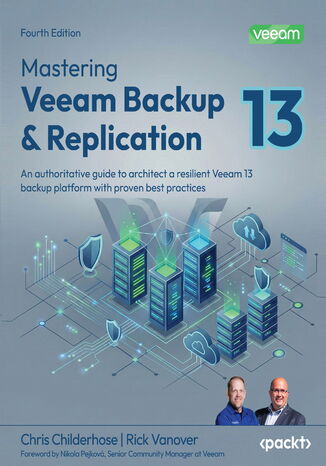
Chris Childerhose, Rick Vanover, Nikola Pejková
In today’s evolving threat landscape, protecting data across virtual, physical, and cloud workloads is critical. Veeam Backup & Replication remains a leading modern data protection platform, and version 13 elevates it with AI-driven intelligence, hardened security, and a reimagined appliance architecture. This new edition equips IT professionals and backup administrators to design, deploy, and manage a resilient Veeam v13 infrastructure.This edition covers major new features added to the application, such as Veeam Intelligence AI-driven insights, Universal Continuous Data Protection, and the Veeam Software Appliance with built-in High Availability clustering. This guides you through implementing modern data protection solutions for your cloud and virtual infrastructure with Veeam while helping you master advanced concepts such as Zero Trust security hardening and enhanced Active Directory integration. You'll dive deep into other new features as well, such as improved automation through PowerShell enhancements, and learn about CDP and disaster recovery from a service provider perspective with Veeam Cloud Connect.By the end of this book, you'll be able to successfully implement Veeam Backup & Replication to secure your environment and ensure reliable disaster recovery across your entire infrastructure.
Mastering Vim. Build a software development environment with Vim and Neovim
Ruslan Osipov
Vim is a ubiquitous text editor that can be used for all programming languages. It has an extensive plugin system and integrates with many tools. Vim offers an extensible and customizable development environment for programmers, making it one of the most popular text editors in the world. Mastering Vim begins with explaining how the Vim editor will help you build applications efficiently. With the fundamentals of Vim, you will be taken through the Vim philosophy. As you make your way through the chapters, you will learn about advanced movement, text operations, and how Vim can be used as a Python (or any other language for that matter) IDE. The book will then cover essential tasks, such as refactoring, debugging, building, testing, and working with a version control system, as well as plugin configuration and management. In the concluding chapters, you will be introduced to additional mindset guidelines, learn to personalize your Vim experience, and go above and beyond with Vimscript.By the end of this book, you will be sufficiently confident to make Vim (or its fork, Neovim) your first choice when writing applications in Python and other programming languages.
Mastering Vim. Efficient and effortless editing with Vim and Vimscript - Second Edition
Ruslan Osipov
Discover what makes Vim one of the most popular text editors in the world, renowned for its blend of efficiency, customization, extensibility, and portability. With Mastering Vim, you’ll come to appreciate its extensive plugin system and seamless integration with various tools, which enable Vim to provide developers with an extensible and customizable development environment for programmers.This comprehensive guide to Vim will help you become more efficient at editing text: be it prose or code. Starting from the basics, advanced movement, and text operations, you’ll learn how Vim can be used as a full-fledged IDE. You’ll then progress to refactoring, debugging, building, testing, version control, plugins, and Vimscript through practical guidance. This second edition comes packed with fully revamped examples that are both engaging and easy to understand, complemented by drawings and diagrams that help to visualize the concepts covered in the book. Updated to cover Vim 9, this edition includes updated installation and troubleshooting instructions, along with examples in Vim9script.By the end of this Vim book, you’ll be well-versed in Vim and have the skills you need to build a complete application using this popular text editor.
Romain Ottonelli Dabadie, Dave Callan
Mastering Visual Studio, one of the fastest and most comprehensive integrated development environments (IDEs), is crucial for building efficient, scalable, and modern apps. Written by a seasoned technical expert in .NET with over a decade of experience, Mastering Visual Studio 2022 helps you leverage the full capabilities of this powerful IDE.Packed with step-by-step guidance and self-assessment tools, this book adopts a practical approach to helping you advance your Visual Studio expertise. You’ll explore complex topics such as debugging, testing, extension development, and CI/CD, and gain practical insights to enhance your skills. The book covers advanced coding analysis and refactoring techniques that will help improve code quality and maintainability. You’ll also get to grips with Visual Studio’s capabilities for multi-platform development; integrating machine learning models; and cloud development with Azure, AWS, and Google Cloud. You’ll master Git workflows, conflict resolution, and DevOps practices with GitHub Actions and Azure DevOps, ensuring seamless team collaboration and efficient deployment pipelines.By the end of this book, you’ll have become proficient in Visual Studio 2022, as well as being able to craft your own customized experience and confidently create robust, high-quality applications.
Andrea Mauro , Paolo Valsecchi , Karel...
VMware vSphere 6.5 provides a powerful, flexible and secure foundation for next-generation applications which helps you create an effective digital transformation. This book will be based on VMware vSphere 6.5 which empowers you to virtualize any complex application with ease. You’ll begin by getting an overview of all the products, solutions and features of the vSphere 6.5 suite, comparing the evolutions with the previous releases. Next ,you’ll design and plan a virtualization infrastructure to drive planning and performance analysis. Following this , you will be proceeding with workflow and installation of components. New network trends are also covered which will help you in optimally designing the vSphere environment. You will also learn the practices and procedures involved in configuring and managing virtual machines in a vSphere infrastructure. With vSphere 6.5, you’ll make use of significantly more powerful capabilities for patching, upgrading, and managing the configuration of the virtual environment. Next we’ll focus on specific availability and resiliency solutions in vSphere. Towards the end of the book you will get information on how to save your configuration, data and workload from your virtual infrastructure. By the end of the book you’ll learn about VMware vSphere 6.5 right from design to deployment and management.
Martin Gavanda , Andrea Mauro , Paolo...
vSphere 6.7 is the latest release of VMware’s industry-leading, virtual cloud platform. It allows organisations to move to hybrid cloud computing by enabling them to run, manage, connect and secure applications in a common operating environment.This up-to-date, 2nd edition provides complete coverage of vSphere 6.7. Complete with step-by-step explanations of essential concepts, practical examples and self-assessment questions, you will begin with an overview of the products, solutions and features of the vSphere 6.7 suite.You’ll learn how to design and plan a virtual infrastructure and look at the workflow and installation of components. You'll gain insight into best practice configuration, management and security. By the end the book you'll be able to build your own VMware vSphere lab that can run even the most demanding of workloads.
Scott Norris
If you are an administrator of a virtual environment and have used vROps before but want to gain a professional understanding by implementing complex tasks easily with it, then this book is for you.
Alexandru Vladutu
If you are a Node.js developer who wants to take your Express skills to the next level and develop high performing, reliable web applications using best practices, this book is ideal for you. The only prerequisite is knowledge of Node.js.
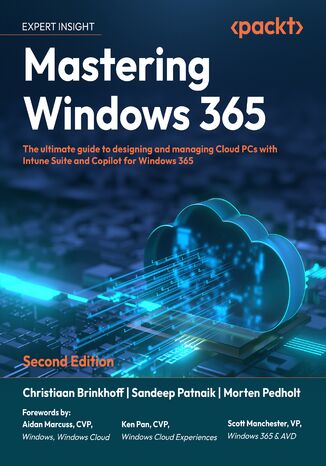
Christiaan Brinkhoff, Sandeep Patnaik, Morten Pedholt, Scott...
Windows 365 Cloud PC continues to evolve, integrating AI-driven management, enhanced security, and expanded capabilities to provide a seamless cloud-based Windows experience. This second edition builds on the foundation of the first, incorporating new content on Intune Suite, Copilot+ AI PCs, Windows App, and advanced security with Security Copilot to help IT professionals deploy, manage, and optimize Windows 365 Cloud PCs effectively.This edition expands beyond the basics, covering Intune Suite’s role in optimizing and securing deployments, new methods for application management and delivery, and insights into Windows 365 Link for hybrid cloud environments. You’ll also explore AI-powered administration with Security Copilot, providing intelligent security management and automation.Written by experts from the Windows 365 product team and a Microsoft MVP, this book provides practical guidance, best practices, and real-world insights to help you master modern Windows cloud management. Whether you’re working with Windows 365, Intune Suite, or AI-powered administration, this guide equips you with the latest tools and strategies to stay ahead in cloud computing.
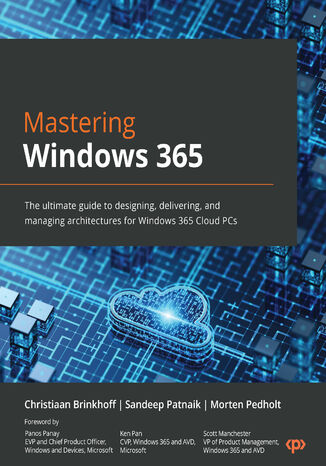
Christiaan Brinkhoff, Sandeep Patnaik, Morten Pedholt
Written by experts from the Windows 365 product group and a seasoned Microsoft MVP, this book offers a unique perspective on the features, functionality, and best practices of Windows 365. Drawing from their extensive professional experience and insight, the authors provide invaluable knowledge for those eager to learn about the next generation of cloud computing. Get ready to gain deep insights into this cutting-edge technology from industry insiders.Mastering Windows 365 starts by covering the fundamentals of Windows 365, helping you gain a deep understanding of deployment, management, access, security, analysis, and extensions with partner solutions. As you progress, you’ll explore the different connectivity layers and options to optimize your network connectivity from the endpoint to your Cloud PC. You’ll also learn how to manage a Cloud PC via the Microsoft Intune admin center successfully and experience how Windows and Windows 365 come together to provide new integrated experiences with Windows 11. In addition, this book will help you prepare for the new MD-102 Endpoint Administrator Exam, enhancing your career prospects.By the end of this book, you will be able to successfully plan, set up, and deploy Windows 365 Cloud PCs.
Jordan Krause
This book begins with a discussion of the core material any administrator needs to know in order to start working with Group Policy. Moving on, we will also walk through the process of building a lab environment to start testing Group Policy today. Next we will explore the Group Policy Management Console (GPMC) and start using the powerful features available for us within that interface. Once you are well versed with using GPMC, you will learn to perform and manage the traditional core tasks inside Group Policy. Included in the book are many examples and walk-throughs of the different filtering options available for the application of Group Policy settings, as this is the real power that Group Policy holds within your network. You will also learn how you can use Group Policy to secure your Active Directory environment, and also understand how Group Policy preferences are different than policies, with the help of real-world examples. Finally we will spend some time on maintenance and troubleshooting common Group Policy-related issues so that you, as a directory administrator, will understand the diagnosing process for policy settings.By the end of the book, you will be able to jump right in and use Group Policy to its full potential.
Sheridan Yuen
Windows Presentation Foundation is rich in possibilities when it comes to delivering an excellent user experience. This book will show you how to build professional-grade applications that look great and work smoothly.We start by providing you with a foundation of knowledge to improve your workflow – this includes teaching you how to build the base layer of the application, which will support all that comes after it. We’ll also cover the useful details of data binding. Next, we cover the user interface and show you how to get the most out of the built-in and custom WPF controls. The final section of the book demonstrates ways to polish your applications, from adding practical animations and data validation to improving application performance. The book ends with a tutorial on how to deploy your applications and outlines potential ways to apply your new-found knowledge so you can put it to use right away.
Jordan Krause
Mastering Windows Server 2019 – Second Edition covers all of the essential information needed to implement and utilize this latest-and-greatest platform as the core of your data center computing needs. You will begin by installing and managing Windows Server 2019, and by clearing up common points of confusion surrounding the versions and licensing of this new product. Centralized management, monitoring, and configuration of servers is key to an efficient IT department, and you will discover multiple methods for quickly managing all of your servers from a single pane of glass. To this end, you will spend time inside Server Manager, PowerShell, and even the new Windows Admin Center, formerly known as Project Honolulu. Even though this book is focused on Windows Server 2019 LTSC, we will still discuss containers and Nano Server, which are more commonly related to the SAC channel of the server platform, for a well-rounded exposition of all aspects of using Windows Server in your environment. We also discuss the various remote access technologies available in this operating system, as well as guidelines for virtualizing your data center with Hyper-V. By the end of this book, you will have all the ammunition required to start planning for, implementing, and managing Windows.
Andrew Crouthamel
Wireshark, a combination of a Linux distro (Kali) and an open source security framework (Metasploit), is a popular and powerful tool. Wireshark is mainly used to analyze the bits and bytes that flow through a network. It efficiently deals with the second to the seventh layer of network protocols, and the analysis made is presented in a form that can be easily read by people.Mastering Wireshark 2 helps you gain expertise in securing your network. We start with installing and setting up Wireshark2.0, and then explore its interface in order to understand all of its functionalities. As you progress through the chapters, you will discover different ways to create, use, capture, and display filters. By halfway through the book, you will have mastered Wireshark features, analyzed different layers of the network protocol, and searched for anomalies. You’ll learn about plugins and APIs in depth. Finally, the book focuses on pocket analysis for security tasks, command-line utilities, and tools that manage trace files.By the end of the book, you'll have learned how to use Wireshark for network security analysis and configured it for troubleshooting purposes.
Patrick Rauland
WooCommerce is one of the most flexible platforms for building online stores. With its flexibility, you can offer virtually any feature to a client using the WordPress system. WooCommerce is also self-hosted, so the ownership of data lies with you and your client.This book starts with the essentials of building a WooCommerce store. You’ll learn how to set up WooCommerce and implement payment, shipping, and tax options, as well as configure your product. The book also demonstrates ways to customize and manage your products by using SEO for enhanced visibility. As you advance, you’ll understand how to manage sales by using POS systems, outsource fulfillment, and external reporting services. Once you’ve set up and organized your online store, you’ll focus on improving the user experience of your e-commerce website. In addition to this, the book takes you through caching techniques to not only improve the speed and performance of your website but also its look and UI by adding themes. Finally, you’ll build the landing page for your website to promote your product, and design WooCommerce plugins to customize the functionalities of your e-commerce website.By the end of this WooCommerce book, you’ll have learned how to run a complete WooCommerce store, and be able to customize each section of the store on the frontend as well as backend.
Patrick Rauland
Author Patrick Rauland is a WooCommerce expert with a deep-rooted passion for the platform. Drawing from his multifaceted experience as a customer, WooCommerce support team member, core developer, release leader, and conference planner, he presents the latest edition of this guide to help you master every facet of launching and managing a successful WooCommerce store.From initiation to seamless integration of essential components such as payments, shipping, and tax configurations, this book takes you through the entire process of establishing your online store. You’ll then customize your store's visual identity, optimizing for search engines and advanced sales management through Point of Sale (POS) systems, outsourced fulfillment solutions, and external reporting services.You’ll then advance to enhancing the user experience, streamlining reorders, and simplifying the checkout process for your customers. With this new edition, you’ll also gain insights into secure hosting and bug fixing and be prepared for updates. That’s not all; you’ll build a promotional landing page, ensure store safety, contribute to the WooCommerce community, and design custom plugins for your unique needs.By the end of this WooCommerce book, you'll emerge with the skills to run a complete WooCommerce store and customize every aspect of the store on the frontend as well as backend.
Steven F. Daniel
This book will provide you with the knowledge and practical skills that are required to develop real-world Xamarin and Xamarin.Forms applications. You’ll learn how to create native Android app that will interact with the device camera and photo gallery, and then create a native iOS sliding tiles game. You will learn how to implement complex UI layouts and create customizable control elements based on the platform, using XAML and C# 7 code to interact with control elements within your XAML ContentPages.You’ll learn how to add location-based features by to your apps by creating a LocationService class and using the Xam.Plugin.Geolocator cross-platform library, that will be used to obtain the current device location. Next, you’ll learn how to work with and implement animations and visual effects within your UI using the PlatformEffects API, using C# code.At the end of this book, you’ll learn how to integrate Microsoft Azure App Services and use the Twitter APIs within your app. You will work with the Razor Templating Engine to build a book library HTML5 solution that will use a SQLite.net library to store, update, retrieve, and delete information within a local SQLite database. Finally, you will learn how to write unit tests using the NUnit and UITest frameworks.
Ed Snider
Discover how to extend and build upon the components of the Xamarin.Forms toolkit to develop an effective, robust mobile app architecture. Starting with an app built with the basics of the Xamarin.Forms toolkit, we’ll go step by step through several advanced topics to create a solution architecture rich with the benefits of good design patterns and best practices.We’ll start by introducing a core separation between the app’s user interface and the app’s business logic by applying the MVVM pattern and data binding. Discover how to extend and build upon the components of the Xamarin.Forms toolkit to develop an effective, robust mobile app architecture. Starting with an app built with the basics of the Xamarin.Forms toolkit, we’ll go step by step through several advanced topics to create a solution architecture rich with the benefits of good design patterns and best practices.We’ll start by introducing a core separation between the app’s user interface and the app’s business logic by applying the MVVM pattern and data binding. Then we will focus on building out a layer of plugin-like services that handle platform-specific utilities such as navigation, geo-location, and the camera, as well as how to use these services with inversion of control and dependency injection. Next we’ll connect the app to a live web-based API and set up offline synchronization. Then, we’ll dive into testing the app—both the app logic through unit tests and the user interface using Xamarin’s UITest framework. Finally, we’ll integrate Xamarin Insights for monitoring usage and bugs to gain a proactive edge on app quality.
Mastering Yii. Advance your modern web application development skills with Yii Framework 2
Charles R. Portwood ll
The successor of Yii Framework 1.1, Yii 2 is a complete rewrite of Yii Framework, one of the most popular PHP 5 frameworks around for making modern web applications. The update embraces the best practices and protocols established with newer versions of PHP, while still maintaining the simple, fast, and extendable behavior found in its predecessor.This book has been written to enhance your skills and knowledge with Yii Framework 2. Starting with configuration and how to initialize new projects, you’ll learn how to configure, manage, and use every aspect of Yii2 from Gii, DAO, Query Builder, Active Record, and migrations, to asset manager. You'll also discover how to automatically test your code using codeception.With this book by your side, you’ll have all the skills you need to quickly create rich modern web and console applications with Yii 2.
Andrea Dalle Vacche
Nowadays monitoring systems play a crucial role in any IT environment. They are extensively used to not only measure your system’s performance, but also to forecast capacity issues. This is where Zabbix, one of the most popular monitoring solutions for networks and applications, comes into the picture. With an efficient monitoring system in place you’ll be able to foresee when your infrastructure runs under capacity and react accordingly. Due to the critical role a monitoring system plays, it is fundamental to implement it in the best way from its initial setup. This avoids misleading, confusing, or, even worse, false alarms which can disrupt an efficient and healthy IT department.This new edition will provide you with all the knowledge you need to make strategic and practical decisions about the Zabbix monitoring system. The setup you’ll do with this book will fit your environment and monitoring needs like a glove. You will be guided through the initial steps of choosing the correct size and configuration for your system, to what to monitor and how to implement your own custom monitoring component. Exporting and integrating your data with other systems is also covered.By the end of this book, you will have a tailor-made and well configured monitoring system and will understand with absolute clarity how crucial it is to your IT environment.
Cedric F. Jacob
Zendesk is a cloud-based customer service solution that is widely used because it is easy, efficienct, flexible, and low cost. It is highly scalable and is great for organizations of all sizes. If you’re a Zendesk administrator and are looking to explore advanced-level concepts, then this book is for you. It covers the core functionalities such as managing users, groups, and the organization, and creating and adding custom fields. You will learn how to add customized ticket channels to your account. Then, you will focus on customizing business rules and extending Zendesk with JIRA and Salesforce. Towards the end, the book emphasizes security and troubleshooting aspects as well as providing tips and tricks to create a more efficient support environment.By the end of this book, you will be able to turn a basic Zendesk setup into a highly customized working environment.

Matematyczne miscellanea Tom 2
Izolda Gorgol (red.)
Niniejsza monografia jest czastkowa próba prezentacji zarówno osiagniec pracowników Katedry Matematyki Stosowanej, jak i pokazania efektów prac innych pracowników naukowych zwiazanych bezposrednio lub posrednio z kierunkiem matematyka, tak z Politechniki Lubelskiej, jak i z innych osrodków naukowych

Matematyczne miscellanea Tom 3
Izolda Gorgol (red.)
Niniejsza monografia uzupełnia poprzednia o prezentacje osiagniec kolejnych pracowników Katedry Matematyki Stosowanej i osób z nimi współpracujacych. Jak wszyscy prowadzacy zajecia ze studentami kierunku matematyka, rozszerzaja oni klasyczna wiedze przekazywana w ramach róznych przedmiotów o najnowsze wyniki nie tylko swoich badan.
Matematyczne modele uczenia maszynowego w językach MATLAB i PYTHON
Stanisław Osowski, Robert Szmurło
Prezentowane opracowanie dotyczy różnych modeli i metod stosowanych w uczeniu maszynowym. W szczególności, w poszczególnych rozdziałach przedstawione są takie zagadnienia, jak: regresja liniowa; klasyfikatory KNN; klasyfikatory Bayesa; modele matematyczne drzew decyzyjnych; sieci neuronowe MLP; sieci RBF; sieci SVM do klasyfikacji i regresji; sieci głębokie (CNN, autoenkoder, LSTM, transformer); zagadnienia zdolności generalizacyjnych modeli, w tym zespoły klasyfikatorów i systemów regresyjnych; transformacje i metody redukcji wymiaru danych wielowymiarowych; metody grupowania danych wielowymiarowych; wybrane metody generacji i selekcji cech diagnostycznych; metody oceny jakości rozwiązań; podstawowe rozwiązania adaptacyjnych systemów rozmytych. W przedstawieniu poszczególnych rozwiązań modelowych zaprezentowano zarówno strukturę pod-stawowych modeli, jak i algorytmy uczące dostosowane do konkretnego modelu. Ponieważ z punktu widzenia aktualnego stanu wiedzy do najważniejszych rozwiązań sztucznej inteligencji należą sztuczne sieci neuronowe. Tym zagadnieniom poświęcono najwięcej uwagi, wprowadzając różne rozwiązania sieciowe, w tym perceptron wielowarstwowy (MLP), sieć o radialnej funkcji bazowej (RBF), maszynę wektorów nośnych (SVM) czy różne rozwiązania głębokich sieci neuronowych wielowarstwowych, takich jak sieć konwolucyjna (CNN), autoenkoder (AE) czy sieć LSTM. Teoretyczne podstawy algorytmów uczących zostały zilustrowane przykładowymi programami implementującymi je przy użyciu oprogramowania Matlab i Python. Prezentowane w podręczniku skrypty z przykładami w Matlabie i Pythonie zostały udostępnione na platformie Github pod adresem: https://github.com/szmurlor/mmum. Podręcznik jest przeznaczony dla słuchaczy wyższych lat studiów, doktorantów i ludzi zainteresowanych metodami uczenia maszynowego, podstawowego narzędzia sztucznej inteligencji. Ze względu na interdyscyplinarny charakter tematyki może być wykorzystany zarówno w informatyce, inżynierii biomedycznej, jak i innych naukach technicznych. Wprowadzenie zarówno podstawowych jak i zaawansowanych pojęć uczenia maszynowego powoduje, że może być użyteczny dla osób początkujących i zaawansowanych w tej tematyce.