
Informatyka
Zajrzyj do kategorii Informatyka w księgarni internetowej Ebookpoint. Znajdziesz tutaj bestsellerowe książki, ebooki i kursy video z branży IT. Sięgnij po najlepszą literaturę dla specjalistów i rozwijaj doświadczenie, które już posiadasz, lub rozpocznij swoją przygodę z programowaniem, cyberbezpieczeństwem lub grafiką komputerową. Pogłębiaj swoją wiedzę tak, jak Ci wygodnie - z tradycyjną książką, wygodnym ebookiem lub nowoczesnym videokursem. Sprawdź, jakie tytuły znajdziesz w kategorii Informatyka!
Guruprasad HP, Harshul Patel
If you are a Microsoft System Center administrator who manages System Center environments and utilizes the console for management, then this book is ideal for you. This book is also for System Center users who now want to learn to manage systems using PowerShell.
Tarun Arora
Team Foundation Server (TFS) allows you to manage code repositories, build processes, test infrastructure, and deploy labs. TFS supports your team, enabling you to connect, collaborate, and deliver on time. Microsoft's approach to Application Lifecycle Management (ALM) provides a flexible and agile environment that adapts to the needs of your team, removes barriers between roles, and streamlines processes.The book introduces you to creating and setting up team projects for scrum teams. You'll explore various source control repositories, branching, and merging activities, along with a demonstration of how to embed quality into every code check-in. Then, you'll discover agile project planning and management tools. Later, emphasis is given to the testing and release management features of TFS which facilitate the automation of the release pipeline in order to create potentially shippable increments. By the end of the book, you'll have learned to extend and customize TFS plugins to incorporate them into other platforms and enable teams to manage the software lifecycle effectively.
David Parker
Microsoft Visio is a diagramming program using vector graphics, which ultimately allows business professionals to explore and communicate complex information more effectively. Through various visual representations, Visio enables complicated data to be presented in a clear, communicative, and data-connected way. Therefore, productivity is increased by utilizing the wide variety of diagrams that can convey information at a glance, as data can be understood and acted upon quickly. This book enables business developers to unleash the full potential of Diagram Validation that Visio 2010 Premium Edition has to offer.This focused tutorial will enable you to get to grips with Diagram Validation in Visio 2010 Premium Edition to the fullest extent, enabling powerful automatic diagram verification based on custom logic and assuring correct and compliant diagrams. You will learn how to create and publish Rules, and use the ShapeSheet to write formulae. There is a special focus on extending and enhancing the capabilities of Visio 2010 diagram validation, and on features that are not found in the out-of-the-box product, like installing and using a new Rules Tools add-in, complete with source code, reviewing the new diagramming rules in flowchart and BPMN templates, and creating your own enhanced Data Flow Model Diagram template, complete with Validation Rules.The book begins by covering the basic functions of Visio 2010, and then dives deep into showing you how to formulate your own Validation Rules and understand the Visio Object Model. ShapeSheet functions are explored in detail, as are creating Validation Rule Sets and Rules, and visualizing issues, with practical demonstrations along the way. Other content includes building a Rules Tools add-in using C#, creating test and filter expressions, and publishing Validation Rules for others to use. Finally, the book considers the creation and implementation of a new RuleSet for Data Flow Model Diagrams with a worked example.By following the practical and immediately deployable examples found in the book, you will successfully learn both how to use the features of Microsoft Visio 2010, and how to extend the functionality provided in the box.
David Parker
Microsoft Visio is a diagramming program which ultimately allows business professionals to explore and communicate complex information more effectively. Through easy-to-understand visual representations, Visio enables you to present complicated data in a clear and communicative way. Therefore, productivity is increased by utilizing the wide variety of diagrams that can convey information at a glance as data can be understood and acted upon quickly. This book enables business developers to unleash the full potential of Visio 2013 Professional Edition.Microsoft Visio 2013 Business Process Diagramming and Validation is a focused tutorial with a range of practical examples and downloadable code that shows you how to create business process diagramming templates with Visio, enabling you to effectively visualize business information. It draws on real business examples and needs and covers all the new features of Visio 2013 Professional Edition.This focused tutorial will enable you to get to grips with diagram validation in Visio 2013 Professional Edition to the fullest extent, enabling you to perform powerful automatic diagram verification based on custom logic and assuring correct and compliant diagrams. You will learn how to create and publish rules and how to use the ShapeSheet to write formulae. There is also a special focus on extending and enhancing the capabilities of Visio 2013 diagram validation and on features that are not found in the out-of-the-box product, like installing and using the new Rules Tools add-on complete with source code, reviewing the new diagramming rules in flowcharts and BPMN templates, and creating your own enhanced Data Flow Model Diagram template complete with validation rules.Microsoft Visio 2013 Business Process Diagramming and Validation begins by covering the basic functions of Visio 2013 before moving on to discuss how to formulate your own validation rules and how to use the Visio Object Model. ShapeSheet functions are explored in detail as well as how to create validation rule sets and visualizing issues, with practical demonstrations along the way. It also covers integration with SharePoint 2013 and Office365 and how to build a Rules Tools add-on using C#, how to create test and filter expressions, and how to publish validation rules for others to use. Finally, the book concludes with the creation and implementation of a new RuleSet for Data Flow Model Diagrams with a worked example. By following the practical and immediately deployable examples found in this book, you will successfully learn how to use the features of Microsoft Visio 2013 and how to extend the functionality provided in the box.
Microsoft Visual C++ 2008. Praktyczne przykłady
Mariusz Owczarek
Poznaj w praktyce środowisko Visual C++ 2008 Dowiedz się, jak korzystać z gotowych komponentów programistycznych Naucz się pisać w C++ aplikacje przeznaczone dla systemu Windows Wiele osób słyszało o języku C++, lecz ogromna większość z nich na samą myśl o bliższym poznaniu go reaguje z podobną rezerwą, jak na pomysł wybrania się na wakacyjny kurs języka mandaryńskiego. Osoby te popełniają jednak niewybaczalny błąd i skutecznie odcinają się od niezwykle interesującego świata nowoczesnego programowania. Na ludzi biegle znających C++ czeka bardzo wiele atrakcyjnych ofert pracy, a niemalejąca popularność systemów Windows sprawia, że najbardziej poszukiwani w tej grupie są specjaliści znający Visual C++, czyli wygodne w użyciu i bardzo rozbudowane środowisko programistyczne firmy Microsoft. Nie trzeba chyba dodawać, że zarabiają oni zwykle znacznie więcej niż najlepsi nawet tłumacze z języka mandaryńskiego... Jeśli chcesz dołączyć do tej programistycznej elity, już dziś sięgnij po odpowiednie źródło wiedzy. Książka "Microsoft Visual C++ 2008. Praktyczne przykłady " umożliwi Ci gładkie rozpoczęcie przygody z Visual C++, prezentując podstawowe informacje na temat języka, opisując środowisko programistyczne, sposób tworzenia aplikacji oraz technikę zarządzania danymi i korzystania z plików. Nauczysz się z niej również właściwego stosowania elementów kontrolnych i komponentów programistycznych. Poznasz metody przetwarzania wielowątkowego, zagadnienia związane z grafiką i łączeniem się z siecią, a ponadto dowiesz się, jak skonstruowany jest kod programu. Na tym jednak nie koniec, bowiem na kilku rozbudowanych i bardzo zróżnicowanych przykładach poznasz też praktyczne zastosowanie całej tej teorii, a wszystko przy użyciu bezpłatnej wersji środowiska programistycznego firmy Microsoft. Podstawowe informacje na temat Visual C++ 2008 Instalacja środowiska programistycznego Elementy składowe aplikacji i sposoby używania kontrolek Zarządzanie danymi i używanie plików Używanie najważniejszych komponentów programistycznych Wykorzystanie elementów graficznych Podstawowy korzystania z wątków Korzystanie z komponentów sieciowych Opis języków C++ i C++/CLI oraz struktury napisanych w nich programów Praktyczne projekty aplikacji opracowanych za pomocą Visual C++ 2008 Nie zwlekaj — już dziś wkrocz w magiczny świat programowania z wykorzystaniem Visual C++ 2008!
Microsoft Visual C++ 2008. Tworzenie aplikacji dla Windows
Rafał Wileczek
Rozpocznij przygodę z Visual C++! Jakie prawa rządzą programowaniem obiektowym? Jak tworzyć usługi systemowe? Jak dokumentować tworzony kod? Microsoft Visual C++ jest zintegrowanym środowiskiem, pozwalającym na tworzenie aplikacji przy użyciu języków C, C++ lub C++/CLI. Zawiera ono wyspecjalizowane narzędzia, pomagające w wydajnym tworzeniu rozwiązań opartych o te języki. Pierwsza wersja Visual C++ została wydana w 1992 roku, a środowisko to jest bezustannie ulepszane. Najnowsze wydanie, z datą 2008, zostało opublikowane w listopadzie 2007 roku i wprowadziło wiele nowości -- jak chociażby wsparcie dla technologii .NET 3.5. Niewątpliwie narzędzie firmowane przez giganta z Redmond jest jednym z najpopularniejszych, a używają go programiści z całego świata. Dzięki tej książce również Ty możesz dołączyć do tego wybitnego grona. Po jej przeczytaniu będziesz miał wiedzę na temat środowiska programistycznego i platformy .NET. Poznasz podstawy programowania obiektowego, nauczysz się uzyskiwać dostęp do informacji zgromadzonych w bazach danych oraz korzystać z możliwości Internetu bezpośrednio w Twoich programach. Kolejne rozdziały przedstawiają interesujące tematy dotyczące obsługi wyjątków, programów wielowątkowych oraz sposobów tworzenia usług systemowych. Ostatni rozdział poświęcony został tak istotnej kwestii, jak dokumentowanie kodu -- to czynność, o której wielu programistów zapomina. Jeżeli chcesz rozpocząć przygodę z Microsoft Visual C++, ta książka jest idealną lekturą dla Ciebie! Praca w zintegrowanym środowisku programistycznym Pojęcia związane z programowaniem obiektowym Uzyskiwanie dostępu do informacji zgromadzonych w bazach danych Wykorzystanie transakcji w pracy z danymi Sposoby integracji z siecią Internet Obsługa wyjątków Programowanie wielowątkowe Tworzenie grafiki oraz wykorzystanie multimediów Drukowanie w systemie Windows Tworzenie usług systemowych Dokumentowanie kodu programu Wykorzystaj możliwości Microsoft Visual C++ 2008!
Microsoft Visual C++ 2012. Praktyczne przykłady
Mariusz Owczarek
Microsoft Visual C++ 2012? To nic trudnego! Poznaj składnię języka C++ i nowości wprowadzane przez standard C++11 Naucz się wykorzystywać typy i konstrukcje programistyczne Dowiedz się, jak tworzyć aplikacje oparte na Windows API i .NET Framework Dostępne od niedawna środowisko Visual C++ 2012 oferuje użytkownikom szereg zupełnie nowych możliwości. Dzięki wprowadzeniu obsługi standardu C++11 i zwiększeniu przejrzystości oraz uniwersalności kodu źródłowego rozwiązanie ugruntowało swoją renomę nowoczesnego i nieustannie rozwijanego narzędzia programistycznego do wszechstronnych zastosowań. Ulepszone i dostosowane do nowych wymagań z powodzeniem może konkurować z innymi środowiskami obecnymi na rynku. Potwierdzają to również takie posunięcia producenta, jak zapewnienie wsparcia dla twórców programów działających w systemie Windows 8 i aplikacji mobilnych uruchamianych na platformie Windows Phone. "Microsoft Visual C++ 2012. Praktyczne przykłady" to doskonały przewodnik dla osób chcących poznać język C++ i zacząć pisać programy w środowisku Visual C++. Książka zawiera dokładny opis składni standardowego języka C++, a także praktyczne wskazówki dotyczące tworzenia aplikacji wykorzystujących Windows API oraz .NET Framework. Podręcznik prezentuje nie tylko podstawowe konstrukcje języka i sposoby ich stosowania, lecz także wprowadza czytelnika w bardziej zaawansowane zagadnienia związane z tworzeniem aplikacji działających w systemach operacyjnych Windows. Każdy omawiany tutaj temat został zilustrowany przykładem umożliwiającym praktyczne utrwalenie poznanych wiadomości teoretycznych. Instalacja i obsługa środowiska Microsoft Visual C++ Struktura programów C++ i konstrukcje języka Przegląd instrukcji i typów wbudowanych Podstawy techniki obiektowej Korzystanie z Windows API Tworzenie aplikacji wyposażonych w GUI Obsługa operacji na plikach Programowanie wielowątkowe Używanie komponentów .NET Framework Chcesz nauczyć się szybko działać w nowym Visual C++? Jesteś na dobrej drodze!
Stefan Bjornander
The book is ideal for programmers who have worked with C++ or other Windows-based programming languages. It provides developers with everything they need to build complex desktop applications using C++. If you have already learned the C++ language, and want to take your programming to the next level, then this book is ideal for you.
Microsoft Visual Studio 2012. Programowanie w C i C++
Radosław Sokół
Dołącz do najlepszych, zacznij programować w C i C++! Poznaj środowisko Microsoft Visual Studio 2012! Odkryj uniwersalne narzędzia programistyczne! Naucz się programować w językach C i C++! Informatyka w obecnym kształcie nie mogłaby istnieć bez języków C i C++. Oba miały ogromne znaczenie dla powstania współczesnych systemów operacyjnych i oprogramowania użytkowego. Od systemu UNIX, poprzez Linuksa, aż po różne wersje systemu Windows — wszystkie środowiska w mniejszym lub większym stopniu zostały zbudowane za pomocą C lub C++. Prosta składnia tych języków, ich wysoka wydajność i ogromne możliwości zapewniły im wierną rzeszę profesjonalnych użytkowników, wielką popularność w instytucjach naukowych oraz liczne „potomstwo” w postaci języków programowania wykorzystujących mechanizmy i konstrukcje wprowadzone po raz pierwszy właśnie w C i C++. Jeśli chcesz poznać podstawy programowania przy użyciu najpopularniejszego narzędzia do tworzenia aplikacji dla Windows, nie mogłeś lepiej trafić! Książka Microsoft Visual Studio 2012. Programowanie w C i C++ wprowadzi Cię w świat programowania proceduralnego w C i zorientowanego obiektowo w C++. Dowiesz się, jak zainstalować i wykorzystywać środowisko Visual Studio 2012, poznasz techniki stosowane przez programistów oraz nauczysz się samodzielnie budować programy. Uważna lektura pozwoli Ci opanować języki C i C++ w takim stopniu, aby dalsza nauka nie stanowiła najmniejszego problemu. Przeczytaj i poznaj: metody instalacji i konfiguracji środowiska Visual Studio 2012 sposoby kompilacji, budowania, poprawiania i uruchamiania programów strukturę kodu programów i konstrukcje programistyczne w językach C i C++ instrukcje warunkowe, operatory i funkcje operacje wejścia-wyjścia, strumienie oraz działania na zbiorach danych podstawy programowania zorientowanego obiektowo dziedziczenie i polimorfizm, szablony i iteratory oraz obsługę sytuacji wyjątkowych Programowanie to nic trudnego, przekonaj się o tym jeszcze dziś!
Neil Mackenzie
The Windows Azure platform is Microsoft's Platform-as-a-Service environment for hosting services and data in the cloud. It provides developers with on-demand computing, storage, and service connectivity capabilities that facilitate the hosting of highly scalable services in Windows Azure datacenters across the globe.This practical cookbook will show you advanced development techniques for building highly scalable cloud-based services using the Windows Azure platform. It contains over 80 practical, task-based, and immediately usable recipes covering a wide range of advanced development techniques for building highly scalable services to solve particular problems/scenarios when developing these services on the Windows Azure platform.Packed with reusable, real-world recipes, the book starts by explaining the various access control mechanisms used in the Windows Azure platform. Next you will see the advanced features of Windows Azure Blob storage, Windows Azure Table storage, and Windows Azure Queues. The book then dives deep into topics such as developing Windows Azure hosted services, using Windows Azure Diagnostics, managing hosted services with the Service Management API, using SQL Azure and the Windows Azure AppFabric Service Bus. You will see how to use several of the latest features such as VM roles, Windows Azure Connect, startup tasks, and the Windows Azure AppFabric Caching Service.
Steven Cheng
The Windows Communication Foundation 4.0 (WCF 4.0) is a .NET-based application programming interface for building and running connected systems. It enables secure and reliable communication among systems within an organization or across the Internet. This book deals with the difficult issues faced by a .NET developer while working with WCF.WCF 4.0 is a communications infrastructure that unifies a broad array of distributed systems' capabilities in a composable, extensible architecture that supports multiple transports, messaging patterns, encodings, network topologies, and hosting models. This book is a collection of focused real-world recipes and covers basic recipes on topics such as working with contracts to more advanced topics such as extending WCF runtime. By the end of this book you will have valuable information that helps transform the potentially unproductive habits of .Net developers who work with WCF.This book will take you through many concepts starting with complete support for contract-related design for WCF service development. You will learn to use WCF's built-in feature for building various service endpoints. Service hosting and configuration are important areas for building WCF services, especially at the service deployment stage, and are detailed in this book. You will find it easy to work with WCF client proxy generation and metadata publishing and discovery when you go through recipes such as customizing auto-generated service proxies.The author then discusses the exchange of data in WCF service operation features, related to WCF data serialization. You will discover some useful tips for security in WCF service development and built-in features for developing concurrency control for your services built upon it.One big plus is that you will learn to extend the existing WCF framework to achieve advanced functionality. You will find a dedicated chapter for RESTful and AJAX-enabled service development. Moving on, you will find several useful WCF service interoperability cases, which are important for a distributed service development platform. Towards the end of this book you will find some handy and useful diagnostic methods for troubleshooting.
David Overton
Microsoft Windows Intune is a cloud service solution that simplifies how small and mid-sized businesses manage and secure PCs using Microsoft cloud services and Windows 7óso your computers and users can operate at peak performance all the time.This step-by-step guide will show you how to plan, set up and maintain Windows Intune, showing you how to manage a group of PCs (either 1 business or several if a partner) from the base operating system, through to the patches, anti-malware solution and deployed software and policies from a central console, using the Windows Intune service. This book takes you through all the steps to plan, set up and maintain Windows Intune and how to manage a group of PCs. The book starts by providing an overview of Cloud Computing and PC Management. The book then dives into topics such as Windows Intune features, signing up for Windows Intune and installing the client software, configuring Windows Intune, proactive management, and monitoring and dealing with alerts, including remote assistance amongst others. As Windows 7 is part of Windows Intune, the book will also cover the minimum steps required to move from Windows XP to Windows 7 while keeping user settings and preferences.
Hammad Rajjoub
Windows Server AppFabric provides a set of integrated capabilities that extend IIS and the Windows Server platform making it easier to build, scale and manage composite applications today. Windows Server AppFabric delivers the first wave of innovation within an exciting new middleware paradigm which brings performance, scalability and enhanced management capabilities to the platform for applications built on the .NET Framework using Windows Communication Foundation and Windows Workflow Foundation.'Microsoft Windows Server AppFabric Cookbook' shows you how to get the most from WCF and WF services using Windows Server AppFabric leveraging the capabilities for building composite solutions on the .NET platform. Packed with over 60 task-based and immediately reusable recipes, 'Microsoft Windows Server AppFabric Cookbook' starts by showing you how to set up your development environment to start using Windows Server AppFabric quickly. The book then moves on to provide comprehensive coverage of the most important capabilities provided by Windows Server AppFabric, diving right in to hands-on topics such as deploying WCF and WF applications to Windows Server AppFabric and leveraging the distributed caching, scalable hosting, persistence, monitoring and management capabilities that Windows Server AppFabric has to offer, with recipes covering a full spectrum of complexity from simple to intermediate and advanced.
Andrew Zhu
Windows Workflow Foundation 4.0 (WF) is a significant part of .NET Framework 4.0. WF makes workflow technology available to every single programmer that uses the .NET Framework 4.0. It is easy to create long running and distributed programs using WF with the right knowledge. With this book, you will discover that working with workflows is easy.This book provides both step-by-step recipes and relevant background information. It covers all the important aspects of Windows Workflow Foundation 4.0. The best thing about this book is that all recipes are based on real-world experiences of Andrew Zhu. Andrew is a global WF and BizTalk technology support engineer for Microsoft. This book covers everything you need to know, when working with workflows. Get to grips with flow control activities, messaging, and transaction processes with easy to understand steps followed by explanations. You will quickly learn to use collection and custom WF activities and WF services.You will see recipes that illustrate integration of Windows Workflow with other applications such as WPF, ASP.NET, WCF service.Lastly, you will discover how easily you can customize W4 Designer with WF rule engine and others.
Rob Miles
Każdy pasjonat gier komputerowych zadawał sobie czasem pytania typu: "Niesamowite, jak oni to zrobili?" albo "Jak można uzyskać taki efekt?". A co się dzieje, jeśli to pytanie przychodzi do głowy programiście? Jego następną myślą zwykle jest: "Muszę spróbować sam to zrobić!". Na co czekasz? Dziś już nic nie stoi na przeszkodzie! Odkąd Microsoft udostępnił framework XNA, każdy może wymyślić i stworzyć swoją własną profesjonalną grę komputerową, uruchomić ją na prawdziwej konsoli, a nawet wprowadzić na rynek dzięki usłudze Xbox Live lub Windows Phone Marketplace. Jeśli zawsze marzyłeś o profesjonalnym programowaniu gier, ale nie do końca wiedziałeś, jak się za to zabrać, oto książka, która wszystko zmieni! Ten podręcznik będzie dla Ciebie doskonałym przewodnikiem, prowadzącym od opanowania podstaw frameworku XNA, przez zasady programowania w użytecznym języku C#, aż po tworzenie własnych gier. Przejdziesz niezwykłą drogę: na jej początku czeka Cię instalacja i przygotowanie środowiska programistycznego, potem projektowanie realistycznej grafiki gry i jej ciekawe udźwiękowienie, a uwieńczeniem Twoich działań będzie stworzenie profesjonalnych projektów dla konsoli Xbox 360®, telefonów z systemem Windows® Phone 7 czy komputerów PC. Co ważne, nie musisz być zaawansowanym i doświadczonym programistą. Wszystko, czego będziesz potrzebował do realizacji tej misji, znajdziesz w tej książce! Nauczysz się m.in.: pisać kod tworzący zachowania w grze i sterujący nimi projektować wygląd gry - grafikę, czcionki, kolory, oświetlenie i efekty trójwymiarowe budować obiekty gry, tzw. sprajty nagrywać i odtwarzać dźwięki przetwarzać dane wejściowe uzyskiwane z padów i klawiatur korzystać z ekranu dotykowego i akcelerometru w systemie Windows Phone dodawać stopery, systemy punktacji, elementy zagrażające graczowi i postęp w rozgrywce tworzyć gry wieloosobowe i sieciowe Opanuj sztukę programowania gier i zmieniaj własne pomysły w ekscytującą rzeczywistość!
MicroStrategy Quick Start Guide. Data analytics and visualizations for Business Intelligence
Fernando Carlos Rivero Esqueda
MicroStrategy is an enterprise business intelligence application. It turns data into reports for making and executing key organization decisions. This book shows you how to implement Business Intelligence (BI) with MicroStrategy. It takes you from setting up and configuring MicroStrategy to security and administration.The book starts by detailing the different components of the MicroStrategy platform, and the key concepts of Metadata and Project Source. You will then install and configure MicroStrategy and lay down the foundations for building MicroStrategy BI solutions. By learning about objects and different object types, you will develop a strong understanding of the MicroStrategy Schema and Public Objects. With these MicroStrategy objects, you will enhance and scale your BI and Analytics solutions.Finally, you will learn about the administration, security, and monitoring of your BI solution.
Arvind Maheshwari, Debu Panda
Today's IT environment is very complex, encompassing a myriad of technologies and middleware platforms. Many organizations have large and heterogeneous middleware platforms that power their enterprise applications and it is often a real challenge for administrators to meet agreed service levels and minimize downtime. Oracle Enterprise Manager allows administrators to manage the complete lifecycle of an entire application infrastructure for middleware and SOA applications.This book will help you kick-start the setup of Oracle Enterprise Manager Grid Control and master all aspects of middleware management supported by Oracle Enterprise Manager.This book, written by senior members of the Oracle team serves as the only hands on guide to provisioning middleware and implementing proactive monitoring to maximize application performance and compliance using Oracle Enterprise Manager.The book starts with an introduction to the challenges faced by middleware administrators in their everyday life, and how Oracle Enterprise Manager helps solve those challenges. This book will help you manage your middleware infrastructure and applications effectively and efficiently using Oracle Enterprise Manager. By following the practical examples in this book you will learn to proactively monitor your production middleware applications running on Oracle Application Server, Oracle WebLogic Server, Oracle SOA suite (such as Oracle BPEL Process manager), Oracle Server Bus, and Oracle Coherence. You will also learn different aspects to proactive monitoring and alert notifications, service level and incident management, diagnostics for production applications, lifecycle automation using out-of-the-box deployment procedures, and patching mechanisms. This book also helps you to master best practices for managing your middleware and SOA applications for optimal service performance and reduced down time.
Midjourney. Leverage The Future Of Creativity
Adrian Twarog
Unleash the full potential of Midjourney by mastering the essentials of prompt creation. The book begins with an in-depth exploration of prompt anatomy, teaching you the key components that make up an effective input. From there, you'll move on to crafting your first Midjourney prompt, gaining confidence as you bring your creative ideas to life.As you progress, you'll delve into the vital commands and the parameter list that enable you to fine-tune your results. Each concept is broken down into actionable insights, ensuring you fully understand how to control Midjourney’s output. By learning the interplay of these elements, you’ll start crafting outputs tailored to your vision.Finally, advanced techniques take center stage, showing you how to push the boundaries of your creativity. Whether you're creating stunning visuals, refining complex ideas, or exploring new ways to express yourself, this course equips you with the tools and knowledge to excel in the world of Midjourney.

Miejskość i duch innowacyjności
red. Krzysztof Bierwiaczonek, red. Marek S. Szczepański,...
Książka Miejskość i duch innowacyjności zawiera autorskie artykuły analizujące współczesne zjawiska społeczne, kulturowe i gospodarcze związane z miastem i szeroko rozumianą innowacyjnością. Pojęcie to funkcjonuje w książce w wielu kontekstach związanych między innymi z zaangażowaniem obywatelskim, funkcjonowaniem miejskich przestrzeni publicznych, tworzeniem przemysłu kreatywnego, kampanii promocyjnych, procesem transferu technologii, a także nowej formy upamiętniania bliskich, jakimi są wirtualne cmentarze. Powiązanie tematyki miejskiej z refleksją nad innowacyjnością pozwala w nowej perspektywie spojrzeć na toczącą się aktualnie debatę próbującą odpowiedzieć na pytanie: jakie ma być współczesne miasto, jak ma funkcjonować, w jaki sposób może wykorzystywać potencjał mieszkańców, instytucji i firm, które działają na jego obszarze? Książka adresowana jest zatem do wszystkich, którzy interesują się współczesnymi problemami miasta i jego rozwoju. W sposób szczególny publikacja powinna zainteresować socjologów, ekonomistów, urbanistów, geografów społecznych oraz studentów kierunków społecznych, ekonomicznych i urbanistycznych.
Sjoukje Zaal, Amit Malik, Sander Rossel, Jason...
Whether you are trying to re-architect a legacy app or build a cloud-ready app from scratch, using the Azure ecosystem with .NET and Java technologies helps you to strategize and plan your app modernization process effectively. With this book, you’ll learn how to modernize your applications by using Azure for containerization, DevOps, microservices, and serverless solutions to reduce development time and costs, while also making your applications robust, secure, and scalable.You will delve into improving application efficiency by using container services such as Azure Container Service, Azure Kubernetes Service (AKS), and more. Next, you will learn to modernize your application by implementing DevOps throughout your application development life cycle. You will then focus on increasing the scalability and performance of your overall application with microservices, before learning how to add extra functionality to your application with Azure serverless solutions. Finally, you’ll get up to speed with monitoring and troubleshooting techniques.By the end of this book, you will have learned how to use the Azure ecosystem to refactor, re-architect, and rebuild your web, mobile, and desktop applications.
Mikrokontrolery PIC w praktycznych zastosowaniach
Paweł Borkowski
Weź udział w konkursie! » Poznaj architekturę mikrokontrolerów PIC Naucz się programować je w asemblerze i języku C Dowiedz się, jak sterować urządzeniami zewnętrznymi Zostań ekspertem od mikrokontrolerów PIC! Mikrokontrolery PIC przebojem wdarły się na rynek uniwersalnych cyfrowych układów sterujących. Obecnie są wykorzystywane do kontrolowania pracy różnych urządzeń technicznych, instalacji automatyki przemysłowej i systemów informatycznych, jednak można je znaleźć również w używanym na co dzień sprzęcie AGD czy telefonach komórkowych. Ogromną popularność zawdzięczają sporym możliwościom, dużej niezawodności i elastyczności, prostocie programowania, szerokiemu spektrum zastosowań oraz niewygórowanym cenom. Jedyną wadą PIC-ów wydaje się stosunkowo niewielka ilość polskojęzycznej dokumentacji, a zwłaszcza brak podręcznika, który umożliwiałby początkującemu użytkownikowi bezbolesne rozpoczęcie przygody z tymi mikrokontrolerami, zaś doświadczonemu elektronikowi — szybkie włączenie ich do swojego warsztatu pracy. Na szczęście to już przeszłość, ponieważ do rąk czytelników trafia pierwsze tak wyczerpujące kompendium wiedzy z tej dziedziny: "Mikrokontrolery PIC w praktycznych zastosowaniach". Niezależnie od tego, czy studiujesz robotykę, automatykę, elektronikę lub informatykę, jesteś początkującym lub zaawansowanym inżynierem, czy też technika cyfrowa to Twoje hobby i pragniesz poznać tajniki mikrokontrolerów dla własnej satysfakcji, podręcznik wprowadzi Cię w świat projektowania, konstruowania, programowania nowoczesnych mikrokomputerów jednoukładowych oraz przedstawi najistotniejsze zagadnienia związane z używaniem kilku typów PIC-ów. Lektura nie tylko przybliży Ci podstawy asemblera i sposoby korzystania z języka C, lecz pokaże też, jak zastosować je w praktyce. Książka napisana została lekko, przystępnie i zrozumiale, lecz jest jednocześnie naprawdę rzetelnym i dogłębnym kompendium wiedzy o mikrokontrolerach. To właśnie na ten podręcznik czekałeś - Twoja cierpliwość została wreszcie nagrodzona! Warsztat pracy programisty mikrokontrolerów PIC Korzystanie z programatorów, kompilatorów i IDE Architektura mikrokomputerów jednoukładowych PIC Programowanie mikrokontrolerów w asemblerze i języku C Obsługa urządzeń wejścia-wyjścia Sposoby sterowania urządzeniami zewnętrznymi Metody odczytywania danych zewnętrznych Praktyczne przykłady stosowania mikrokontrolerów PIC
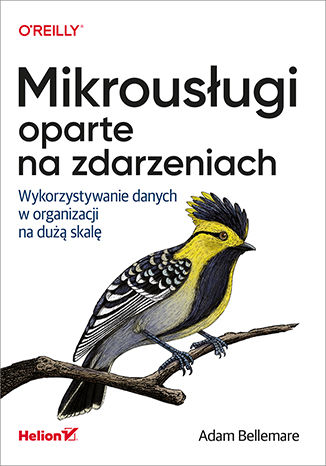
Mikrousługi oparte na zdarzeniach. Wykorzystywanie danych w organizacji na dużą skalę
Adam Bellemare
Mikrousługi oparte na zdarzeniach mogły powstać dzięki rozwojowi konteneryzacji i łatwiejszemu pozyskiwaniu zasobów obliczeniowych. Szczególnie ciekawą propozycją są rozproszone, odporne na błędy, wysokowydajne i szybkie brokery zdarzeń. Te rozwiązania technologiczne pozwalają na korzystanie z wielkich zbiorów danych i zapewniają przetwarzanie zdarzeń w czasie zbliżonym do rzeczywistego. Taka architektura ma znaczenie nie tylko dla inżynierów systemu, ale także dla struktury i sposobu działania firm i organizacji. Nagle okazuje się, że można bezproblemowo wykonywać działania, które do niedawna nie były jeszcze możliwe. To praktyczny przewodnik, dzięki któremu samodzielnie ocenisz, jak dużą wartość biznesową mogą zyskać duże wolumeny danych, jeśli są wykorzystywane w organizacji przy użyciu architektury mikrousług opartych na zdarzeniach. Dowiesz się także, jak przygotować i przeprowadzić proces budowania organizacji, która wykorzystuje mikrousługi oparte na zdarzeniach. Poznasz wszechstronne, a przy tym proste wzorce odblokowujące wartość tych danych. W książce znalazło się również mnóstwo wskazówek i sugestii dotyczących projektowania systemu opartego na zdarzeniach, ponadto wyjaśniono tutaj kluczowe zasady architektoniczne. Wymieniono też przydatne narzędzia oraz opisano dokładnie techniki testowania mikrousług i wdrażania ich w środowisku produkcyjnym. W książce między innymi: rola architektury opartej na zdarzeniach w dostarczaniu wyjątkowej wartości biznesowej mikrousługi w projektowaniu opartym na zdarzeniach najlepsze wzorce architektoniczne wzorce aplikacji do tworzenia wielofunkcyjnych mikrousług opartych na zdarzeniach komponenty i narzędzia wymagane do uruchomienia ekosystemu mikrousługowego Mikrousługi: odblokuj potencjał danych!
Mindf*ck szefa. Żeby w końcu wyszło tak, jak wyjść nie chce
Monika Reszko
BEZ ILUZJI I UPIĘKSZANIA >> Przeczytaj Szef na urlopie >> Posłuchaj Buduj firmę, jakiej pragniesz, a nie z jaką się pogodziłeś. I zacznij wreszcie żyć! Zakładasz firmę. Zakładasz ją, ponieważ to chcesz w życiu robić. Prowadzić własny biznes. Masz na niego pomysł, masz zdolności, cele, zapał, ręce i głowę do pracy. Jesteś gotów na poświęcenia, nadgodziny, od czasu do czasu nawet zarwane weekendy. I masz to: nie śpisz po nocach, pracujesz po 18 godzin na dobę, odczuwasz coraz większą frustrację. Twój biznes niby się jakoś kręci, ale... właśnie, tylko jakoś. A Ty? Czujesz się jak strażak. Non stop tylko gasisz pożary wywołane przez Twoich pracowników. I wciąż drżysz ze strachu, że odejdą. Pracownicy, klienci, dostawcy... Błędne koło. Twój własny, prywatny mindf*ck szefa! Stop! Tak się przecież nie da funkcjonować! Jak się od tego uwolnić? Musisz się zatrzymać, zastanowić i raz jeszcze zdefiniować, czym ma się zajmować Twoja firma i jaką rolę Ty masz w niej odgrywać? By wyjść naprzeciw własnej wolności i szczęściu, trzeba będzie podjąć rozmaite, często trudne decyzje. Pokonać prawdziwe blokady i rozpoznać przyczyny niepowodzeń, których istnienia nawet nie podejrzewałeś. Ale wiesz co? Warto! Warto właśnie po to, by na końcu procesu zmiany otrzymać to, o co na początku, przed założeniem firmy, Ci chodziło ? spełnienie, pieniądze, poczucie, że dobrze przeżywasz swoje jedyne, cenne życie. Jeśli jesteś gotów na zmianę na lepsze, ta książka pomoże Ci jej dokonać. Książka zrzuca "rozświetlającą" bombę pomiędzy emocje i rozterki przedsiębiorcy. Ładunek wiedzy jest w niej ekstremalnie skondensowany, przez co niemal po każdym akapicie trzeba zrobić przerwę na zastanowienie się. Lektura może u czytelnika wyzwolić różne stany, od wyparcia po wilgotne oczy ("Jejku, ja też tak mam"). Warta polecenia właścicielom biznesów jako mały krok, który może dużo zmienić w życiu firmy i w sposobie jej prowadzenia. Jarosław Banacki, prezes Cyfrowe.pl Bardzo potrzebna książka ― jednak tylko dla uważnych i odważnych. Bo najtrudniej jest zarządzać sobą. Jesteście gotowi? Na pewno? Jacek Santorski, twórca Akademii Psychologii Przywództwa przy Szkole Biznesu Politechniki Warszawskiej Sukces to pokonanie własnych ograniczeń i schematów, w których tkwimy. Udane życie to często pogodzenie wielu sprzeczności i potraktowanie strachu jako siły napędowej. Jeśli chcesz stworzyć wyjątkowy produkt, wyjątkową firmę, czasem nie ma innej drogi, niż wywrócić świat w Twoim umyśle do góry nogami. To może być dobry początek nowej drogi, nowego ja, nowego życia... Marek Kamiński, zdobywca biegunów, założyciel Fundacji i Marek Kaminski Academy
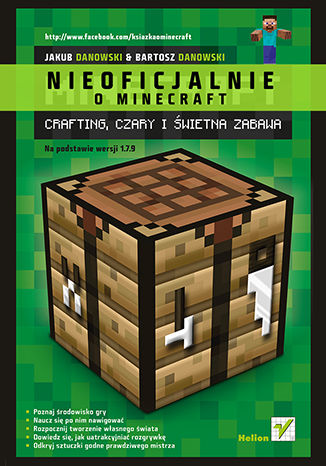
Minecraft. Crafting, czary i świetna zabawa
Bartosz Danowski, Jakub Danowski
Minecraft – włącz się do gry i zostań mistrzem! Poznaj środowisko gry Naucz się po nim nawigować Rozpocznij tworzenie własnego świata Dowiedz się, jak uatrakcyjniać rozgrywkę Odkryj sztuczki godne prawdziwego mistrza Minecraft to niezależna gra komputerowa, która mimo stosunkowo ubogiej szaty graficznej przebojem wdarła się na rynek i w bardzo krótkim czasie podbiła serca milinów użytkowników komputerów, smartfonów i konsol. Minecraft zawdzięcza swoją popularność między innymi powszechnej dostępności na różnych platformach systemowych, najważniejszymi i najbardziej docenianymi jej cechami są ponadprzeciętna grywalność, niemal całkowity brak ograniczeń narzucanych przez środowisko oraz niesamowita elastyczność zabawy, którą bez trudu można odpowiednio dopasować do wieku, predyspozycji i preferencji gracza. Jeśli chcesz szybko rozpocząć swoją przygodę z Minecraftem, dowiedzieć się jak zainstalować i skonfigurować grę, a także sprawnie się w niej poruszać, sięgnij po książkę „Minecraft. Crafting, czary i świetna zabawa”. Krok po kroku wprowadzi Cię ona w świat najpopularniejszej gry ostatnich lat, przedstawiając sposoby prowadzenia rozgrywki, od podstaw ucząc budowania własnego świata, przedstawiając przydatne skróty i wskazówki oraz doradzając, jak rozbudować środowisko za pomocą modyfikacji, skórek i zasobów. Lektura pomoże Ci rozwinąć Twoje umiejętności, zdobyć niezbędne doświadczenie i zaangażować się w zaawansowane rozgrywki z innymi użytkownikami. Jeśli chcesz zostać świadomym graczem, trudno o lepszy wybór! Pobieranie, instalacja i konfiguracja Maincrafta Korzystanie z wersji darmowej i zakup płatnej Tryby rozgrywki, podstawy nawigacji i elementy gry Rozszerzenia oferowane przez modyfikacje, skórki i paczki zasobów Przegląd dostępnych komend i poleceń Gra w trybie jedno- i wieloosobowym Porady i wskazówki doświadczonych graczy Uwolnij swoją kreatywność z Minecraftem! W książce została opisana oficjalna wersja Minecrafta 1.7.9 (maj 2014). Może nieznacznie różnić się od innych wersji - są tu nowe postacie, nowe bloki, nowe przepisy craftingu, jednak nie powinno to mieć zbyt dużego wpływu na samą rozgrywkę.