
Wird geladen...
Details zum E-Book
Einloggen wenn Sie am Inhalt des Artikels interessiert sind.
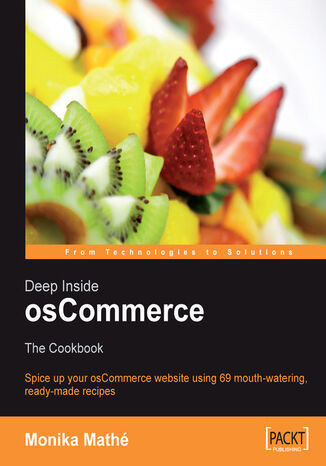
Deep Inside osCommerce: The Cookbook. Ready-to-use recipes to customize and extend your e-commerce website
Monika Mathe, Monika Math?É?íÂ!(C)
Wird geladen...
E-BOOK
Wird geladen...
osCommerce has been around since March 2000. At present there are over 10,000 live, registered osCommerce sites, and about 100,000 registered community members. Apart from providing ready-made solutions to problems, as well as a huge repository of information, the osCommerce community is a living entity with which we can all interact. With the rising success and popularity of this remarkable piece of software, things can only get better.
- Deep Inside osCommerce
- Table of Contents
- Deep Inside osCommerce: The Cookbook
- Credits
- Foreword
- About the Author
- About the Reviewers
- Introduction
- What This Book Covers
- What You Need for This Book
- How to Use This Book
- Conventions
- Reader Feedback
- Customer Support
- Downloading the Example Code for the Book
- Errata
- Questions
- 1. Chop and Cream the Basic Design
- 1. Add Easy Top-Category Driven Stylesheets
- Presentation
- Ingredients
- Cooking
- 2. Create Flexible Column Definitions
- Presentation
- Ingredients
- Cooking
- Summary
- 1. Add Easy Top-Category Driven Stylesheets
- 2. Serve them New Menus
- 3. Show Active Subcategories only in Your Category Box
- Presentation
- Ingredients
- Cooking
- 4. Create Separate Boxes for Each Top Category
- Presentation
- Ingredients
- Cooking
- 5. Simplify Category Box Navigation by Defining Specific Colors for Each Level
- Presentation
- Ingredients
- Cooking
- 6. Add Extra Links to Your Category Box
- Presentation
- Ingredients
- Cooking
- Summary
- 3. Show Active Subcategories only in Your Category Box
- 3. Spice Up Your Infoboxes
- 7. Move Your Infobox Header closer to Content
- Presentation
- Ingredients
- Cooking
- 8. Make Your Infobox Header Taller
- Presentation
- Ingredients
- Cooking
- 9. Add a Pop-Up Page from an Infobox Link
- Presentation
- Ingredients
- Cooking
- 10. Add Images to Infoboxes
- Presentation
- Ingredients
- Cooking
- Variation #1
- Ingredients
- Cooking
- Variation #2
- Ingredients
- Cooking
- 11. Add Extra Images to Your Columns without Framing Boxes
- Presentation
- Ingredients
- Cooking
- 12. Hide or Show Boxes Driven by Language Choice
- Presentation
- Ingredients
- Cooking
- 13. Add Boxes Dedicated to Specified Countries
- Presentation
- Ingredients
- Cooking
- 14. Define Box-Image Size Independent of Product Thumbs
- Presentation
- Ingredients
- Cooking
- 15. Show Manufacturers Logos in the Manufacturers Infobox
- Presentation
- Ingredients
- Cooking
- 16. Add Double Borders to Boxes with Background Matting
- Presentation
- Ingredients
- Cooking
- Summary
- 7. Move Your Infobox Header closer to Content
- 4. Stuff Your Product Display
- 17. Add Parent Category in Product Listing
- Presentation
- Ingredients
- Cooking
- Variation
- 18. Add Top Category in Product Listing
- Presentation
- Ingredients
- Cooking
- 19. Add a Separator Line in Product Listing
- Presentation
- Ingredients
- Cooking
- 20. Add a Cell Background and an Image Border to Product Listing
- Presentation
- Ingredients
- Cooking
- 21. Sort Product Listing by Date Added
- Presentation
- Ingredients
- Cooking
- 22. Prepare a Quick 'n Easy Review System for Product Listing
- Presentation
- Ingredients
- Cooking
- 23. Whip Up a Top-Category Driven Product Listing
- Presentation
- Ingredients
- Cooking
- 24. Control Manufacturer Image Size
- Presentation
- Ingredients
- Cooking
- 25. Call a Pop Up from Product Description in Product Info
- Presentation
- Ingredients
- Cooking
- 26. Call Unique Code for a Single Product in Product Info
- Presentation
- Ingredients
- Cooking
- 27. Show a Pop Up with Shipping Options in Product Info
- Presentation
- Ingredients
- Cooking
- 28. Add an Anchor for Options in Product Info
- Presentation
- Ingredients
- Cooking
- 29. Integrate Tell a Friend into Product Info
- Presentation
- Variation #1
- Ingredients
- Cooking
- Variation #2
- Ingredients
- Cooking
- 30. Offer an Ask a Question about a Product Link on Product Info
- Presentation
- Variation #1
- Ingredients
- Cooking
- Variation #2
- Ingredients
- Cooking
- 31. Sell Affiliate Products from Your Catalog
- Presentation
- Ingredients
- Cooking
- 32. Fill Up Also Purchased Products Search Result
- Presentation
- Ingredients
- Cooking
- 33. Limit New Products to Those with an Image
- Presentation
- Ingredients
- Cooking
- 34. Set Column Count for New Products
- Presentation
- Ingredients
- Cooking
- Summary
- 17. Add Parent Category in Product Listing
- 5. Dish Up a Better Search
- 35. Add Help Text to Your Search-Box Input Field
- Presentation
- Ingredients
- Cooking
- 36. Set the Search-Result Value Independent of Admin Listings
- Presentation
- Ingredients
- Cooking
- 37. Add an All Manufacturers Page to the Manufacturers Infobox
- Presentation
- Ingredients
- Cooking
- 38. Customize Your Product Listing with Individual Boxes for Each Manufacturer
- Presentation
- Ingredients
- Cooking
- Summary
- 35. Add Help Text to Your Search-Box Input Field
- 6. Grill that Checkout Process
- 39. Make Removing Products from the Cart more Intuitive
- Presentation
- Ingredients
- Cooking
- 40. Remove Delivery Address Modification from Your Shipping Page
- Presentation
- Ingredients
- Cooking
- 41. Modify Shipping Method Display for the Confirmation Page
- Presentation
- Ingredients
- Cooking
- 42. Add a Sophisticated Gift Wrapping Option to the Shipping Page
- Presentation
- Ingredients
- Cooking
- 43. Add the Option to Donate during Checkout
- Presentation
- Ingredients
- Cooking
- 44. Personalize Your Order Confirmation Email
- Presentation
- Ingredients
- Cooking
- 45. Add Your Customers' Email Addresses and Phone Numbers to Your Order Confirmation Email
- Presentation
- Ingredients
- Cooking
- 46. Add Your Customers' Fax Numbers to Your Order Confirmation Email
- Presentation
- Ingredients
- Cooking
- 47. Add the Products' Manufacturers to Your Order Confirmation Email
- Presentation
- Ingredients
- Cooking
- 48. Add the Products' Category Tree to Your Order Confirmation Email
- Presentation
- Ingredients
- Cooking
- Summary
- 39. Make Removing Products from the Cart more Intuitive
- 7. Whip Up New Shipping Options
- 49. Add Multiple Flat Rate Shipping Modules
- Presentation
- Ingredients
- Cooking
- 50. Add Percentage and Base Price Support to Table Rate
- Presentation
- Ingredients
- Cooking
- 51. Allow Free Postage for Free Items
- Presentation
- Ingredients
- Cooking
- 52. Limit Flat Rate Shipping to a Specific Top Category Only
- Presentation
- Ingredients
- Cooking
- 53. Hide Shipping Modules Driven by Weight
- Presentation
- Ingredients
- Cooking
- 54. Create a Per Item Shipping Module with Two Price Levels
- Presentation
- Ingredients
- Cooking
- Summary
- 49. Add Multiple Flat Rate Shipping Modules
- 8. Season Your Payment Modules
- 55. Hide Payment Modules from Public Eyes
- Presentation
- Ingredients
- Cooking
- 56. Create Dependencies between Shipping and Payment Modules
- Presentation
- Ingredients
- Cooking
- 57. Offer Customized Payment Options for Selected Customers
- Presentation
- Ingredients
- Cooking
- Summary
- 55. Hide Payment Modules from Public Eyes
- 9. Cook Up a Multiple Banner System
- 58. Set Up Category-Driven Banners
- Presentation
- Ingredients
- Cooking
- 59. Create Rotating Banners that Link within Your Own Shop
- Presentation
- Ingredients
- Cooking
- Summary
- 58. Set Up Category-Driven Banners
- 10. Throw Together Dessert Extra Treats for You!
- 60. Display a Dynamic Shipping Table for Table Rate Shipping
- Presentation
- Ingredients
- Cooking
- 61. Restructure and Customize Your File Download Module
- Presentation
- Ingredients
- Cooking
- 62. Create a Dual Website Combining Shopping Cart and Showroom Features
- Presentation
- Ingredients
- Cooking
- Summary
- 60. Display a Dynamic Shipping Table for Table Rate Shipping
- 11. Beef Up Your Admin
- 63. Reset Date Added for Products
- Presentation
- Ingredients
- Cooking
- 64. Set an Expiry Date for Products
- Presentation
- Ingredients
- Cooking
- 65. Limit Also Purchased Products Selection by Date
- Presentation
- Ingredients
- Cooking
- 66. Display Full Information for Customer, Delivery, and Billing Addresses at a Glance
- Presentation
- Ingredients
- Cooking
- 67. Highlight Orders According to their Order Status
- Presentation
- Ingredients
- Cooking
- 68. Sort Your Administration Menu Configuration-Box Entries
- Presentation
- Ingredients
- Cooking
- 69. Allow Entering Products in an Additional Currency
- Presentation
- Ingredients
- Cooking
- Summary
- 63. Reset Date Added for Products
- Index
- Titel:Deep Inside osCommerce: The Cookbook. Ready-to-use recipes to customize and extend your e-commerce website
- Autor:Monika Mathe, Monika Math?É?íÂ!(C)
- Originaler Titel:Deep Inside osCommerce: The Cookbook. Ready-to-use recipes to customize and extend your e-commerce website
- ISBN:9781847191274, 9781847191274
- Veröffentlichungsdatum:2006-10-01
- Format:E-Book
- Artikel-ID: e_3bd6
- Verleger: Packt Publishing
Wird geladen...
Wird geladen...