
Wird geladen...
Details zum E-Book
Einloggen wenn Sie am Inhalt des Artikels interessiert sind.
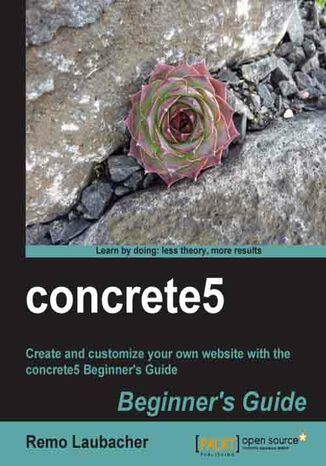
concrete5 Beginner's Guide
Remo Laubacher
Wird geladen...
E-BOOK
Wird geladen...
Concrete5 is a content management system for PHP developers. It can be used to build a range of sites and is particularly optimized for creating marketing websites.
The Concrete5 Beginner's Guide will show you how to get up and running with Concrete5 as quickly and painlessly as possible. Taking you from installation to deployment, this is the only reference that you will need for creating your new Concrete5 site.
By using a number of real-world examples, as well as taking you through the set up of a sample site, this book will enable you to become familiar with all of Concrete5's features. Use add-ons, themes, and blocks to give your site the look-and-feel that you desire. Simple PHP will enable you to customize the layout and navigation options of your site, as well extend the dashboard giving you a fully functional, professional site in no time.
The Concrete5 Beginner's Guide will show you how to get up and running with Concrete5 as quickly and painlessly as possible. Taking you from installation to deployment, this is the only reference that you will need for creating your new Concrete5 site.
By using a number of real-world examples, as well as taking you through the set up of a sample site, this book will enable you to become familiar with all of Concrete5's features. Use add-ons, themes, and blocks to give your site the look-and-feel that you desire. Simple PHP will enable you to customize the layout and navigation options of your site, as well extend the dashboard giving you a fully functional, professional site in no time.
- concrete5
- Table of Contents
- concrete5
- Credits
- About the Author
- About the Reviewers
- www.PacktPub.com
- Support files, eBooks, discount offers and more
- Why Subscribe?
- Free Access for Packt account holders
- Instant Updates on New Packt Books
- Support files, eBooks, discount offers and more
- Preface
- What this book covers
- Who this book is for
- Conventions
- Time for action heading
- What just happened?
- Pop quiz heading
- Have a go hero heading
- Reader feedback
- Customer support
- Errata
- Piracy
- Questions
- 1. Installation
- Preparing for installation
- Web browser
- Text editor
- Archive utility
- FTP client
- XAMPP installation
- Time for action installing XAMPP
- What just happened?
- Pop quiz requirements for concrete5
- Downloading concrete5
- Time for action downloading the latest version
- What just happened?
- Creating an empty SQL database
- Time for action creating an empty SQL database
- What just happened?
- Installing concrete5
- Time for action installing concrete5
- What just happened?
- The configuration file
- Pop quiz the configuration file
- Pretty URLs
- What just happened?
- Time for action enabling pretty URLs
- What just happened?
- Summary
- Preparing for installation
- 2. Working with concrete5
- Getting familiar with concrete5
- Time for action logging in to concrete5
- What just happened?
- Adding new blocks
- Time for action adding new blocks
- What just happened?
- Time for action editing existing blocks
- What just happened?
- Have a go hero adding more blocks
- Time for action exiting edit mode
- Pop quiz concrete5 in-site editing mode
- The dashboard
- Pop quiz dashboard features
- Adding more pages
- Time for action adding pages to create a news section
- What just happened?
- Time for action adding blocks to new page
- What just happened?
- Have a go hero adding more pages
- Page defaults
- Time for action adding default blocks to a page type
- What just happened?
- Adding blocks to existing sites
- Page commands
- Moving and sorting pages
- Time for action moving and sorting your pages
- What just happened?
- Splitting content into columns
- Time for action creating a multi-column layout
- What just happened?
- Have a go hero add more columns and blocks
- Scrapbook
- Time for action putting your addresses in a scrapbook
- What just happened?
- Design and CSS
- Time for action styling your blocks
- What just happened?
- Have a go hero play around
- Summary
- 3. Permissions
- Basic permissions
- Adding users and groups
- Time for action adding groups
- What just happened?
- Group expiration options
- What just happened?
- Time for action adding users
- What just happened?
- User attributes
- Sitemap and file manager permissions
- What just happened?
- Time for action assigning sitemap permissions
- What just happened?
- Time for action granting file manager permissions
- What just happened?
- Granting edit access
- Managing edit access on a page by page basis
- Creating a protected website section
- Time for action creating a protected website
- What just happened?
- Task permissions
- Time for action setting task permissions
- What just happened?
- Dashboard access
- Time for action granting partial dashboard access
- What just happened?
- Advanced permission mode
- Time for action activating the advanced permission mode
- What just happened?
- Time based page visibility
- Time for action setting time based page visibility
- What just happened?
- Subpage permissions
- Time for action setting sub-page permissions
- What just happened?
- Block based permissions
- Time for action using block permissions
- What just happened?
- Area based permissions
- Time for action restricting allowed blocks for an area
- What just happened?
- Pop quiz permissions in concrete5
- Summary
- Basic permissions
- 4. Add-ons
- Whats an add-on?
- Installing add-ons from the marketplace
- Time for action installing an add-on
- Time for action removing an add-on
- What just happened?
- Manually installing an add-on
- Time for action manually installing an add-on
- What just happened?
- Theme
- Parts of a theme
- Theme file structure
- Blocks
- Block structure
- Packages
- Pop quiz what's a package?
- Summary
- Whats an add-on?
- 5. Creating Your Own Theme
- The new layout
- The HTML code
- CSS rules
- Converting HTML and CSS to a concrete5 theme
- Time for action creating the concrete5 theme header
- What just happened?
- Time for action creating the concrete5 theme footer
- What just happened?
- Time for action creating a page template
- What just happened?
- Time for action creating more page templates
- What just happened?
- Pop quiz what are page templates and page types?
- Installing your theme
- Time for action installing theme
- What just happened?
- PHP constants and functions
- Time for action getting a list of available constants
- What just happened?
- Time for action list all available functions
- What just happened?
- Time for action checking for edit mode
- What just happened?
- Time for action hiding content from anonymous visitors
- What just happened?
- Time for action restricting numbers of blocks per area
- What just happened?
- Time for action inserting block wrapper in area
- What just happened?
- Working with page attributes
- Time for action using attributes to set background picture
- What just happened?
- Time for action accessing attribute data from a template
- What just happened?
- Pop quiz what are attributes?
- Block in templates
- Time for action replacing header area with template block
- What just happened?
- Time for action finding autonav block properties
- What just happened?
- Time for action specifying block template in area
- What just happened?
- Applying theme to single page
- Time for action creating single page layout
- What just happened?
- Time for action adding variables to handle login errors
- What just happened?
- Pop quiz what's a single page?
- Creating a customizable theme
- Time for action a creating customizable theme
- What just happened?
- Summary
- The new layout
- 6. Customizing Block Layout
- Custom templates to modify block layout
- Thumbnails in a page list
- Time for action adding thumbnails to a page list
- What just happened?
- Time for action restricting thumbnail dimension
- What just happened?
- Time for action restricting thumbnails to a custom dimension
- What just happened?
- Have a go hero improving thumbnail page list
- Have a go hero explore concrete5 helpers
- Template folder
- Time for action creating a template folder
- What just happened?
- Pop quiz how to include CSS and JavaScript files
- Picture pop-ups in content block
- Time for action building a lightbox gallery
- What just happened?
- Have a go hero creating another JavaScript gallery
- Gravatar picture in guestbook
- Time for action adding a Gravatar picture to the guestbook
- What just happened?
- Avoiding duplicate code in a custom template
- Time for action including an existing template
- What just happened?
- Auto-hide news page list
- Time for action creating an auto-hide page list
- What just happened?
- Transforming a slideshow into a gallery
- Time for action creating a gallery template for a slideshow
- What just happened?
- Time for action adding a slideshow gallery
- What just happened?
- Slideshow using file attributes
- Time for action adding file attributes to our slideshow
- What just happened?
- Time for action using file attributes in the gallery
- What just happened?
- Advanced tooltip in content block
- Time for action creating advanced tooltips
- What just happened?
- Summary
- 7. Advanced Navigation
- Autonav introduction
- Preparation
- Time for action undoing autonav block integration
- What just happened?
- Autonav options
- Autonav page structure
- Page order
- Example 1 showing all pages
- Example 2 showing relevant subpages
- Example 3 showing relevant subpages starting from the top
- Autonav output
- Images in the navigation
- Time for action creating page attributes for navigation pictures
- What just happened?
- Time for action creating block picture navigation template
- What just happened?
- CSS3 hover effect
- Time for action creating a CSS3 transition autonav template
- What just happened?
- Have a go hero create more transitions
- Drop-down navigation
- Time for action creating SooperFish template
- What just happened?
- Hierarchical tree navigation
- Time for action building a file explorer-like navigation
- What just happened?
- Dynamically loading content
- Time for action dynamically loading concret5 content using jQuery
- What just happened?
- Allowing direct links in dynamically loaded pages
- Time for action direct link with dynamic content
- What just happened?
- Summary
- Autonav introduction
- 8. Creating Your Own Add-on Block
- Product information block
- Steps to create a block
- Database structure
- Steps to create a block
- Time for action creating the database structure
- What just happened?
- Time for action creating the block controller
- What just happened?
- Time for action creating the editing interface
- What just happened?
- Time for action printing block output
- What just happened?
- Checking for mandatory fields
- Time for action adding check for mandatory fields
- What just happened?
- Adding product categories
- Time for action adding product categories
- What just happened?
- Have a go hero getting more information about blocks
- Product list
- Handling multiple block versions
- Time for action handling multiple block versions
- What just happened?
- Creating a product list block
- Time for action creating the product list block
- What just happened?
- Have a go hero extend product list
- Picture magnifier
- Time for action creating the picture magnifier block
- What just happened?
- PDF generation block
- Time for action creating the PDF generation block
- What just happened?
- generate_pdf.php
- view.php
- FTP gallery
- Time for action creating the FTP based picture gallery
- What just happened?
- Have a go hero adding more gallery options
- Summary
- Product information block
- 9. Everything in a Package
- What's a package?
- Package structure
- Package controller
- Time for action creating the package controller
- What just happened?
- Pop quiz
- Moving templates into package
- Moving themes and blocks into the package
- Time for action moving jQZoom block into the package
- What just happened?
- Time for action moving the PDF block into the package
- What just happened?
- Have a go hero move more add-ons
- Hooking into core events
- Event types
- Extending an event
- Pop quiz
- Maintenance tasks and jobs
- Time for action execute concrete5 jobs periodically
- What just happened?
- Creating a new job
- Time for action creating a job to check for broken links
- What just happened?
- Injecting header items
- Adding tooltips for every title tag
- Time for action creating global tooltips
- What just happened?
- JavaScript browser fixes
- Time for action integrating CSS fix in the package
- What just happened?
- Pop quiz
- Have a go hero create a new package
- Summary
- What's a package?
- 10. Dashboard Extensions
- MVCmodel view controller
- Broken link interface
- Time for action creating the broken links dashboard extension
- What just happened?
- Moving database access into model
- Time for action creating package model
- What just happened?
- Multiple controller methods
- Time for action adding a second controller method
- What just happened?
- File editor embedded in the dashboard
- Time for action creating the file editor add-on
- What just happened?
- Controller without logic
- Have a go hero extending the file editor add-on
- Summary
- 11. Deployment and Configuration
- Deployment
- Preparations for deployment
- Time for action disabling pretty URL and cache
- What just happened?
- Transfer MySQL database
- Time for action transferring a MySQL database
- What just happened?
- Transferring files to server
- Time for action transferring files to the server
- What just happened?
- Time for action updating the configuration file
- What just happened?
- Time for action setting file permissions
- What just happened?
- Configuration
- Updating the configuration file
- Base URL redirection
- Multilanguage
- Time for action installing a translation file
- What just happened?
- Cache to improve performance
- Time for action getting PHP information
- What just happened?
- Activating SQLite
- Using APC
- Measuring the site performance
- What just happened?
- Summary
- Deployment
- A. Pop Quiz Answers
- Chapter 1: Installation
- Pop Quiz 1
- Pop Quiz 2
- Chapter 2: Working with concrete5
- Pop Quiz 1
- Pop Quiz 2
- Chapter 3: Permissions
- Chapter 4: Add-ons
- Chapter 5: Creating Your Own Theme
- Pop quiz 1
- Pop Quiz 2
- Pop Quiz 3
- Chapter 6: Creating Your Own Add-on Block
- Chapter 9: Everything in a Package
- Pop Quiz 1
- Pop Quiz 2
- Pop Quiz 3
- Chapter 1: Installation
- Index
- Titel:concrete5 Beginner's Guide
- Autor:Remo Laubacher
- Originaler Titel:concrete5 Beginner's Guide.
- ISBN:9781849514293, 9781849514293
- Veröffentlichungsdatum:2011-03-18
- Format:E-Book - EPUB
- Artikel-ID: e_3d28
- Verleger: Packt Publishing
Wird geladen...
Wird geladen...