
Видавець: 16

Bolesław Prus
Michałko Roboty przy kolei skończono. Podradczyk wypłacił komu co należało, oszukał kogo można i ludzie poczęli się rozchodzić, gromadami, każdy do swojej wsi. Koło karczmy, która stała przy plancie, do południa było gwarno. Jeden obwarzankami napełniał kobiałkę, drugi kupował wódkę do domu, inny — upijał się na miejscu. Potem porobili zawiniątka z grubych płacht i, zawiesiwszy je przez ramiona, odeszli, wołając: — Bywaj zdrów, „durny Michałku” ! [...]Bolesław PrusUr. 20 sierpnia 1847 r. w Hrubieszowie Zm. 19 maja 1912 r. w Warszawie Najważniejsze dzieła: Anielka (1880), Powracająca fala (1880), Katarynka (1881), Antek (1881), Kamizelka (1882), Placówka (1886), Lalka (1890), Emancypantki (1894), Faraon (1897), Dzieci (1909) Właśc. Aleksander Głowacki (pseudonim literacki pochodzi od nazwy rodowego herbu Prus); polski pisarz i publicysta, jeden z najwybitniejszych pisarzy okresu pozytywizmu, teoretyk i twórca podwalin realizmu w polskiej literaturze. Twórczość Prusa bywa zestawiana z dziełami Karola Dickensa i Antoniego Czechowa. Wcześnie stracił rodziców, wychowywali go krewni, przez pewien czas w Kielcach pozostawał m.in. pod opieką brata Leona, działacza ?czerwonych?. Zapewne pod jego wpływem przyłączył się do powstania styczniowego; ranny w głowę, trafił do więzienia w Lublinie. Zwolniony, ukończył gimnazjum w Lublinie i zdał na wydz. mat.-fiz. Szkoły Głównej, ale studiów nie skończył. Pracował jako korepetytor, a nawet robotnik w fabryce Lilpopa, nie rezygnując z samokształcenia (szczególnie interesowała go logika, ale ogłosił też np. artykuł o elektryczności). Publikowanie stałych felietonów w ?Niwie? i sławnych Kronik w ?Kurierze Warszawskim? zapewniło mu stabilizację materialną; w 1875 r. ożenił się ze swą kuzynką Oktawią Trembińską. Powieści stawiał za cel dokonywanie rodzaju analizy socjologicznej, wskazywanie istotnych procesów społ. poprzez badanie typów ludzkich ukształtowanych przez aktualne przemiany. Praca literacka miała opierać się na obserwacji, systematyzacji spostrzeżeń i wnioskowaniu. Prus brał aktywnie udział w wielu akcjach oświatowych i społecznych (np. w organizowaniu Kasy Przezorności i Opieki dla Literatów i Dziennikarzy, obywatelskiej pomocy dla robotników pozbawionych pracy po strajkach w 1905 r.). W testamencie ufundował stypendium dla zdolnych dzieci wiejskich - wypłacane do dziś. autor: Iga GawrońskaKupując książkę wspierasz fundację Nowoczesna Polska, która propaguje ideę wolnej kultury. Wolne Lektury to biblioteka internetowa, rozwijana pod patronatem Ministerstwa Edukacji Narodowej. W jej zbiorach znajduje się kilka tysięcy utworów, w tym wiele lektur szkolnych zalecanych do użytku przez MEN, które trafiły już do domeny publicznej. Wszystkie dzieła są odpowiednio opracowane - opatrzone przypisami oraz motywami.

Jules Verne, Jules Verne
Le héros du roman, le courrier Mikhail Strogov, sur les instructions de lempereur, entreprend un long voyage de Moscou Irkoutsk travers toute la Sibérie, englouti dans le soulevement des Tatars, pour sauver le frere du roi. Le voyage extraordinaire Irkoutsk, créé par le fantasme dun romancier français, sest avéré si fascinant que la mode pour tout ce qui est russe est apparue en France et que plusieurs générations lisaient ce livre.

Renata Opala
Życie jest niesprawiedliwe stwierdza piętnastoletnia Miśka i pełna nadziei postanawia wyruszyć autostopem do Londynu. Podróż zapowiada się ciekawie, szybko jednak przybiera nieoczekiwany zwrot, zamieniając się w istny koszmar. Zwykle w trudnych chwilach można liczyć na pomoc przyjaciół, ale czy nowo poznani ludzie okażą się wsparciem, czy może zagrożeniem? Czy Michelle znajdzie drogę do domu, który na własne życzenie porzuciła? Trzymająca w napięciu historia o dorastaniu i zmaganiach z przeciwnościami losu.

Edward Ashton
Umieranie to żadna frajda... ale pozwala zarobić na życie. Mickey7 jest wymienialnym: narażonym na wielokrotną śmierć pracownikiem ekspedycji mającej na celu skolonizować planetę Niflheim. Gdy tylko zadanie okazuje się zbyt niebezpieczne dla zwykłych ludzi czy nawet maszyn, otrzymuje je Mickey. Po śmierci danej wersji ciała wytwarza się nowe z wszczepioną tą samą kopią mózgu. Po sześciu zgonach Mickey7 rozumie już, dlaczego był jedynym kandydatem, który zgłosił się na to stanowisko. Podczas rutynowego zwiadu zaginiony w akcji Mickey7 zostaje uznany za martwego. Kiedy dzięki pomocy miejscowych form życia wraca do kolonii, okazuje się, że spisano go już na straty, a do pracy zgłasza się nowy klon, Mickey8. Zwielokrotnianie wymienialnego jest zabronione i w razie wykrycia obaj zapewne trafią do odzyskiwacza białka. Mickey7 musi więc utrzymać swego sobowtóra w tajemnicy przed resztą kolonii. Ostateczny los zarówno tubylców, jak i kolonizatorów zależy od Mickeya7. Oczywiście, jeśli uda mu się nie umrzeć na dobre Na podstawie powieści Joon-ho Bon, zdobywca 4 Oscarów za Parasite, nakręcił film Mickey17 z Robertem Pattinsonem w roli głównej. Fascynująca mieszanka pomysłów z różnych nurtów science fiction, jednocześnie stanowiąca nowatorskie podejście do tematu klonowania. Locus
![Mickey7 [okładka filmowa]](https://static01.helion.com.pl/global/okladki/326x466/e_4d65_3.jpg)
Edward Ashton
Umieranie to żadna frajda... ale pozwala zarobić na życie. Mickey7 jest wymienialnym: narażonym na wielokrotną śmierć pracownikiem ekspedycji mającej na celu skolonizować planetę Niflheim. Po śmierci danej wersji ciała wytwarzany jest nowy organizm z wszczepioną kopią pamięci. Po sześciu zgonach Mickey7 rozumie już, dlaczego był jedynym kandydatem, który zgłosił się na to stanowisko. Podczas rutynowego zwiadu zaginiony w akcji Mickey7 zostaje uznany za martwego. Kiedy dzięki pomocy miejscowych form życia wraca do kolonii, okazuje się, że spisano go już na straty, a do pracy zgłasza się nowy klon, Mickey8. Zwielokrotnianie wymienialnego jest zabronione, Mickey7 musi więc utrzymać swego sobowtóra w tajemnicy przed resztą kolonii. Ostateczny los zarówno tubylców, jak i osadników zależy od Mickeya7. Oczywiście, jeśli uda mu się nie umrzeć na dobre Na podstawie powieści Joon-ho Bong, reżyser nagrodzonego 4 Oscarami obrazu Parasite, nakręcił film Mickey17 z Robertem Pattinsonem w roli głównej.
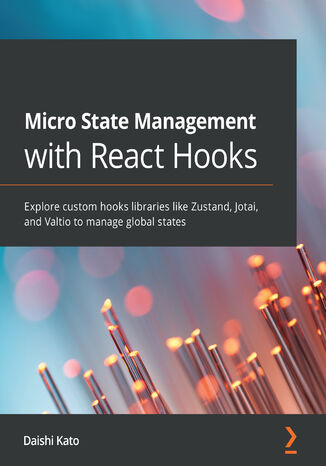
Daishi Kato
State management is one of the most complex concepts in React. Traditionally, developers have used monolithic state management solutions. Thanks to React Hooks, micro state management is something tuned for moving your application from a monolith to a microservice.This book provides a hands-on approach to the implementation of micro state management that will have you up and running and productive in no time. You’ll learn basic patterns for state management in React and understand how to overcome the challenges encountered when you need to make the state global. Later chapters will show you how slicing a state into pieces is the way to overcome limitations. Using hooks, you'll see how you can easily reuse logic and have several solutions for specific domains, such as form state and server cache state. Finally, you'll explore how to use libraries such as Zustand, Jotai, and Valtio to organize state and manage development efficiently.By the end of this React book, you'll have learned how to choose the right global state management solution for your app requirement.

Micro:bit. Nauka programowania i elektroniki dla małych oraz dużych
Witold Krieser
Zabawę w programowanie czas zacząć! Pod intrygująco brzmiącą nazwą micro:bit kryje się niewielkich rozmiarów płytka będąca mikrokontrolerem ― czy inaczej: mikrokomputerem. Sercem wielu urządzeń, takich jak różne roboty i inteligentne modele samochodów. Micro:bit stanowi punkt wyjścia dla ich konstrukcji i jest urządzeniem niezwykle często pojawiającym się przy okazji rozmaitych projektów związanych z nauką programowania ― korzystają z niego nauczyciele i uczniowie na całym świecie. Mikrokontroler micro:bit pozwala im się sprawnie uczyć i rozwiązywać pojawiające się przy okazji realizacji zadań problemy poprzez zabawę. Bo programowania, podobnie jak każdej innej dziedziny wiedzy, najlepiej uczyć się przez sprawiające radość praktykowanie. Ta książka stanowi swojego rodzaju instrukcję obsługi płytki micro:bit. Zawiera aż sześćdziesiąt gotowych projektów, z których mniej więcej jedna trzecia dotyczy samego mikrokontrolera, pozostałe zaś wymagają zastosowania modułu rozszerzeń i (lub) dodatkowych akcesoriów. Podręcznik proponuje projekty i gotowe programy korzystające z bloczków, a także z bardziej zaawansowanych języków programowania, jakimi są JavaScript i Python. Przekonaj się, że zabawa z micro:bitem jest przyjemna, stosunkowo prosta i równocześnie inspirująca ― z tym mikrokontrolerem wykonasz zarówno prosty włącznik światła, użytecznego robota, samosterujący samochód, jak i bardziej zaawansowane rozwiązania dla tzw. inteligentnego domu.

MICROINFLUENCER - jak zarabiać na instagramie mając małe konto?
Agnieszka Dzieniszewska
Załóż profil. Publikuj. Zarabiaj Instagram to potęga. Szybko się rozwinął, zyskał popularność i dziś jest dostępny z każdego urządzenia mobilnego, a na swoje konta w serwisie codziennie zaglądają miliony ludzi. Nie każdy coś publikuje, ale wielu z tych, którzy to robią, zarabia dzięki Instagramowi naprawdę duże pieniądze. Chcesz do nich dołączyć? Świetnie się składa, ponieważ dzięki tej książce masz spore szanse dobrze zacząć. Nawet jeśli nie masz jeszcze profilu na Instagramie. Albo masz, ale jest niewielki i ― z pozoru ― niewiele może. Agnieszka Dzieniszewska napisała ten poradnik dla Ciebie i innych osób, które zadają sobie i jej powtarzające się pytania. Autorka od kilku lat prowadzi z powodzeniem własne konto na Instagramie i wie dobrze, jak prowadzić na nim działania, by były one skuteczne: by zasięgi rosły, obserwujący się aktywowali i ― co najważniejsze z Twojego punktu widzenia ― można było zmonetyzować własny, nawet niewielki profil. Ponieważ każdy, kto publikuje cokolwiek na Instagramie, jest co najmniej mikroinfluencerem. Rzecz w tym, by nauczyć się wyciągać ze swoich działań odpowiednie profity. Książka w mediach: Czym jest Content? Czym jest CTA? Kim jest Microinfluencer? Polskie Radio Białystok - "Microinfluencer. Jak zarabiać na instagramie mając małe konto"? Rozmawiamy z autorką Agnieszką Dzieniszewską Nieksiążkara - Bookstagram Nowińska - Bookstagram Po prostu Anna - Bookstagram Curlyworld - Bookstagram Kosmetycznie u Ani - Bookstagram Marigolds Bookstagram miss_biblioteki Bookstagram mama_lubi_czytac Bookstagram Roksana Nowińska Bookstagram Zimna Recenzuje Bookstagram Recenzje na widelcu - Bookstagram Książka z zakładką Bookstagram Pozytywna 28 - Bookstagram Love-Czyta Bookstagram Przeczyt.ana Bookstagram Pola.Mama.Igora Bookstagram Milena Sokołowska Bookstagram MariGolds Bookstagram Slowo_wartościowe Starwithbooks Bookstagram Sabina Pisarek Bookstagram Zaczytana Sara - Bookstagram Zaczytany Krzysiu i Małgosia Bookstagram Ps.Karolina Bookstagram Books of Shadow Bookstagram
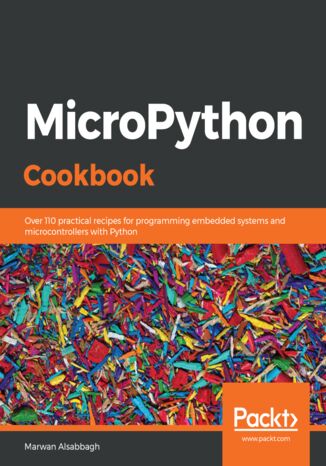
Marwan Alsabbagh
MicroPython is an open source implementation of Python 3 that runs in embedded environments. With MicroPython, you can write clean and simple Python code to control hardware instead of using complex low-level languages such as C and C++. This book guides you through all the major applications of the MicroPython platform to build and program projects that use microcontrollers.This MicroPython book covers recipes that will help you experiment with the programming environment and hardware programmed in MicroPython. You'll find tips and techniques for building a variety of objects and prototypes that can sense and respond to touch, sound, position, heat, and light. This book will take you through the uses of MicroPython with a variety of popular input devices and sensors. You'll learn techniques to handle time delays and sensor readings, and apply advanced coding techniques to create complex projects. As you advance, you'll deal with Internet of Things (IoT) devices and integration with other online web services. In addition to this, you'll use MicroPython to make music with bananas and create portable multiplayer video games that incorporate sound and light animations into the gameplay.By the end of this book, you'll have mastered the tips and tricks to troubleshoot your development problems and take your MicroPython project to the next level.
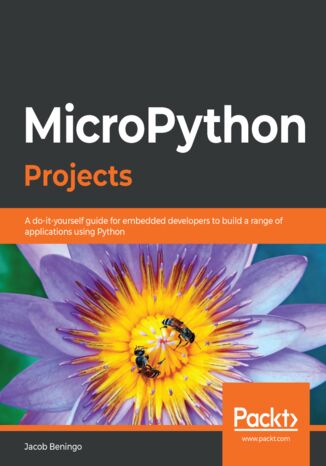
Jacob Beningo
With the increasing complexity of embedded systems seen over the past few years, developers are looking for ways to manage them easily by solving problems without spending a lot of time on finding supported peripherals. MicroPython is an efficient and lean implementation of the Python 3 programming language, which is optimized to run on microcontrollers. MicroPython Projects will guide you in building and managing your embedded systems with ease.This book is a comprehensive project-based guide that will help you build a wide range of projects and give you the confidence to design complex projects spanning new areas of technology such as electronic applications, automation devices, and IoT applications. While building seven engaging projects, you'll learn how to enable devices to communicate with each other, access and control devices over a TCP/IP socket, and store and retrieve data. The complexity will increase progressively as you work on different projects, covering areas such as driver design, sensor interfacing, and MicroPython kernel customization.By the end of this MicroPython book, you'll be able to develop industry-standard embedded systems and keep up with the evolution of the Internet of Things.
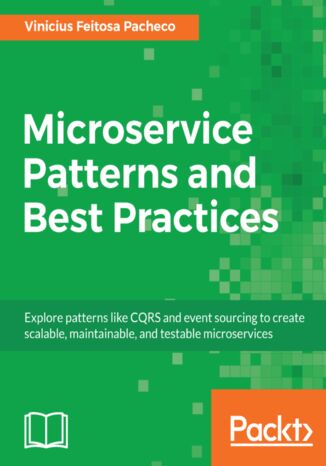
Vinicius Feitosa Pacheco
Microservices are a hot trend in the development world right now. Many enterprises have adopted this approach to achieve agility and the continuous delivery of applications to gain a competitive advantage. This book will take you through different design patterns at different stages of the microservice application development along with their best practices.Microservice Patterns and Best Practices starts with the learning of microservices key concepts and showing how to make the right choices while designing microservices. You will then move onto internal microservices application patterns, such as caching strategy, asynchronism, CQRS and event sourcing, circuit breaker, and bulkheads. As you progress, you'll learn the design patterns of microservices.The book will guide you on where to use the perfect design pattern at the application development stage and how to break monolithic application into microservices. You will also be taken through the best practices and patterns involved while testing, securing, and deploying your microservice application. At the end of the book, you will easily be able to create interoperable microservices, which are testable and prepared for optimum performance.
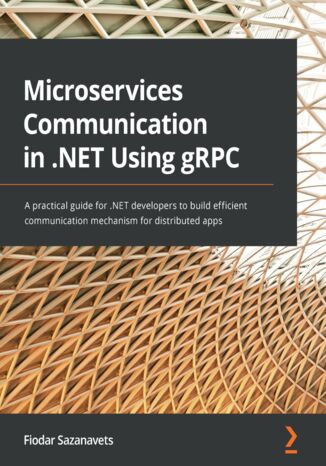
Fiodar Sazanavets
Explore gRPC's capabilities for faster communication between your microservices using the HTTP/2 protocol in this practical guide that shows you how to implement gRPC on the .NET platform.gRPC is one of the most efficient protocols for communication between microservices that is also relatively easy to implement. However, its official documentation is often fragmented and.NET developers might find it difficult to recognize the best way to map between C# data types and fields in gRPC messages. This book will address these concerns and much more. Starting with the fundamentals of gRPC, you'll discover how to use it inside .NET apps. You’ll explore best practices for performance and focus on scaling a gRPC app. Once you're familiar with the inner workings of the different call types that gRPC supports, you'll advance to learning how to secure your gRPC endpoints by applying authentication and authorization.With detailed explanations, this gRPC .NET book will show you how the Protobuf protocol allows you to send messages efficiently by including only the necessary data. You'll never get confused again while translating between C# data types and the ones available in Protobuf.By the end of the book, you’ll have gained practical gRPC knowledge and be able to use it in .NET apps to enable direct communication between microservices.
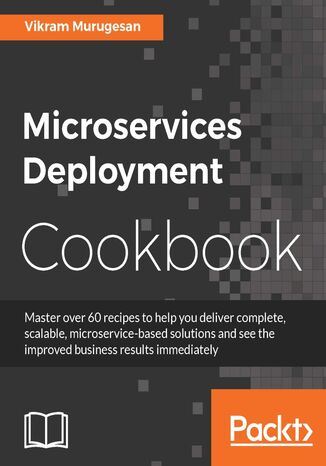
Microservices Deployment Cookbook. Deploy and manage scalable microservices
Vikram Murugesan
This book will help any team or organization understand, deploy, and manage microservices at scale. It is driven by a sample application, helping you gradually build a complete microservice-based ecosystem. Rather than just focusing on writing a microservice, this book addresses various other microservice-related solutions: deployments, clustering, load balancing, logging, streaming, and monitoring.The initial chapters offer insights into how web and enterprise apps can be migrated to scalable microservices. Moving on, you’ll see how to Dockerize your application so that it is ready to be shipped and deployed. We will look at how to deploy microservices on Mesos and Marathon and will also deploy microservices on Kubernetes. Next, you will implement service discovery and load balancing for your microservices. We’ll also show you how to build asynchronous streaming systems using Kafka Streams and Apache Spark. Finally, we wind up by aggregating your logs in Kafka, creating your own metrics, and monitoring the metrics for the microservice.
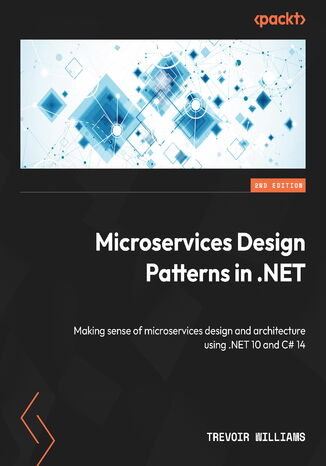
Trevoir Williams
Are you a developer seeking practical, up-to-date insights into designing scalable and resilient microservices? Microservices Design Patterns in .NET, Second Edition provides a comprehensive exploration of modern microservices using C# 14 and .NET 10.This edition expands on core patterns such as CQRS, event sourcing, and Saga, while introducing advanced concepts such as observability with OpenTelemetry, zero-trust security, and container-based workflows.You’ll explore both synchronous and asynchronous communication, apply domain-driven design to define service boundaries, and manage data consistency using proven persistence strategies. The book also guides you through container hosting, serverless functions, and production-ready deployment pipelines.By the end of this book, you’ll know how to design and deploy secure, maintainable, and resilient microservices that fit perfectly in modern cloud ecosystems.Free with your book: DRM-free PDF version + access to Packt's next-gen Reader*
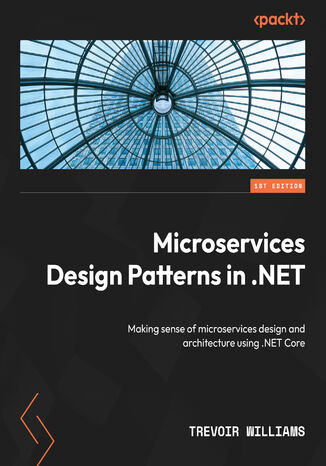
Trevoir Williams
Are you a developer who needs to fully understand the different patterns and benefits that they bring to designing microservices? If yes, then this book is for you. Microservices Design Patterns in .NET will help you appreciate the various microservice design concerns and strategies that can be used to navigate them.Making a microservice-based app is no easy feat and there are many concerns that need to be addressed. As you progress through the chapters of this guide, you’ll dive headfirst into the problems that come packed with this architectural approach, and then explore the design patterns that address these problems. You’ll also learn how to be deliberate and intentional in your architectural design to overcome major considerations in building microservices.By the end of this book, you’ll be able to apply critical thinking and clean coding principles when creating a microservices application using .NET Core.
Microservices Development Cookbook. Design and build independently deployable modular services
Paul Osman
Microservices have become a popular choice for building distributed systems that power modern web and mobile apps. They enable you to deploy apps as a suite of independently deployable, modular, and scalable services. With over 70 practical, self-contained tutorials, the book examines common pain points during development and best practices for creating distributed microservices. Each recipe addresses a specific problem and offers a proven, best-practice solution with insights into how it works, so you can copy the code and configuration files and modify them for your own needs.You’ll start by understanding microservice architecture. Next, you'll learn to transition from a traditional monolithic app to a suite of small services that interact to ensure your client apps are running seamlessly. The book will then guide you through the patterns you can use to organize services, so you can optimize request handling and processing. In addition this, you’ll understand how to handle service-to-service interactions. As you progress, you’ll get up to speed with securing microservices and adding monitoring to debug problems. Finally, you’ll cover fault-tolerance and reliability patterns that help you use microservices to isolate failures in your apps.By the end of this book, you’ll have the skills you need to work with a team to break a large, monolithic codebase into independently deployable and scalable microservices.
Microservices with Azure. Build highly maintainable and scalable enterprise-grade apps
Namit Tanasseri, Rahul Rai
Microsoft Azure is rapidly evolving and is widely used as a platform on which you can build Microservices that can be deployed on-premise and on-cloud heterogeneous environments through Microsoft Azure Service Fabric. This book will help you understand the concepts of Microservice application architecture and build highly maintainable and scalable enterprise-grade applications using the various services in Microsoft Azure Service Fabric. We will begin by understanding the intricacies of the Microservices architecture and its advantages over the monolithic architecture and Service Oriented Architecture (SOA) principles. We will present various scenarios where Microservices should be used and walk you through the architectures of Microservice-based applications. Next, you will take an in-depth look at Microsoft Azure Service Fabric, which is the best–in-class platform for building Microservices. You will explore how to develop and deploy sample applications on Microsoft Azure Service Fabric to gain a thorough understanding of it. Building Microservice-based application is complicated. Therefore, we will take you through several design patterns that solve the various challenges associated with realizing the Microservices architecture in enterprise applications. Each pattern will be clearly illustrated with examples that you can keep referring to when designing applications.Finally, you will be introduced to advanced topics such as Serverless computing and DevOps using Service Fabric, to help you undertake your next venture with confidence.
Anuj Kumar
The microservice architecture is sweeping the world as the de facto pattern with which to design and build scalable, easy-tomaintain web applications. This book will teach you common patterns and practices, and will show you how to apply these using the Clojure programming language.This book will teach you the fundamental concepts of architectural design and RESTful communication, and show you patterns that provide manageable code that is supportable in development and at scale in production. We will provide you with examples of how to put these concepts and patterns into practice with Clojure. This book will explain and illustrate, with practical examples, how teams of all sizes can start solving problems with microservices.You will learn the importance of writing code that is asynchronous and non-blocking and how Pedestal helps us do this. Later, the book explains how to build Reactive microservices in Clojure that adhere to the principles underlying the Reactive Manifesto. We finish off by showing you various ways to monitor, test, and secure your microservices. By the end, you will be fully capable of setting up, modifying, and deploying a microservice with Clojure and Pedestal.
Microservices with Go. Building scalable and reliable microservices with Go
Alexander Shuiskov
This book covers the key benefits and common issues of microservices, helping you understand the problems microservice architecture helps to solve, the issues it usually introduces, and the ways to tackle them.You’ll start by learning about the importance of using the right principles and standards in order to achieve the key benefits of microservice architecture. The following chapters will explain why the Go programming language is one of the most popular languages for microservice development and lay down the foundations for the next chapters of the book. You’ll explore the foundational aspects of Go microservice development including service scaffolding, service discovery, data serialization, synchronous and asynchronous communication, deployment, and testing. After covering the development aspects, you’ll progress to maintenance and reliability topics. The last part focuses on more advanced topics of Go microservice development including system reliability, observability, maintainability, and scalability. In this part, you’ll dive into the best practices and examples which illustrate how to apply the key ideas to existing applications, using the services scaffolded in the previous part as examples.By the end of this book, you’ll have gained hands-on experience with everything you need to develop scalable, reliable and performant microservices using Go.
Alexander Shuiskov
Microservices with Go, Second Edition explains the key benefits and common issues faced by developers when working with microservices, helping you understand the problems microservice architecture solves, the issues it introduces, and how to tackle them.The author distils his 18+ years of experience in building scalable and reliable infrastructure to help you grasp the importance of using the right principles and standards to achieve all that microservice architecture has to offer. You'll see why Go is a popular choice for microservice development, as well as navigate its foundational aspects, including service scaffolding, discovery, data serialization, communication, deployment, and testing. After covering development, you'll move to maintenance and reliability. This second edition is fully updated with newly added topics, including security and compliance, distributed system challenges, and performance monitoring. The final section focuses on advanced concepts, such as system reliability, observability, maintainability, and scalability. Through best practices and practical examples, you'll learn how to apply key ideas to existing applications using previously scaffolded services.By the end of this book, you'll have gained hands-on experience in developing scalable, reliable, and high-performance microservices with Go.
Magnus Larsson
Looking to build and deploy microservices but not sure where to start? Check out Microservices with Spring Boot 3 and Spring Cloud, Third Edition.With a practical approach, you'll begin with simple microservices and progress to complex distributed applications. Learn essential functionality and deploy microservices using Kubernetes and Istio.This book covers Java 17, Spring Boot 3, and Spring Cloud 2022. Java EE packages are replaced with the latest Jakarta EE packages. Code examples are updated and deprecated APIs have been replaced, providing the most up to date information. Gain knowledge of Spring's AOT module, observability, distributed tracing, and Helm 3 for Kubernetes packaging.Start with Docker Compose to run microservices with databases and messaging services. Progress to deploying microservices on Kubernetes with Istio. Explore persistence, resilience, reactive microservices, and API documentation with OpenAPI. Learn service discovery with Netflix Eureka, edge servers with Spring Cloud Gateway, and monitoring with Prometheus, Grafana, and the EFK stack.By the end, you'll build scalable microservices using Spring Boot and Spring Cloud.
Magnus Larsson
Do you want to build and deploy microservices but are unsure where to begin? Check out the fully updated 2025 edition of Microservices with Spring Boot and Spring Cloud. Drawing from Magnus’ decades of experience, you’ll start with simple microservices and progress to complex distributed applications, learning essential functionality and deploying microservices using Kubernetes and Istio along the way. This book covers Java 24, Spring Boot 3.5, and Spring Cloud 2025, featuring updated code examples and replacing deprecated APIs. You’ll get a clear understanding of Spring’s Ahead of Time (AOT) module, observability, distributed tracing, and Helm for Kubernetes packaging. The chapters show you how to use Docker Compose to run microservices with databases and messaging services and deploy microservices on Kubernetes with Istio. You’ll also explore persistence, resilience, reactive microservices, and API documentation with OpenAPI, as well as learn service discovery with Netflix Eureka, edge servers with Spring Cloud Gateway, and monitoring with Prometheus, Grafana, and the EFK stack. By the end of this book, you’ll be able to confidently build scalable microservices using Spring Boot and Spring Cloud.
Magnus Larsson
Want to build and deploy microservices, but don’t know where to start? Welcome to Microservices with Spring Boot and Spring Cloud.This edition features the most recent versions of Spring, Java, Kubernetes, and Istio, demonstrating faster and simpler handling of Spring Boot, local Kubernetes clusters, and Istio installation. The expanded scope includes native compilation of Spring-based microservices, support for Mac and Windows with WSL2, and an introduction to Helm 3 for packaging and deployment. A revamped security chapter now follows the OAuth 2.1 specification and makes use of the newly launched Spring Authorization Server from the Spring team.You’ll start with a set of simple cooperating microservices, then add persistence and resilience, make your microservices reactive, and document their APIs using OpenAPI.Next, you’ll learn how fundamental design patterns are applied to add important functionality, such as service discovery with Netflix Eureka and edge servers with Spring Cloud Gateway. You’ll deploy your microservices using Kubernetes and adopt Istio, then explore centralized log management using the Elasticsearch, Fluentd, and Kibana (EFK) stack, and then monitor microservices using Prometheus and Grafana.By the end of this book, you'll be building scalable and robust microservices using Spring Boot and Spring Cloud.
Nate Chamberlain
Organizations across the world have switched to Office 365 to boost workplace productivity. However, to maximize investment in Office 365, you need to know how to efficiently administer Office 365 solutions.Microsoft Office 365 Administration Cookbook is packed with recipes to guide you through common and not-so-common administrative tasks throughout Office 365. Whether you’re administering a single app such as SharePoint or organization-wide Security & Compliance across Office 365, this cookbook offers a variety of recipes that you’ll want to have to hand. The book begins by covering essential setup and administration tasks. You’ll learn how to manage permissions for users and user groups along with automating routine admin tasks using PowerShell. You’ll then progress through to managing core Office 365 services such as Exchange Online, OneDrive, SharePoint Online, and Azure Active Directory (AD). This book also features recipes that’ll help you to manage newer services such as Microsoft Search, Power Platform, and Microsoft Teams. In the final chapters, you’ll delve into monitoring, reporting, and securing your Office 365 services.By the end of this book, you’ll have learned about managing individual Office 365 services along with monitoring, securing, and optimizing your entire Office 365 deployment efficiently.